Yes, you can pack a laptop in your checked luggage. There is no rule that bans it. The catch is that you must switch the laptop completely off first, and a few related items, like loose batteries and power banks, are a different story and cannot go in the hold at all.
That short answer hides a few important details, so let’s walk through them. By the end you’ll know exactly what’s allowed, what’s banned, and the safest way to travel with your laptop.
So, can you pack a laptop in checked luggage?
A laptop with its battery sealed inside is allowed in checked baggage. Security agencies and airlines permit it. The one firm condition is that the device has to be powered all the way down, not left in sleep or hibernation mode, and packed so it can’t switch itself back on or get crushed.
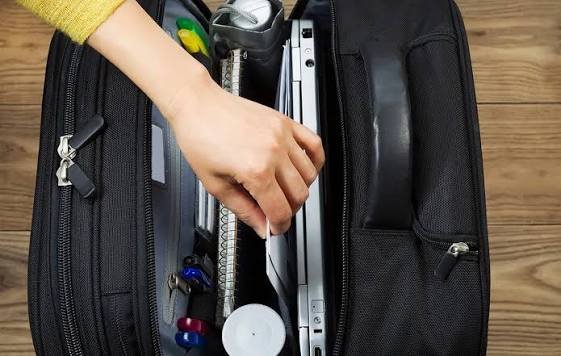
The FAA’s PackSafe guidance puts it plainly: devices like laptops, phones, and tablets should travel in the cabin, but if they go in a checked bag they must be fully off and protected from damage and accidental start-up.
So the literal answer to the question is yes. The better question is whether you should, and for most people the answer to that is no. Here’s why, starting with the one rule that has no exceptions.
The one rule you cannot break: spare batteries and power banks
This is the part that trips people up. The laptop can be checked. The loose batteries that power your gear cannot.
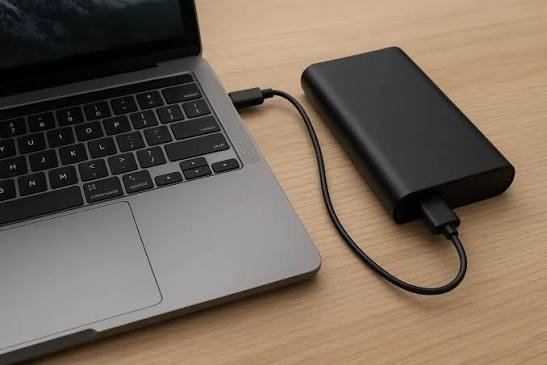
Spare lithium batteries, the ones not installed inside a device, are banned from checked baggage on every passenger flight. That includes a backup laptop battery, AA lithium cells, camera batteries, and any power bank or portable charger. They have to travel in the cabin with you, full stop.
Quick rule of thumb: if a battery is sitting loose in your bag, or it’s a power bank, it belongs in your carry-on. Only batteries sealed inside a device may be checked.
The reason is safety. A lithium battery can overheat and catch fire in a chain reaction called thermal runaway. In the cabin, a flight attendant can spot it and put it out within seconds. Buried in the cargo hold, no one can reach it. That’s the whole logic behind the rule.
There was a notable change here. Since March 1, 2025, power banks and charging cases must be kept in carry-on bags only, and several airlines now ask you to keep a power bank in plain sight while it’s charging something. If you gate-check a carry-on at the boarding door, you have to pull out any spare batteries and power banks and take them on board with you.
Why carrying it on is the smarter move
Even though checking your laptop is allowed, keeping it with you avoids three real problems.

Damage. Checked bags get thrown, stacked, and dropped onto belts. Laptop screens and drives don’t love that. A padded cabin bag protects the machine far better than a suitcase wedged under a pile of luggage.
Theft and loss. Once your bag disappears down the belt, you have no eyes on it. Laptops are exactly the kind of high-value item that goes missing, and if your bag is delayed or lost, your laptop goes with it.
Money you can’t claim back. Here’s the detail many travelers miss. Most airlines specifically exclude electronics from their baggage liability. So if a checked laptop is lost or smashed, you may get nothing, even though the overall payout cap is as high as $4,700 per passenger on US domestic flights and around $2,175 on international ones. Electronics usually fall outside that cover entirely.
Put simply, the safest spot for your laptop is in the bag at your feet, where you can see it and the airline can’t disclaim responsibility for it.
If you have to check your laptop, do this
Sometimes checking it is unavoidable. Maybe your carry-on is full or it’s getting gate-checked. If the laptop has to go in the hold, these steps lower the risk.

- Power it down completely. Fully off, not asleep. A laptop in sleep mode can wake up, heat up, and that’s exactly what the rule is trying to prevent.
- Remove any spare batteries and the power bank. These go in your cabin bag, never the checked one. The battery sealed inside the laptop can stay put.
- Use a padded sleeve or hard case. A snug case stops the lid from being pressed and the screen from flexing.
- Pack it in the center of the bag. Surround it with clothes on every side so it sits in a soft cushion away from the hard shell.
- Back up your files first. If the machine is damaged or vanishes, your work and photos shouldn’t vanish with it. Copy them to the cloud or a separate drive before you fly.
Follow those five steps and a checked laptop will usually arrive fine. It’s still second best to carrying it on, but it’s a sensible fallback.
What about the battery size?
Battery capacity is measured in watt-hours, written as Wh, and the number decides what’s allowed. The vast majority of laptops sit comfortably inside the limits, so this rarely becomes an issue, but it helps to know the thresholds.
- Up to 100 Wh: fine on passenger aircraft. Standard laptops, phones, and tablets all fall here.
- 101 to 160 Wh: allowed only with airline approval, and you’re limited to two spares. This covers some larger pro laptops and big camera batteries.
- Over 160 Wh: not allowed in the cabin or the hold on passenger flights.
A typical laptop battery is well under 100 Wh, so you almost never need to think about this. If you’re not sure, the watt-hour rating is usually printed on the battery itself, or you can work it out by multiplying the voltage by the amp-hours. Airlines can also set stricter limits than the baseline, so it’s worth a quick check on your carrier’s site before a trip with heavy gear.
Here’s how it all sorts out at a glance.
Item Carry-on Checked
Laptop (battery inside) Allowed, and the safer choice Allowed, but must be fully powered off
Spare laptop battery Allowed Never allowed
Power bank or portable charger Allowed Never allowed
Battery over 160 Wh Not allowed Not allowed
One last point: damaged, swollen, or recalled batteries should never fly, in either bag. If a battery looks puffy or cracked, leave it at home and replace it.
Frequently asked questions
Will airport security stop me if my laptop is in a checked bag?
No. A laptop in a checked bag is allowed, so it won’t be pulled for that reason alone. It only needs to be powered fully off. The bigger risks are damage, theft, and limited compensation, not a security stop.
Can I put a power bank in my checked luggage?
No. Power banks and portable chargers are banned from checked bags on passenger flights. They must travel in your carry-on. Since March 2025 this is a firm rule, and some airlines want them visible while in use.
Does the laptop have to be off, or is sleep mode okay?
It must be completely powered down, not in sleep or hibernation. A sleeping laptop can wake and heat up inside the bag, which is exactly what the rule is designed to prevent.
What if the airline loses my checked laptop?
You may not be reimbursed. Most airlines exclude electronics from baggage liability, so a lost or damaged checked laptop often isn’t covered, even within the overall payout cap. Carrying it on avoids this entirely.
Are there limits on how many laptops or devices I can bring?
For personal use, there’s no set limit on devices with batteries under 100 Wh. Loose spare batteries and power banks have stricter caps, and larger batteries between 101 and 160 Wh are limited to two spares with airline approval.
Conclusion
You can pack a laptop in checked luggage if it’s switched fully off and padded well, but the smarter move is to carry it on. Spare batteries and power banks must always ride in the cabin, never the hold. A good result is simple: your laptop in your carry-on, your power bank with it, your files backed up, and nothing in your checked bag that an airline could refuse to pay for if it goes missing.