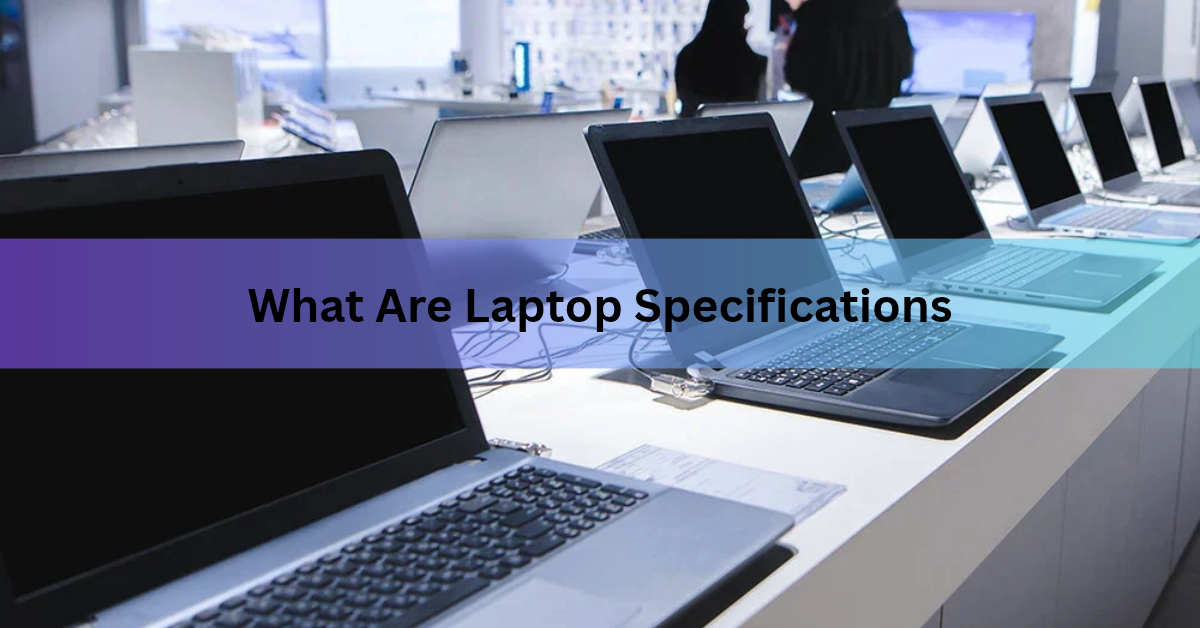
Laptop specifications, or specs, are the hardware details that describe what a laptop is made of and how well it can work. The main ones are the processor, memory (RAM), storage, graphics, screen, battery, ports, and weight. Together they decide how fast the laptop feels, how long it lasts away from a charger, and what jobs it can handle.
A spec sheet can look like a wall of codes. “Intel Core Ultra 7, 16GB LPDDR5X, 512GB NVMe SSD, 14-inch OLED, 120Hz” means very little until someone explains each piece. This guide does that. You will learn what every major spec means, which numbers make sense in 2026, how to read a spec sheet, and how to check the specs of a laptop you already own.
What are the main specifications of a laptop?
A laptop has eight groups of specs that matter for most buyers. Each one controls a different part of the experience, and the table below gives you the short version before we go through them one by one.

| Spec | What it does | What to look at |
| Processor (CPU) | Runs apps and carries out every instruction | Model name, generation, core count |
| RAM | Holds what you are using right now | Size in GB, memory type, upgradable or not |
| Storage | Keeps files, apps, and the system | SSD or HDD, size in GB or TB |
| Graphics (GPU) | Draws images, video, and games | Integrated or dedicated, VRAM |
| Display | Shows everything you see | Size, resolution, refresh rate, brightness, panel type |
| Battery | Powers the laptop away from a socket | Capacity in Wh, charging speed |
| Ports and wireless | Connects screens, drives, and networks | USB-C, HDMI, Wi-Fi version, Bluetooth |
| Size and weight | Sets how easy it is to carry | Weight in kg or lb, screen size |
What does the processor (CPU) do?
The processor, or CPU, is the part that carries out instructions. Every click, app launch, and spreadsheet formula goes through it. Think of it as the engine of the laptop.
Four details matter. The first is the brand and family. Intel sells Core Ultra chips, AMD sells Ryzen chips, Qualcomm makes the Snapdragon X series for Windows laptops, and Apple builds its own M-series chips for MacBooks. The second is the number of cores. A core is a small processing unit, and more cores help when you run many things at once or do heavy work like video editing.
The third is clock speed, shown in gigahertz (GHz), which tells you how fast each core runs. The fourth is power use. A chip built for a thin laptop gives up a little peak speed in return for longer battery life.
Do not compare chips by GHz alone. A newer chip with a lower clock speed can beat an older one with a higher number, because the design improved. Compare the model name and generation instead, and check independent benchmark scores when you can. For everyday work, a mid-range chip from the current generation is plenty. Pay for the top tier only if you edit video, compile code, or run heavy software.
How much RAM does a laptop need?
For most people in 2026, 16GB of RAM is the right amount. RAM (random access memory) is the laptop’s short-term workspace. It holds whatever you are using right now, such as open browser tabs, a document, or a video call. When RAM fills up, the laptop slows down, because it has to move data to the slower storage drive.
RAM is measured in gigabytes (GB). Windows 11 needs only 4GB to install, but that is the bare minimum, not a comfortable amount. Microsoft sets 16GB as the floor for its Copilot+ PC label. An 8GB laptop can still handle light work like email, documents, and a few tabs, though it leaves little room to grow. Choose 32GB if you edit video, run virtual machines, or keep dozens of apps open.

Check the memory type as well. DDR5 and LPDDR5 are the current types in Windows laptops. On many thin laptops and on all current MacBooks, the memory is soldered to the board, so you cannot upgrade it later. Buy the amount you need on day one. Apple calls its version unified memory, because the processor and graphics share one pool. The MacBook Air with M5, for example, starts at 16GB and can be set up with 24GB or 32GB.
Quick rule: If the RAM is soldered, pick the larger size at the time of purchase. You will not be able to add more later.
What is laptop storage, and how much do you need?
Storage is where your files, apps, and operating system live, even when the laptop is off. It is measured in gigabytes (GB) or terabytes (TB), and 1TB is about 1,000GB.
Almost every modern laptop uses a solid-state drive (SSD). An SSD has no moving parts and loads files much faster than an old hard disk drive (HDD). If you see an HDD on a spec sheet, expect slow start-ups. Many SSDs carry the label NVMe, which describes a fast connection type, and NVMe is the one to look for.
How much space is enough? Windows 11 needs 64GB at minimum, and Copilot+ PCs need 256GB. In real life, 512GB suits most people, because the system, apps, and updates take a large share of a small drive. Pick 1TB or more if you store lots of photos, videos, or games. Apple raised the starting storage of the MacBook Air with M5 to 512GB, which shows where the baseline is heading.
Cloud storage and external drives can add room later, but internal storage is often the hardest thing to upgrade. Some laptops have a spare slot for a second drive. Many do not.
What is a graphics card (GPU), and do you need a dedicated one?
The graphics processor, or GPU, draws everything you see on the screen. It matters most for games, 3D work, video editing, and some AI tasks. Most people do not need a dedicated one.
Laptops come with two kinds. Integrated graphics sit inside the processor and share the main memory. They handle video, web browsing, office work, and light photo editing without trouble, and they save power. Dedicated graphics are a separate chip, such as an NVIDIA GeForce RTX or an AMD Radeon RX, with its own video memory called VRAM. They cost more, use more power, and make the laptop thicker and heavier.

If you do buy a dedicated GPU, look at the model name and the VRAM. More VRAM helps with detailed textures and large projects. Also remember that the same GPU name can run faster or slower depending on how much power the laptop maker lets it draw, so a thin laptop may perform below a thicker one with the same chip. If you do not play demanding games or work in 3D, integrated graphics give you better value.
What is an NPU, and does it matter?
An NPU, or neural processing unit, is a small chip built for AI tasks such as background blur on video calls, live captions, and on-device translation. It is a newer entry on laptop spec sheets.
NPU power is measured in TOPS, which stands for trillions of operations per second. A Windows laptop needs an NPU rated at 40 TOPS or more, plus 16GB of RAM and 256GB of storage, to count as a Copilot+ PC. Lighter features, such as the Windows Studio Effects for video calls, run on NPUs of 10 TOPS or more.
Should it drive your choice? Only if you want those on-device AI features. The NPU is not what speeds up everyday apps, so look at the CPU, RAM, and storage first and treat the NPU as a bonus.
Which display specs matter?
The display is the part you will look at every minute, so it deserves attention. Five numbers describe it.
- Size. This is measured across the diagonal in inches. A 13 or 14 inch screen suits travel, 15 or 16 inches gives more room to work, and 17 inches is for machines that mostly stay on a desk.
- Resolution. This is the pixel count, written as width by height. Full HD (1920 x 1080) is the entry level. Sharper options such as 2560 x 1600 or 4K give crisper text and images but use more battery. The 13-inch MacBook Air with M5 has a 2560 x 1664 screen.
- Refresh rate. This is how many times the screen redraws each second, in hertz (Hz). 60Hz is standard. 120Hz or higher makes scrolling and motion look smoother, and gamers often want 144Hz or more.
- Brightness. This is measured in nits. Around 300 nits is fine indoors. Aim for 400 or more if you sit near windows or work outside. That same MacBook Air screen reaches 500 nits.
- Panel type. IPS panels are common and show good color from wide angles. OLED panels show deeper blacks and richer contrast, and they often cost more.

Two extras are worth a glance. Color coverage, shown as a percentage of sRGB or DCI-P3, matters if you edit photos or video. Aspect ratio matters for reading and writing, because 16:10 and 3:2 screens are taller than 16:9 and show more of a page at once.
How do battery specs work?
Battery capacity is measured in watt-hours (Wh), and a bigger number means more stored energy. Most thin laptops carry roughly 40 to 75Wh. Large gaming laptops often reach 90 to 100Wh. Most laptop batteries stay at or under 100Wh, the usual airline limit for carry-on bags.
Hours of battery life depend on the test that produced them. In real use, a bright screen, a high refresh rate, or a busy dedicated GPU can cut the time sharply. Capacity alone does not tell the whole story either. An efficient chip, such as an Apple M-series or Snapdragon X chip, can last longer on a smaller battery than a power-hungry one on a bigger battery.
Charging matters too. Look at the charger wattage and whether the laptop charges over USB-C. A laptop that charges through a standard USB-C port means one charger can power your laptop, phone, and tablet.
Which ports and wireless specs should you check?
Ports decide what you can plug in without buying adapters. Look for at least one USB-C port, and check whether it supports USB4 or Thunderbolt, which add fast data transfer and the option to drive an external monitor. A USB-A port still helps for flash drives and older mice. An HDMI port makes it easy to connect a TV or projector, and a headphone jack saves you from dongles. Photographers and video editors may want an SD card slot.

Thin laptops often have only two or three ports, so count what you use every day before you buy.
For wireless, check the Wi-Fi version and the Bluetooth version. Wi-Fi 7 is the newest standard, and the MacBook Air with M5 supports it along with Bluetooth 6. Wi-Fi 6 and 6E are still fine for most homes. Keep in mind that you only get the full speed of a newer Wi-Fi version if your router supports it too.
What about weight, size, and the other details?
Weight and thickness decide how often the laptop will go in your bag. The 13-inch MacBook Air with M5 weighs 2.7 pounds (1.23kg). Many light Windows laptops fall between 1 and 1.4kg, while gaming laptops often pass 2.5kg once you add the charger.
A few other specs shape daily use. A backlit keyboard helps in dim rooms. A 1080p webcam looks clearer on calls than a 720p one. Good speakers and a fingerprint reader or face login add comfort. The operating system matters too, because Windows, macOS, and ChromeOS run different software. Finally, check the warranty length, since it protects the money you spend.
How do you read a laptop spec sheet?
Here is a sample line from a made-up spec sheet: Core Ultra 7 processor, 16GB LPDDR5X memory, 512GB NVMe SSD, 14-inch 2880 x 1800 OLED display at 120Hz, 70Wh battery, Wi-Fi 7, 1.3kg. Once you know the parts, this reads easily: a fast mid-to-high chip, enough memory, a quick drive of a decent size, a sharp and smooth screen, a solid battery, current Wi-Fi, and a light body. Work through any sheet in this order.

- Start with the processor model and generation. The name tells you the tier, and the generation tells you how new it is.
- Check the RAM size and whether it is soldered or upgradable.
- Look at the storage type and size. You want an SSD, ideally NVMe.
- Confirm the graphics. Integrated is fine for most work, and dedicated is for games and 3D.
- Read the screen details: size, resolution, refresh rate, brightness, and panel type.
- Finish with battery capacity, ports, weight, and warranty.
Which specs fit which kind of user?
The right specs depend on the job. The table below gives starting points, and you can raise any line if your work needs more.
| Use | RAM | Storage | Graphics | Screen |
| Everyday use and school | 8 to 16GB | 256 to 512GB | Integrated | Full HD, 300 nits |
| Office work and multitasking | 16GB | 512GB | Integrated | Full HD or sharper, 300 to 400 nits |
| Creative work and coding | 32GB | 1TB | Strong integrated or dedicated | Sharp, color-accurate panel |
| Gaming | 16 to 32GB | 1TB | Dedicated RTX or Radeon RX | 144Hz or higher |
For the processor, choose a mid-range current-generation chip for the first two rows and a higher tier for the last two.
How do you check the specs of your own laptop?
On Windows, open Settings, then System, then About. Under Device specifications you will see the processor, installed RAM, and system type. For storage, graphics, and live use, press Ctrl, Shift, and Esc to open Task Manager, then click the Performance tab. It shows the CPU, memory, disk, and GPU in real time. For a full report, type “System Information” into the Start menu.
On a Mac, click the Apple menu and choose About This Mac. The overview shows the model, chip, and memory, and the System Report button opens a deeper list of hardware details. Apple explains each step on its page about how to find your Mac model name and serial number.

Knowing your current specs is the best starting point for a replacement. You can see which part is holding you back, whether it is RAM that fills up, a full drive, or a slow screen, and buy to fix that.
Frequently asked questions
What are the most important laptop specifications?
The processor, RAM, and storage matter most for speed. After those, check the display, battery, and graphics. For everyday use, 16GB of RAM and a 512GB SSD with a mid-range current chip is a strong, balanced base.
How much RAM do I need in a laptop?
Choose 16GB for most users in 2026. 8GB is enough for light tasks like email and browsing. Pick 32GB for video editing, programming with heavy tools, or running virtual machines. Check whether the RAM is soldered before you buy.
Is a higher GHz number always better?
No. GHz shows how fast one core runs, but chip design, core count, and generation matter just as much. A newer chip at a lower GHz can outperform an older chip at a higher one. Compare model names and benchmark results.
Can I upgrade my laptop specs later?
Sometimes. Many laptops let you swap the SSD, and some allow a RAM upgrade. On many thin laptops and all current MacBooks, memory is soldered. The processor and graphics chip cannot be changed. Check upgrade options before buying.
How do I check my laptop specs on Windows?
Open Settings, then System, then About. You will see the processor and installed RAM. For storage, graphics, and live usage, open Task Manager with Ctrl, Shift, and Esc, then choose the Performance tab.
Conclusion
Laptop specifications are the hardware details that decide how a laptop performs: processor, RAM, storage, graphics, display, battery, ports, and weight. For most buyers in 2026, a current-generation mid-range processor, 16GB of RAM, a 512GB SSD, and a bright Full HD screen make a solid base. Add a dedicated GPU, more RAM, or a better display only when your work needs it. Match each spec to the job and you will not overpay.
Recommended Article:
What does laptop screen size actually mean?
How Big Is a 14-Inch Laptop? Real Dimensions, Weight and Screen Size
Why Does My Laptop Have No Storage? What’s Using the Space and How to Get It Back