Yes, laptops give off radiation, but not the kind that can hurt you. A laptop puts out low-energy, non-ionizing radiation, the same family as radio signals, Wi-Fi, and the light from a lamp. This type of energy can’t strip electrons from your atoms, so it can’t damage your DNA or cause cancer at the levels a laptop produces. The word “radiation” sounds alarming, but here it just means energy traveling as waves.
There is one real thing worth paying attention to, and it’s not radiation at all. It’s heat. A warm laptop sitting on your lap for hours can raise the temperature of your groin enough to affect sperm. That’s the part worth acting on, and we’ll get to exactly what to do. First, let’s clear up what a laptop actually emits.
What kind of radiation does a laptop give off?
A laptop gives off only non-ionizing radiation. To see why that matters, it helps to know that radiation splits into two groups based on how much energy it carries.
Ionizing radiation carries a lot of energy. It can knock electrons loose from atoms and break chemical bonds, which is how it damages DNA and raises cancer risk. X-rays, gamma rays, and radon gas fall in this group. A laptop produces none of this.
Non-ionizing radiation carries far less energy. It can make molecules vibrate and warm up, but it can’t break them apart. Radio and TV signals, microwaves, Wi-Fi, Bluetooth, and visible light all live here. Everything a laptop emits is in this group.
| Ionizing radiation | Non-ionizing radiation | |
|---|---|---|
| Examples | X-rays, gamma rays, radon | Radio, Wi-Fi, Bluetooth, visible light, laptop heat |
| Energy level | High enough to knock electrons off atoms | Too low to knock electrons off atoms |
| Can it damage DNA directly? | Yes | No |
| Comes from a laptop? | No | Yes, this is the only kind |
A laptop actually gives off a few different non-ionizing signals at once:
- Radiofrequency (RF) waves from the Wi-Fi and Bluetooth antennas. These send and receive data, and they’re the same type of signal your phone and router use.
- Extremely low frequency (ELF) fields from the electrical parts inside, like the processor, battery, and power adapter. These are made by any device running on electricity.
- Visible light and infrared (heat) from the screen and the warm underside. Visible light is radiation too, which is why “emits radiation” technically describes a light bulb as well.

None of these carries enough energy to harm your cells the way X-rays can. They’re the ordinary background of modern life, coming off routers, TVs, phones, and kitchen appliances all day long.
There’s one more thing worth understanding about these fields: they fade fast. The strength of an electromagnetic field drops sharply as you move away from its source, roughly with the square of the distance. Double the gap between you and the antenna and the field you’re exposed to falls to about a quarter. That’s a big reason a laptop on a desk in front of you exposes you far less than a phone pressed against your head, even though both use the same kind of signal. Distance does most of the work for free.
It also means the numbers you sometimes see quoted for fields right at the surface of a device are misleading if you take them at face value. A reading taken with a sensor touching the case tells you almost nothing about what reaches your body when the machine is sitting a foot away on a table. Real-world exposure is a story about distance as much as about the device.
Can laptop radiation cause cancer?
No, there’s no good evidence that the radiation from a laptop causes cancer. Because laptops only emit non-ionizing energy, they lack the physical means to damage DNA directly, and DNA damage is the usual first step toward cancer. Major health bodies, after decades of study, have not found that everyday exposure from devices like laptops leads to cancer.
You may run into the term “Group 2B” online. The International Agency for Research on Cancer places radiofrequency fields in that category, which means “possibly carcinogenic.” That sounds worrying until you see what else sits in the same group: aloe vera and pickled vegetables. Group 2B is where things go when there isn’t enough evidence to say they’re harmful and not enough to fully clear them either. It signals uncertainty, not proven danger.
It’s also worth noting that most of that research looked at cell phones pressed against the head during calls, not laptops. A laptop usually sits farther from your body than a phone at your ear, and the strength of these fields drops off fast with even a little distance. If you want to check how a specific device measures up, its Specific Absorption Rate (SAR), a number for how much RF energy the body absorbs, is regulated. In the United States the FCC’s rules on radiofrequency safety set the limits every device sold there must meet.
You may also see claims about “non-thermal” effects, meaning changes at the cell level that show up in lab dishes or animal studies at exposure levels below what would heat tissue. This is a genuine area of ongoing research, and it’s fair to say scientists haven’t closed the book on every question about heavy, long-term wireless exposure. But two things keep it in perspective. First, most of that work again involves phones and near-constant high exposure, not a laptop across the room. Second, findings in a petri dish or in rats given large, sustained doses don’t automatically translate to a person using a laptop for a few hours a day. So far, the population studies on real people haven’t shown the harm those lab signals might predict.
Bottom line on cancer: the type of radiation matters more than the amount. Laptops emit the low-energy type that can’t damage DNA, and health agencies don’t treat everyday laptop use as a cancer risk.
The real issue isn’t radiation. It’s heat.
Here’s the part that actually deserves your attention. A laptop runs warm, and when it sits directly on your lap, that heat goes straight into your groin. For men, that matters, because the testicles are meant to stay a little cooler than the rest of the body. That’s the whole reason they hang outside it.
Researchers at Stony Brook University measured this. In a study of 29 healthy young men, a working laptop balanced on the lap raised scrotal temperature by around 2.6 to 2.8°C after about an hour. The underside of the laptops climbed from roughly 31°C to nearly 40°C during the session. And the men didn’t feel anything alarming while it happened, which is exactly the problem.
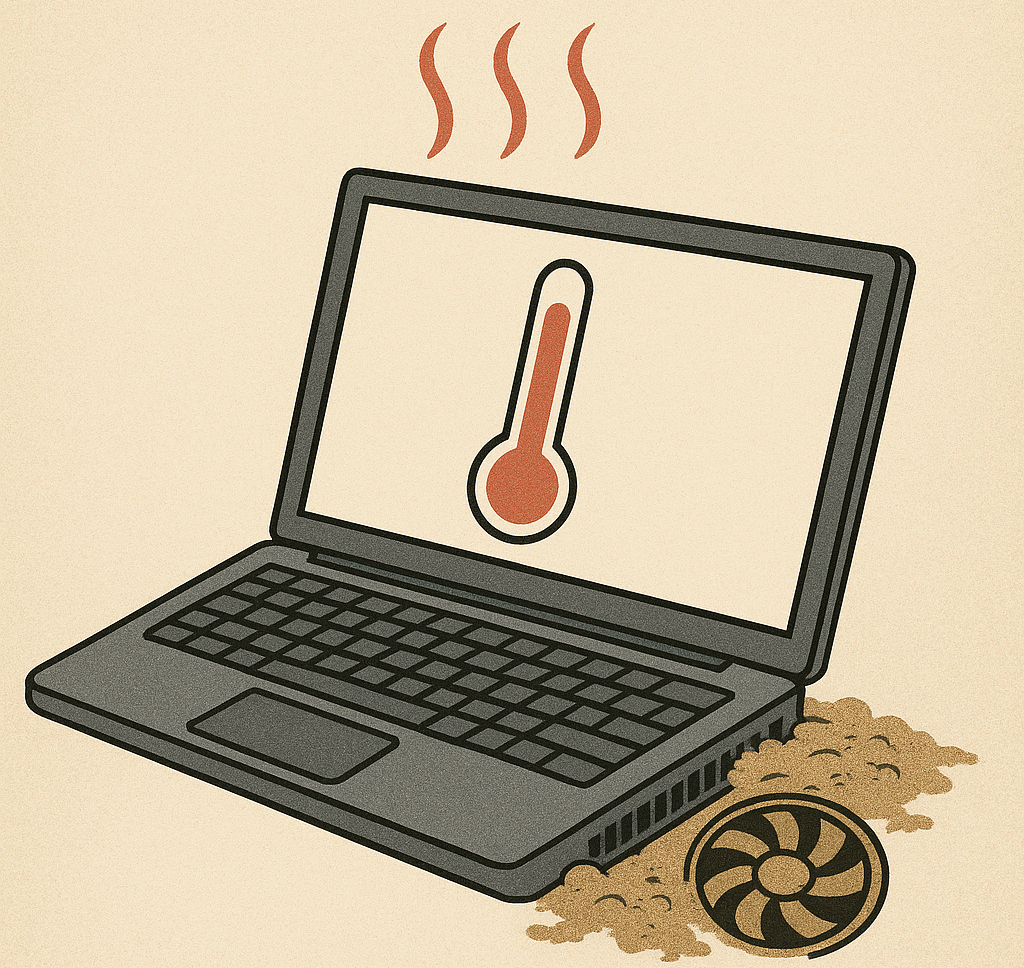
Why does a couple of degrees matter so much? Earlier research found that sperm production starts to suffer once scrotal temperature rises much above 1°C from its baseline, with sperm concentration dropping by roughly 40% for each 1°C increase over time. A 2.6°C jump, repeated day after day for years, is the kind of pattern that can add up.
- The laptop itself, which vents warmth from its underside right where it rests.
- The posture. To balance the machine, you press your thighs together, which traps heat and limits air flow even before the laptop warms up. In the study, even sitting with knees together and no laptop raised temperature somewhat; the working laptop pushed it much higher.
A lap pad or cushion helps a little, but it doesn’t fully solve it. Temperatures still climbed into the range that concerns fertility researchers. The reliable fix is simple: keep the laptop off your lap, which we’ll cover below.
Who should care most: teenage boys and men who are trying to conceive or who use a laptop on their lap for long stretches every day. The effect from heat is generally reversible, and for most people it isn’t a daily worry. But if fertility is on your mind, this is the single most practical thing to change.
Two other real laptop effects (also not radiation)
Since we’re separating real from imagined, two more effects are worth a mention. Both come from ordinary use rather than from radiation, and both are easy to avoid.
A heat mark on the skin. Resting a warm laptop on the same patch of thigh for long periods, over and over, can leave a mottled, net-like discoloration on the skin. Doctors call it erythema ab igne, sometimes nicknamed “toasted skin syndrome.” It’s caused by repeated low-level heat, not radiation, and it usually fades once you stop the habit. The fix is the same one that helps everything else: keep the laptop off bare skin and off your lap.
Eye strain and posture aches. Staring at a screen for hours can leave your eyes tired, dry, and sore, and hunching over a low laptop screen is rough on your neck and back. This has nothing to do with emissions and everything to do with time and position. Following the 20-20-20 habit helps: every 20 minutes, look at something about 20 feet away for 20 seconds. Raising the screen closer to eye level and using a separate keyboard fixes most of the posture strain.
Are laptops safe to use during pregnancy?
Yes, using a laptop during pregnancy is considered safe. The non-ionizing radiation a laptop emits doesn’t reach or harm a developing baby, and health guidance treats normal computer use as no risk to a pregnancy. Studies looking at screen work and pregnancy have not found a link to miscarriage or birth defects.
The only sensible tweak is the same heat point from before. A hot laptop resting directly on your belly for a long time isn’t a great idea, mostly for comfort and to avoid warming that area. Using it on a desk, or on your thighs rather than pressed against your abdomen, keeps things easy. There’s no need for shielding blankets or special covers marketed at pregnant users; they solve a problem that isn’t there.
What about kids and teenagers?
Children use laptops constantly for school and play, and the radiation question doesn’t change for them: it’s the same harmless non-ionizing type. The reason young people get a special mention is the heat-and-fertility angle again. Teenage boys are still developing, and they’re also the group most likely to sprawl on a bed or couch with a laptop resting straight on their lap for hours.

You don’t need to police screen time out of radiation fear. A simpler habit does the job: encourage kids to use a laptop on a desk, table, or tray rather than balanced on their body. That also improves posture and keeps the machine from overheating on a soft surface, which is a genuine fire and performance concern with beds and cushions blocking the vents.
How to lower your exposure (and the heat)
If you want to be sensible without buying anything or worrying, these habits cover it. The first two do almost all the work.
- Keep the laptop off your lap. Use a desk, table, tray, or a lap desk with a hard, ventilated surface. This is the one change that actually matters for the heat issue. Your legs stay cooler and the laptop breathes better.
- Give it a little distance. Even a few inches sharply reduces exposure to RF and ELF fields, since their strength falls off quickly with distance. A laptop on a table in front of you is already farther from your body than a phone at your ear.
- Don’t use it on soft surfaces. Beds, couches, and pillows block the vents, so the laptop traps its own heat and runs hotter. That’s bad for the machine and worse for anything resting under it.
- Turn off wireless you’re not using. If you’re working offline, switching off Wi-Fi and Bluetooth cuts RF output and saves battery. It’s optional, not essential.
- Take breaks. Long unbroken sessions are the main way heat builds up on your lap. Standing up now and then resets the temperature and is good for you anyway.
If you only remember one thing: put the laptop on a surface, not on your body. That single move handles both the heat concern and the exposure question at once.
You don’t need EMF shielding pads, radiation-blocking stickers, or special “grounding” gadgets. There’s no solid evidence they do anything useful, and the underlying risk they claim to fix, the cancer-causing kind of radiation, isn’t coming from your laptop in the first place. For a plain-language overview of how these everyday electromagnetic fields are studied, the National Cancer Institute’s fact sheet on electromagnetic fields lays out what the research actually shows.
Frequently asked questions
Is laptop radiation actually dangerous?
No. Laptops emit non-ionizing radiation, which is too low-energy to damage your cells or DNA. The only real concern is heat, and only when the laptop sits directly on your lap for long periods.
Does using a laptop on your lap cause infertility?
It can lower sperm quality through heat, not radiation. A laptop on the lap can raise scrotal temperature by around 2.6°C, which affects sperm production. The effect is usually reversible, and using the laptop on a desk avoids it.
Do laptops give off more radiation than phones?
Laptops emit several types of low-energy radiation, but they usually sit farther from your body than a phone held to your ear, so your actual exposure is often lower. Neither device emits the kind of radiation linked to cancer.
Is it safe to use a laptop while pregnant?
Yes. The radiation a laptop emits doesn’t harm a developing baby, and normal use is considered safe. Just avoid resting a hot laptop directly on your belly for long stretches, mainly for comfort.
Do EMF shielding pads or radiation blockers work?
There’s no solid evidence they provide a health benefit. They target a cancer-causing type of radiation that laptops don’t produce. Keeping the laptop off your lap is the only step that addresses a real effect.
Conclusion
Laptops do give off radiation, but only the low-energy, non-ionizing kind that can’t damage DNA or cause cancer, so everyday use is safe, including during pregnancy. The one effect worth acting on is heat: a laptop on your lap for hours can warm the groin enough to affect sperm, which matters most for teenage boys and men trying to conceive. The fix costs nothing. Put the laptop on a desk or table instead of your body, take breaks, and you’re set.
Recommended Articles:
How to Reset a Toshiba Laptop to Factory Settings (3 Ways)
Can I Charge My Laptop With a Phone Charger?
What Laptop Screen Pressure Damage Is and How to Deal With It
How to Print Screen on an Acer Laptop (Every Method That Works)