
A laptop draws roughly 0.15 to 0.6 amps from a 120-volt wall outlet during normal use, and about half that on 230-volt power. A gaming laptop pushed hard can climb past 2 amps at the wall.
Your charger label probably says something else entirely, like 3.33A or 16.9A. That figure is also correct. It just describes a different point in the chain.
Amps on their own don’t mean much, because current depends on voltage. The same laptop can honestly be called a 0.3-amp device or a 3.3-amp device, depending on where you put the meter. So the first job is working out which number you actually need.
Three amp numbers, one laptop
A plugged-in laptop carries current at three different voltages, and the readings can differ by a factor of ten or more.
| Where you measure | Voltage | Typical current | When it matters |
|---|---|---|---|
| Wall socket | 120V or 230V AC | 0.15 to 0.6 A | Breakers, generators, power bills |
| Charger to laptop | 19 to 20V DC | 2 to 17 A | Buying a replacement charger |
| Battery to mainboard | About 11 to 12V DC | 1 to 10 A | Runtime away from a socket |
The power is about the same at each point. Current rises as voltage falls. A 65-watt load works out to 0.54 amps at 120 volts, 3.33 amps at 19.5 volts, and roughly 5.7 amps at 11.4 volts. Same laptop, same energy, three very different-looking numbers.
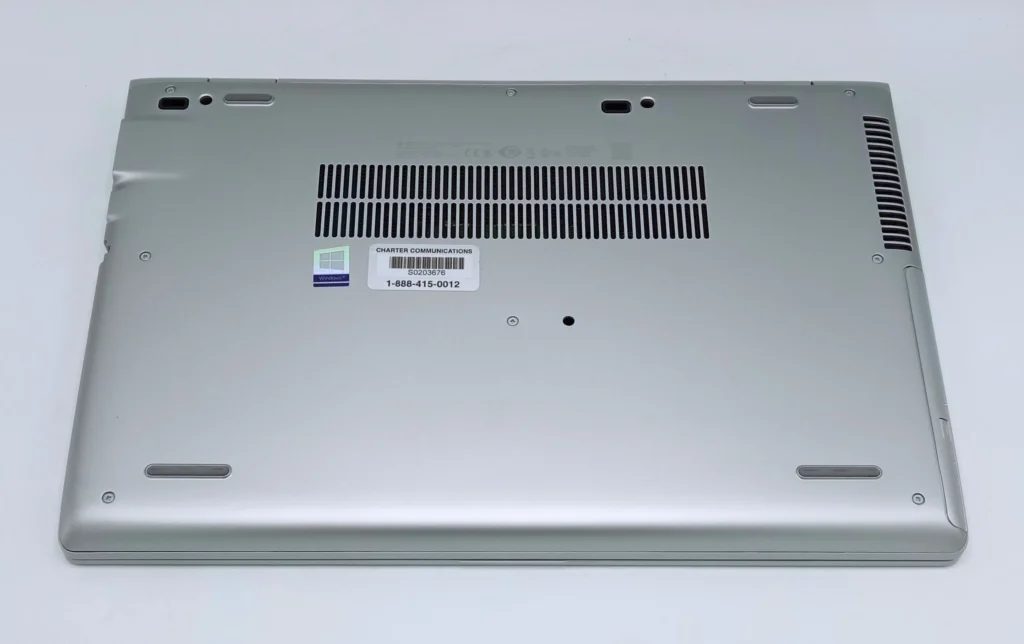
Most people asking this question want the wall figure, because that is what breakers, inverters and electricity meters see.
How many amps does a laptop pull from the wall?
Start with watts, then divide by your mains voltage. Amps equal watts divided by volts.
A thin ultrabook doing email and web browsing sits around 15 to 30 watts. A mainstream 15-inch machine lands nearer 30 to 65 watts. A gaming laptop with its graphics chip working can sit anywhere from 150 to 300 watts.
| Laptop type | Typical draw in use | Amps at 120V | Amps at 230V |
|---|---|---|---|
| Ultrabook | 15 to 30 W | 0.13 to 0.25 A | 0.07 to 0.13 A |
| Mainstream 15-inch laptop | 30 to 65 W | 0.25 to 0.54 A | 0.13 to 0.28 A |
| Mobile workstation | 65 to 130 W | 0.54 to 1.08 A | 0.28 to 0.57 A |
| Gaming laptop under load | 150 to 300 W | 1.25 to 2.50 A | 0.65 to 1.30 A |
Add roughly 10 to 15 percent on top of these figures. The charger loses a little energy as heat while turning AC into DC, so the wall always sees slightly more than the laptop receives.
Your country changes the answer too. The same 65-watt laptop pulls about 0.54 amps in the United States, Canada or Japan on 100 to 120-volt power, and about 0.28 amps in the UK, Europe, Australia, India or Pakistan on 220 to 240 volts. The energy used is identical. Only the current changes, which is why almost every laptop charger accepts 100-240 volts and needs nothing more than a plug adapter when you travel.
Two things push the number up fast: charging a flat battery while you work, and running the graphics chip. A laptop that idles at 20 watts can pull 60 watts for the first hour after you plug it in, simply because it is refilling the battery at the same time.
These are small loads by household standards. One 1,500-watt hair dryer draws more current than forty ultrabooks running at once.
What the amps on your charger label mean
Turn your charger over and you will find two lines of small print. They describe opposite ends of the same brick.
The input line is the AC side, facing the wall. It usually reads something like 100-240V ~ 1.5A. That is the most current the charger will ever pull from a socket, and it is the figure that matters for wiring, breakers and generators.
The output line is the DC side, facing the laptop. A common 65-watt charger reads 19.5V, 3.33A. Multiply those and you get 65 watts.
A 330-watt gaming charger makes the gap obvious. Its output is 19.5 volts at 16.9 amps, while its AC input rating is only around 3.5 amps. Nearly seventeen amps on one line and three and a half on the other, printed on one brick, and both are honest.
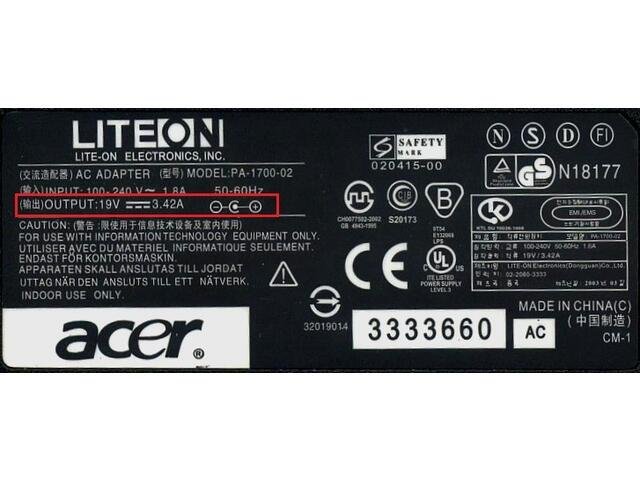
Quick check: large amps with small volts means you are reading the DC output. Volts printed as a 100-240 range with amps under 5 means you are reading the AC input.
The output figure is a ceiling, not a constant. A 3.33-amp charger supplies 3.33 amps only when the laptop asks for everything it has. Most of the day it delivers a fraction of that.
Why USB-C chargers all stop at 5 amps
USB-C laptop chargers work differently. Instead of one fixed voltage, the charger and the laptop talk to each other over the cable and agree on a voltage and current pair.
Under USB Power Delivery, the current ceiling is 5 amps and it stays there. To move more power, the standard raises voltage instead. The old 100-watt limit came from 20 volts at 5 amps. Later revisions added 28-volt, 36-volt and 48-volt steps, lifting the ceiling to 140, 180 and 240 watts while current still tops out at 5 amps.
Keeping current low is deliberate. Heat in a cable rises with the square of the current, so pushing 12 amps through a slim USB-C connector would cook it. Raising the voltage moves the same power with far less heat.
That is why a 140-watt USB-C brick for a 16-inch MacBook Pro is smaller than an old 90-watt barrel adapter. It runs at 28 volts and 5 amps rather than 19.5 volts and 4.6 amps.
How many amps does a laptop use on 12-volt power?
Far more, because the voltage is so low. This is the number that matters in a car, a van, an RV or a small solar setup.
A 65-watt laptop needs about 5.4 amps at 12 volts on paper. Run it through a cheap inverter that turns 12-volt DC into mains AC and you lose 10 to 20 percent, so the real draw on the vehicle battery is closer to 6.5 or 7 amps.
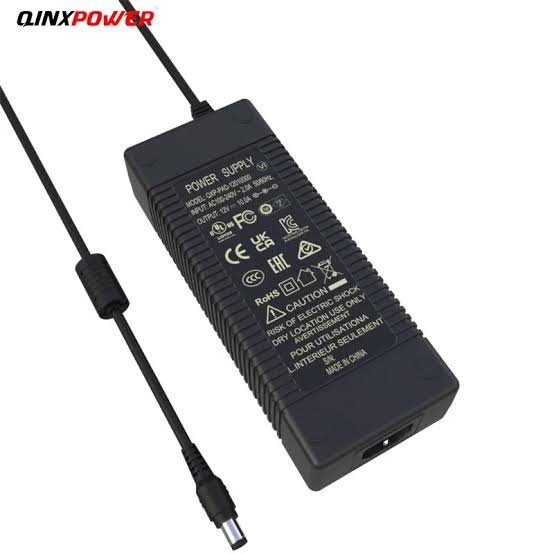
Most car accessory sockets are fused at 10 or 15 amps, so one ordinary laptop is comfortable. A 200-watt gaming laptop is not. It would need around 20 amps at 12 volts, which blows the fuse before it charges anything.
A USB-C car charger is the better route when your laptop supports it. It steps 12 volts up to 20 volts directly, skips the AC conversion entirely, and wastes noticeably less of the battery in the process.
How many amps does the battery itself deliver?
Unplugged, the current comes from the pack instead, at a much lower voltage. Most laptop batteries sit near 11.4 volts nominal, which is three lithium cells wired in series.
At that voltage, a laptop idling on 20 watts is drawing about 1.8 amps from the pack. Push it to 60 watts and the pack is supplying more than 5 amps.
This is also why battery capacity is quoted in watt-hours rather than milliamp-hours on a laptop spec sheet. A 5,000mAh pack at 11.4 volts holds 57Wh, while a 5,000mAh phone battery at 3.8 volts holds only 19Wh. Milliamp-hours are comparable only at the same voltage. Watt-hours always are.
What a laptop uses when it is off, asleep or idle
These figures are tiny. A modern laptop uses well under a watt in sleep and close to nothing when shut down but still plugged in. At 120 volts that is under 0.01 amps, and at 230 volts it is half of that.
Sitting at the desktop with the screen on and nothing much running, most laptops settle between 3 and 15 watts, or about 0.03 to 0.12 amps on 120-volt power.
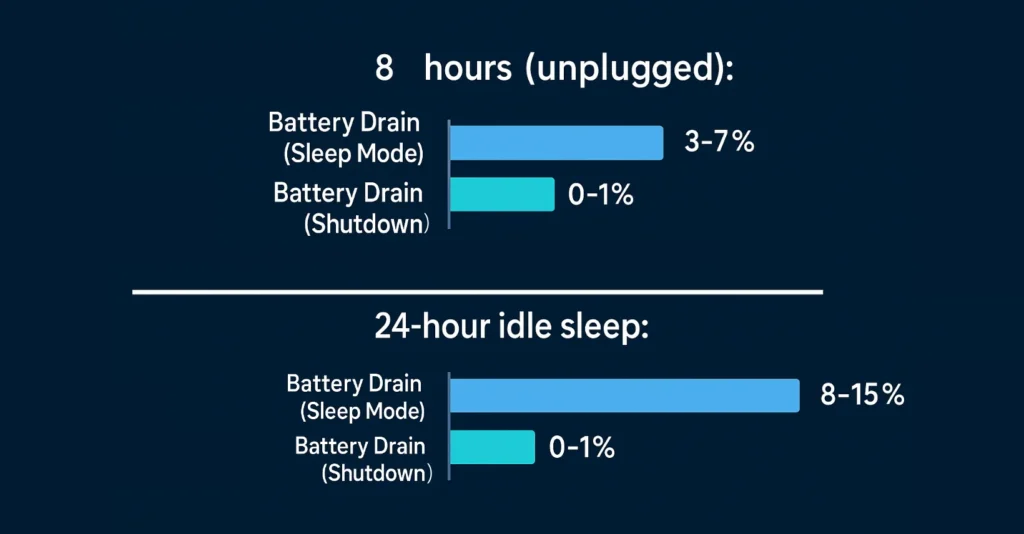
None of that registers on a household circuit. It only matters if you are running off a battery bank and counting every watt-hour overnight.
Can you use a charger with different amps?
Yes, within one rule: match the voltage, and pick a charger rated for the same amps or more.
Voltage has to be right, or very close. A 19.5-volt laptop is fine on a 19-volt or 20-volt charger, but not on a 12-volt one.
Amps work the other way round. The laptop draws only what it needs, so a higher-rated charger is safe and often charges faster. A laptop specified at 19.5V, 3.33A runs happily on a 19.5V, 4.62A charger. Go the other way and an undersized charger runs hot, charges slowly, or lets the battery drain while you work.
USB-C sorts this out on its own. A Mac laptop that charges over USB-C works with any power adapter built to the standard, whether it offers more or less wattage than the recommended one, and charging speed is the only thing that changes.
Sizing a circuit, UPS or power station
Work in watts, and convert to amps at the end.
A standard 15-amp, 120-volt circuit carries 12 amps continuously once you apply the usual 80 percent allowance for loads that run three hours or more. That is about 1,440 watts. A 20-amp circuit gives you 16 amps, or 1,920 watts. On 230-volt wiring, a 13-amp plug fuse allows roughly 2,990 watts.
Even a hungry gaming laptop at 300 watts uses 2.5 amps of that. A dozen office laptops with monitors still fit comfortably inside a single 15-amp circuit. Laptops are almost never why a breaker trips. Kettles, heaters and microwaves are.
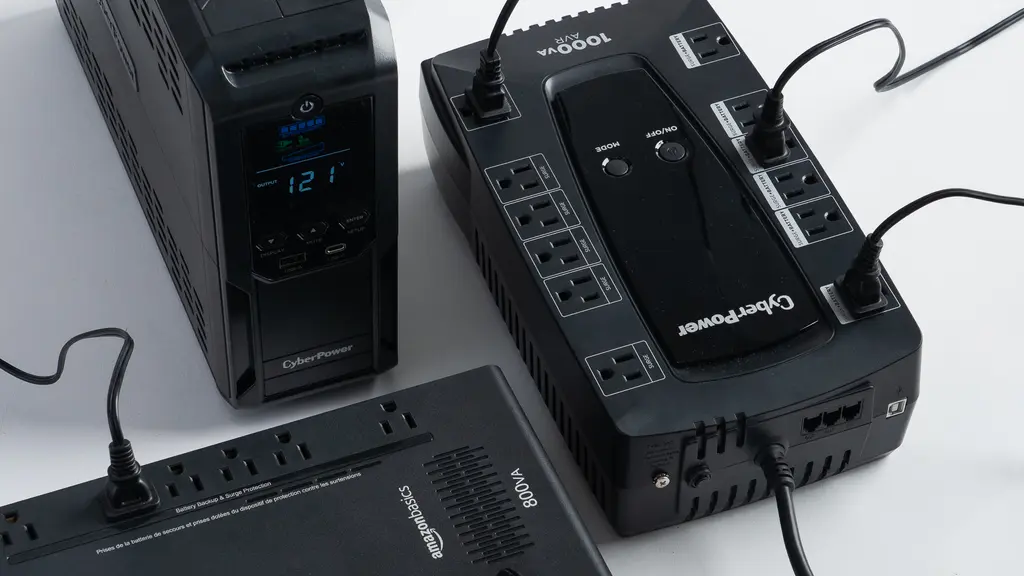
For a UPS, inverter or portable power station, take the real draw, add about 25 percent for conversion losses and headroom, then size from there. A 65-watt laptop wants roughly 85 watts of inverter capacity. Runtime comes from watt-hours rather than amps: a 500Wh power station will run that laptop for around six hours.
How to measure your own laptop
Estimates are fine for planning. Measure when the number really matters.
A plug-in energy meter between the wall and the charger is the simplest tool, and it shows real watts under real workloads. A USB-C power meter sits inline on the cable and displays the negotiated voltage and current directly. On a Mac, holding Option while opening System Information shows the connected adapter’s wattage under Power.
Run each test twice, once with the battery full and once while it is charging. The gap is usually bigger than people expect.
Frequently asked questions
How many amps does a laptop charger use?
The AC input rating is usually 0.5 to 1.5 amps for a 45 to 90 watt charger, and around 2 to 4 amps for a 200 to 330 watt gaming brick. Real draw normally sits well below that rating.
Is 3.33A enough for my laptop?
It is if the original charger was rated 3.33A or lower at the same voltage. At 19.5 volts, 3.33 amps is 65 watts. A machine that shipped with a 90-watt adapter needs 4.62 amps and will charge slowly or not at all on 3.33.
How many laptops can run on one 15-amp circuit?
Dozens. Twelve amps of continuous capacity at 120 volts is about 1,440 watts, and a typical laptop plus monitor uses 60 to 100 watts. Gaming laptops are the exception, since four or five would take most of the circuit.
Does a laptop use more amps while charging?
Yes. Refilling a flat battery while you work can double or triple the draw for the first hour or two. Once the battery is full, consumption drops back to whatever the laptop itself needs.
Why does my charger say 19.5V 2.31A and 100-240V 1.5A?
Those are output and input. The first is what the charger sends to the laptop over DC, and the second is the most it will pull from the wall on AC. Both describe the same 45-watt brick.
Conclusion
Most laptops draw between 0.15 and 0.6 amps from a 120-volt outlet, or half that at 230 volts, with gaming machines reaching 2 to 3 amps under load. The bigger numbers on your charger are DC output amps measured at 19 or 20 volts, and they mark a maximum rather than a constant. If you are sizing a circuit, an inverter or a battery, work in watts first and convert to amps last. That order gives you an answer you can rely on.
Recommended Articles:
Which Statement Is True About Laptops? The Answer, Explained
How Big Is an 11.6-Inch Laptop Screen? Real Dimensions and What Fits
How to Measure Laptop Dimensions: Full Step-by-Step Guide