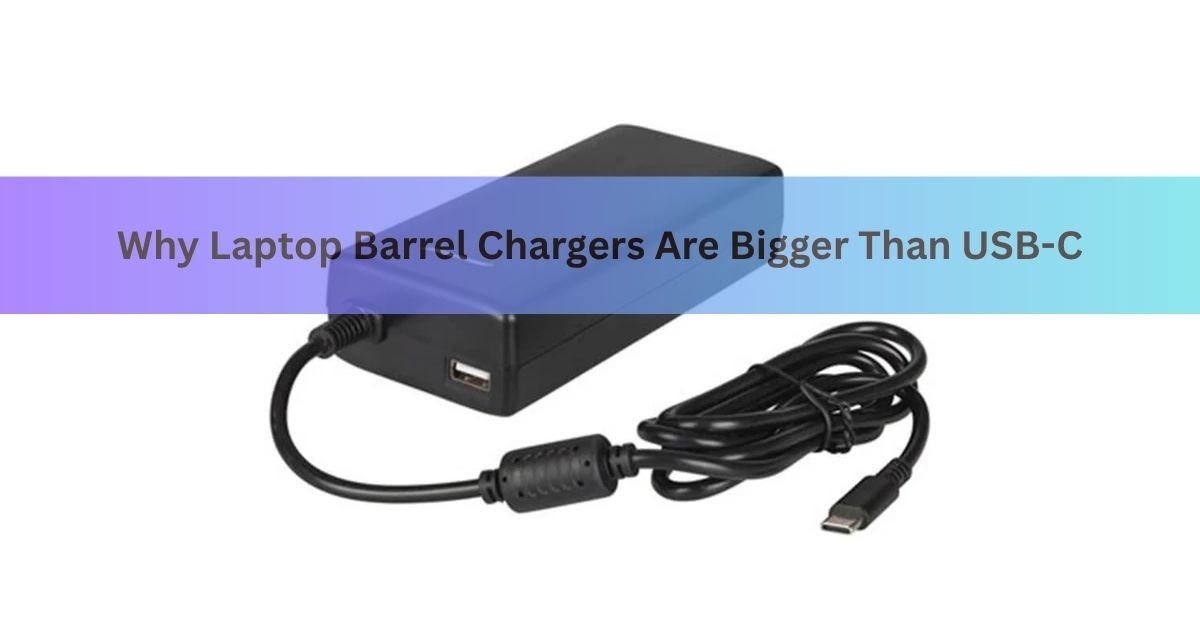
Here is the quick version. A barrel charger is bigger because it pushes one fixed voltage down a simple round plug with no smarts inside. A USB-C charger can be tiny because it carries small control chips that let the laptop and charger agree on power, and it uses newer, more efficient parts that pack the same wattage into a much smaller shell. Same job, two very different designs, and the size gap follows from that.
If you have an older laptop and a newer one side by side, you have probably seen this yourself. The old power supply is a heavy black box with a round pin on the end. The new one is barely larger than a phone charger. Let’s walk through why.
What is a barrel charger, exactly?
A barrel charger uses a round metal plug, called a coaxial DC connector, to push power into your laptop. The name comes from the shape: a hollow outer tube with a pin down the middle. The outer tube is one contact, usually the ground, and the inner pin carries the voltage.
That is the whole design. Two contacts, one job. As SparkFun’s connector guide puts it plainly, a barrel connector gives you only two connections, a pin and a sleeve. There is no data line and no way for the two ends to talk.
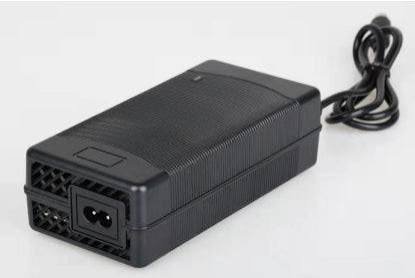
These plugs come in many sizes. Common ones for laptops are 7.4 by 5.0 mm and 4.5 by 3.0 mm, measured by the outer and inner diameters. The size you need is tied to the exact model, which is part of why a lost barrel charger is such a pain to replace.
Why the barrel plug is bigger
The plug itself has to be a certain size, and that size is driven by simple physics, not by choice.
A barrel connector runs at a fixed, fairly high voltage, often 19 to 20 volts, straight from the brick. To move enough power at that voltage, the metal contacts need real surface area. Bigger contacts handle more current without heating up. A wider sleeve also leaves room for the insulating layer that keeps the pin and the tube from shorting against each other.
USB-C took a different route. The connector measures about 8.4 by 2.6 mm, and it fits 24 tiny pins into that space. Four of those pins are for power and four for ground, working together so the connector can carry up to 5 amps without needing one big fat contact. The job is shared across several small pins instead of resting on one large pin and sleeve.
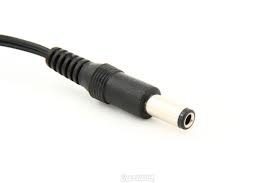
So the barrel plug is wider partly because it leans on one set of contacts that have to be physically large, while USB-C spreads the load across many small ones and stays slim.
Quick tip: the size of a barrel plug tells you almost nothing about its voltage. You cannot judge power from the plug alone, which is exactly why matching a replacement charger by eye is risky.
Why the brick is bigger too
The plug is only part of the story. The real size difference is in the box. Two things make an old laptop brick heavy.
It is a dumb supply. A traditional barrel charger outputs one fixed voltage and current, full stop. There is no conversation between the laptop and the charger. Because it cannot adjust, it is built around older, simpler internal parts that take up space and throw off heat.
It uses older transistor tech. This is the big one. Most small modern chargers use gallium nitride (GaN) inside instead of plain silicon. GaN parts switch faster and waste less energy as heat, so the charger needs less bulk for cooling and smaller internal components. That alone lets a charger shrink dramatically while keeping the same wattage.
Pile those together and you get the brick you remember: a big silicon supply that only knows one trick, wrapped in a case large enough to shed its own heat. The USB-C version does more with less because both the chips and the materials are newer.
Barrel vs USB-C: the size and design gap
Here is the contrast at a glance.
| Feature | Barrel charger | USB-C charger |
| Plug size | Wide round pin, e.g. 7.4 x 5.0 mm | Slim oval, ~8.4 x 2.6 mm |
| Contacts | Two (pin and sleeve) | 24 pins, four for power |
| Voltage | Fixed, often 19 to 20 V | Negotiated, 5 V up to 48 V |
| Smarts | None; one fixed output | Laptop and charger agree on power |
| Typical inside | Older silicon, more cooling | Often GaN, far more compact |
| Works across devices | One model only | Phones, tablets, many laptops |
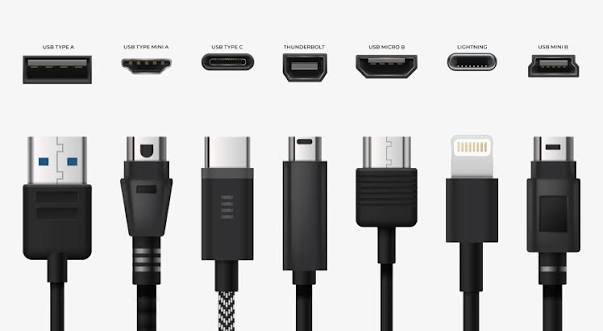
The pattern is clear. The barrel side is simple and fixed, which forces a larger build. The USB-C side is flexible and modern, which lets it shrink.
Does smaller mean weaker?
Not really, though there is a ceiling. USB-C uses a standard called Power Delivery, where the laptop asks for the voltage and wattage it needs and the charger agrees if it can supply it. The newest version of the USB-C specification can deliver up to 240 watts, which is enough for most laptops, including many that used to ship with bricks.
The catch is at the very top end. Heavy gaming laptops and mobile workstations can pull more than 240 watts under full load. For those, a barrel charger is still the practical choice, which is why a 330-watt gaming brick can weigh close to a kilogram. So smaller does not mean weaker for everyday machines. It only hits a limit at the extreme performance end.
This negotiation is also why a higher-wattage USB-C charger is safe to use on a smaller laptop. The laptop never draws more than it can take. The charger cannot force extra power on it.
Why do some laptops still use barrel chargers?
If USB-C is smaller and more flexible, why has the barrel plug not vanished? A few honest reasons keep it around in 2026.
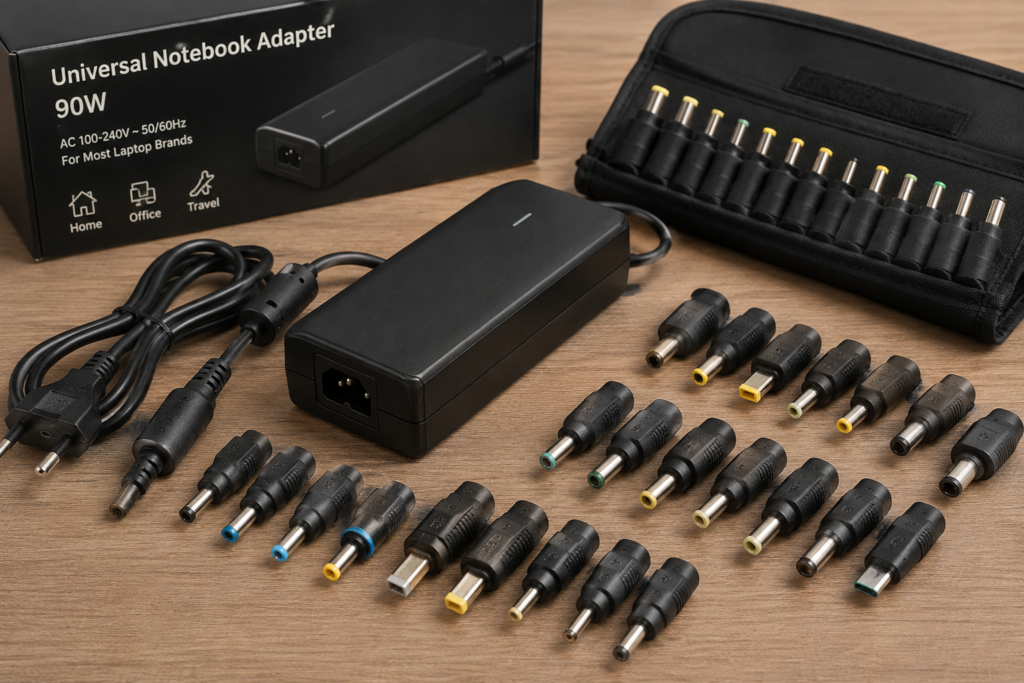
- Very high power needs. Top-tier gaming and workstation laptops draw more than USB-C reliably supplies, so they ship with a dedicated brick.
- Cost for the maker. Adding a simple DC barrel port is cheaper than building full USB-C Power Delivery circuitry, so budget machines sometimes keep it.
- A spare charging option. Some laptops include both a barrel port and USB-C, so you can charge over the barrel while both USB-C ports are busy with a dock or accessories.
That last setup is the most flexible of all. You get the high-wattage barrel option when you need it and the tiny USB-C charger for travel.
If your laptop has both, which should you use?
Use whichever fits the moment, because both are safe when they match your laptop.
- At a desk under heavy load: the barrel charger guarantees full wattage, so the laptop will not throttle while gaming or rendering.
- Travelling or working light: the USB-C charger is smaller, lighter, and can also top up your phone, so it is the easy carry.
- Ports all full: the barrel port lets you charge without giving up a USB-C slot to the charger.
There is no wear penalty worth worrying about either way. Both ports are built to last thousands of plug cycles, so pick on convenience and power, not fear of wearing one out.
Frequently asked questions
Is a USB-C charger as good as a barrel charger?
For most laptops, yes. USB-C Power Delivery now reaches 240 watts, which covers everyday and many gaming machines. Only the highest-power laptops still need a barrel brick to avoid throttling under load.
Can I replace my barrel charger with a USB-C one?
Only if your laptop supports USB-C charging. Check for a charging symbol or a lightning icon near the port, or your manual. Many gaming laptops still charge over the barrel plug only.
Why is my old laptop charger so heavy?
It uses older silicon parts and outputs one fixed voltage, so it needs a bigger case to handle heat. Newer USB-C chargers use efficient GaN chips that do the same job in a much smaller shell.
Does the barrel plug size tell me the voltage?
No. Plug size and voltage are not linked. Two plugs that look identical can carry very different voltages, so always match a replacement by your laptop’s exact model and rating, not by eye.
Will using USB-C wear out my port faster?
Not in any way you need to fear. USB-C ports are rated for about 10,000 plug cycles. Using the same port for charging and accessories adds wear, but modern laptops reinforce the port for it.
Note: Charger compatibility varies by laptop model. When in doubt, check your device’s power rating and manufacturer guidance before swapping chargers.
Conclusion
Barrel chargers are bigger because they run one fixed voltage through a simple two-contact plug and a basic, heat-prone brick, with no way for the charger and laptop to adjust. USB-C stays small by spreading power across many tiny pins, negotiating the right voltage, and using efficient GaN parts. For everyday laptops, reach for USB-C and enjoy the smaller bag. Keep the barrel brick only if your machine truly needs that extra power.
Related Post
Acer Laptop Screen Not Working? Fix It Step by Step
How to Connect a Canon Printer to a Laptop
Can You Bring a Laptop on a Plane? Yes — Here’s What to Know
Acer Laptop Won’t Turn On? Here’s How to Fix It (Step by Step)