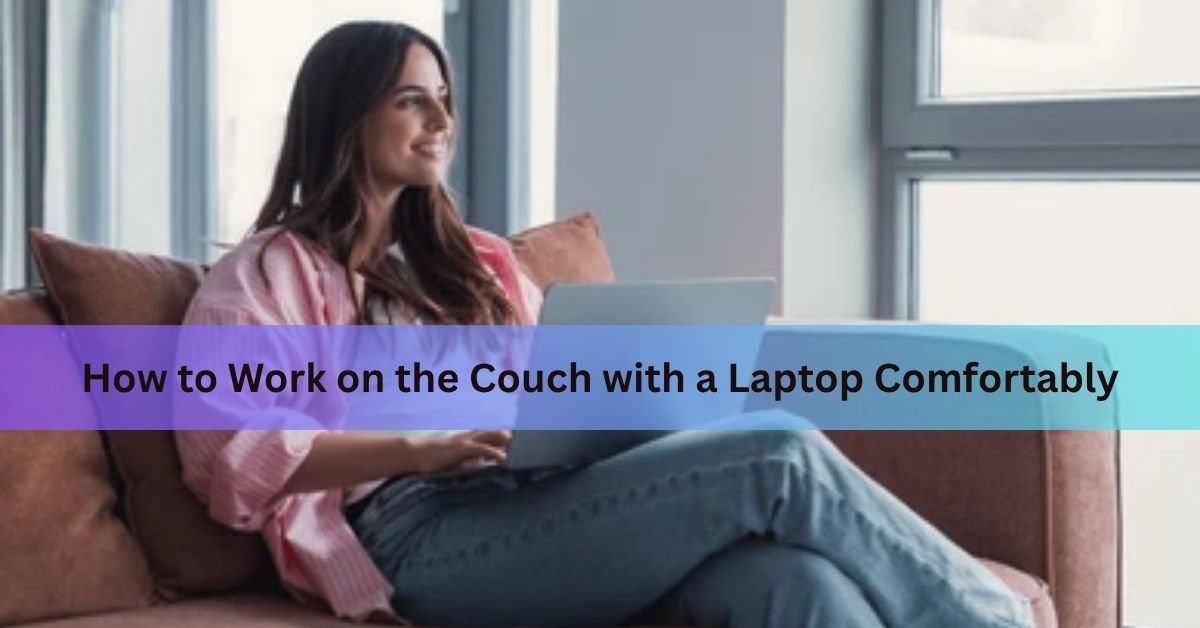
You can work comfortably on the couch. Lift the laptop off the cushions, support your lower back, and keep the screen close enough to eye level that you are not craning your neck. Those three things, done right, are the whole game.
The couch is not the enemy of good work. The problem is not where you are sitting. It is how you are sitting once you get there. Most people drop their laptop on the nearest cushion, slouch down to look at the screen, and end up feeling it in their back and neck within the hour. This guide walks you through exactly how to avoid that.
Below you will find the full setup, some gear that helps, how to stop your laptop from overheating on fabric, and a few tricks for staying focused once the couch starts whispering that a nap sounds nice.
Why couch work goes wrong
Sit on a couch with a laptop and your body tends to do the same thing every time. You slide down into the cushions, your lower back loses its natural curve, and your chin drops toward your chest to look at a screen that is somewhere around your knees. Do that for an hour and your neck, shoulders, and upper back let you know about it.

The other issue is heat. A laptop resting directly on a couch cushion or a blanket can block the vents underneath the machine. When airflow is cut off, the fans run harder and internal temperatures climb. Left unchecked, that shortens the life of the battery and the hardware over time.
Fix the posture and fix the airflow, and couch working becomes genuinely comfortable. Here is how to do both.
The setup, step by step
Step 1: Get the laptop off the cushions
This is the single most important move. When the laptop sits directly on a soft surface, two things go wrong at once: your posture collapses because the screen is too low, and the air vents on the bottom of the machine get blocked.
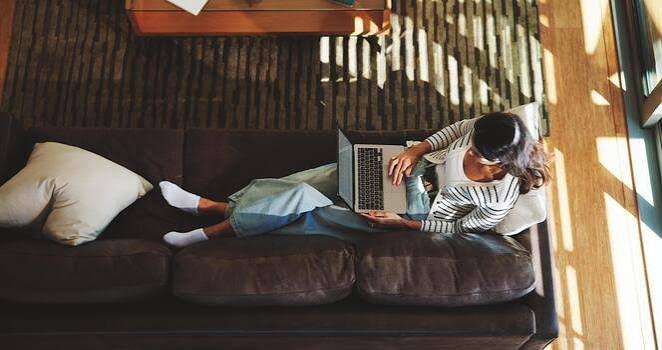
The easiest fix is a lap desk (sometimes called a lap tray). A lap desk is a flat, rigid board with a cushioned underside that rests across your thighs and gives the laptop a firm, elevated surface. A good one costs anywhere from about $25 to $70. The difference it makes is significant enough that most people who try one never go back to bare lapping.
No lap desk yet? A large hardcover book works as a temporary stand. It is not perfect, but it keeps the vents clear and raises the screen a few inches while you wait for the real thing to arrive.
Quick tip: When you sit down, set the lap desk first, then open the laptop on top of it. Starting the other way around tends to put you in a slouch before you have even noticed.
Step 2: Support your lower back
Couches are designed for lounging, not for working. The cushions usually push your lower back into a rounded position, which puts a slow strain on the muscles along your spine. A small pillow or a rolled-up blanket tucked behind your lower back fixes this immediately. It brings your spine back into its natural slight curve, which takes the pressure off.
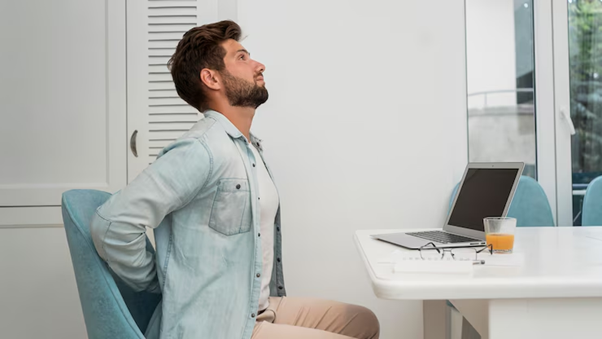
Sit at the back of the couch rather than perching on the edge. Use the backrest. Keeping your core lightly engaged, maybe 10 to 20 percent of its maximum, helps maintain that position without thinking about it too much.
One couch position that works well: sit normally with both feet on the floor, a lumbar pillow behind you, and the lap desk across your thighs. If you prefer to sit with your legs stretched out along the cushions, bend your knees slightly and stack a couple of firm cushions under them to raise your lap and create a stable base for the desk.
Step 3: Bring the screen closer to eye level
The screen should sit roughly at, or just slightly below, your eye line. If you are tilting your head down more than a small amount to look at it, the screen is too low. A raised lap desk fixes most of this automatically. Some adjustable lap desks let you tilt the surface at an angle, which can help bring the top of the screen up a little further.

Keep the screen about an arm’s length from your eyes, roughly 20 to 25 inches. Any closer and you are squinting at it. Any further and you are leaning in.
If you find yourself still craning, try adding a small wedge cushion under the back of the lap desk to tilt the screen toward you, or simply sit slightly higher on the couch by placing a firm pillow under yourself.
Step 4: Sort your typing position
Your elbows should sit close to your body, bent somewhere between 90 and 120 degrees. Your wrists should stay roughly flat as you type, not bent up or down. If the lap desk sits comfortably on your thighs with the keyboard at the right height, this usually happens naturally.
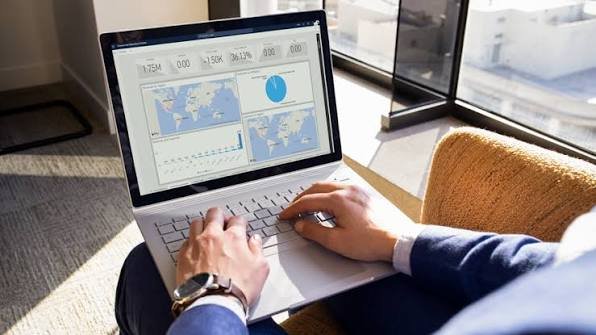
If you do longer typing sessions, consider a small Bluetooth keyboard. It lets you set the laptop screen up at a better height while keeping the keyboard at a comfortable level for your arms. A compact wireless model fits neatly on the side of the lap desk.
What to look for in a lap desk
Not all lap desks are the same. Here are the features that actually matter, along with roughly what each one gets you.
| Feature | Why it matters | What to look for |
| Rigid surface | Keeps vents clear and gives you a stable typing surface | Wood, bamboo, hard plastic, or aluminium |
| Cushioned underside | Moulds to your thighs and stops the desk sliding around | Bean bag fill or microfibre cushion |
| Size | Needs to fit your laptop plus a bit of room to rest your wrists | At least 17 x 11 inches for a 15-inch laptop |
| Adjustable legs or tilt | Lets you angle the screen up when you’re reclined | Nice to have, not essential |
| Mouse pad area | Useful if you use an external mouse | A small strip on the right side is enough |
The LapGear Laptop Lap Desk is one of the most widely tested options and works well for most laptop sizes, with a cushioned base and a built-in phone slot. If you prefer something adjustable you can angle and prop at different heights, look at desks with adjustable legs like the Saiji range.
Keep your laptop from overheating on the couch
Laptop vents are almost always on the bottom or the sides of the machine. When a laptop sits on a cushion or fabric, those vents get pressed closed. The fans then have to work harder to pull cool air in and push hot air out, temperatures rise inside the machine, and over time that heat stresses the battery and the other components.
A lap desk solves this almost entirely on its own, because it lifts the laptop off the soft surface and lets air circulate underneath. That is the main reason to use one, even if ergonomics were not a concern.

If you are doing something processor-heavy, like video editing, long spreadsheet work, or running a lot of tabs, consider adding a cooling pad. A cooling pad sits between the laptop and the desk surface, with built-in fans that push cool air up through the bottom of the machine. Testing across different models shows they can drop internal CPU temperatures by around 5 to 15 degrees Celsius, which matters for sustained performance and long-term hardware health. Most cooling pads connect via USB and cost between $20 and $50.
Two signs your laptop is struggling with heat: the fans suddenly sound much louder than usual, and the machine starts to feel noticeably warm on the exterior. If you notice either, check that the vents are not blocked, close any apps you do not need, and give it a few minutes to cool.
Heat check: If you have not cleaned out the vents in a while, a short blast of compressed air through them makes a real difference. Dust buildup inside is one of the most common causes of poor airflow, and it gets worse gradually enough that most people do not notice until performance drops.
Stay focused when the couch tries to pull you under
The couch is a place your brain associates with rest. That is not a problem you need to fight; it is just something to work around. A few habits make a big difference.

Set the TV off before you start. A moving screen in your peripheral vision is one of the strongest attention pulls in a home environment. Music or a podcast is a much better background for most types of work.
Work in blocks, not in a marathon. The Pomodoro method, 25 minutes of focused work followed by a 5-minute break, works well from the couch because the short break gives you permission to stretch, adjust position, and reset before the next block. Without planned breaks, couch workers tend to either stop frequently or forget to move at all, both of which hurt focus and posture.
Close your most distracting tabs. If the phone or social media is within arm’s reach on the couch, it is going to get picked up. Put it face down on the other side of the coffee table, or in another room entirely, for the duration of each work block.
Keep your workspace tidy. A lap desk with just your laptop and maybe a notebook keeps things focused. A couch covered in snacks, charging cables, cushions, and remotes sends a signal to your brain that this is leisure time.
It also helps to change out of whatever you sleep in before starting work, not because the clothes matter physically, but because the routine of getting dressed signals to your brain that the day has begun.
Quick wins for eye strain
Couch workers are often in dimmer rooms than desk workers, which means the screen becomes the brightest thing in view. That contrast makes your eyes work harder than they need to.

- Match your screen brightness to the room. The screen should not be significantly brighter or darker than the light around you. If you’re working in a dimmer living room in the evening, drop the brightness to match.
- Use the 20-20-20 rule. Every 20 minutes, look at something about 20 feet away for 20 seconds. This relaxes the tiny muscles inside your eyes that hold focus at close range. An alarm on your phone set to repeat every 20 minutes is the easiest way to remember.
- Keep the screen at arm’s length. Around 20 to 25 inches is the right distance. If you are squinting to read smaller text, increase the font size or zoom in rather than leaning closer.
- Position the screen below direct light sources. Glare from a window or a light directly above the screen makes eye strain worse. Close a blind or angle the screen slightly to cut the reflection.
Frequently asked questions
Is it bad for your back to work on the couch?
It depends on how you sit. Without support, the soft cushions push your lower back into a rounded position that causes strain over time. With a lumbar pillow, a firm back position, and a lap desk that keeps the screen near eye level, couch working is no harder on your back than most casual setups.
What is the best way to position a laptop on the couch?
Use a lap desk on your thighs rather than placing the laptop directly on the cushions. Sit at the back of the couch so you have back support, add a small pillow behind your lower back, and aim to keep the screen at or just below eye level. Keep the screen about an arm’s length from your face.
Can a laptop overheat on the couch?
Yes. Fabric and cushions block the vents on the underside of most laptops, which restricts airflow and causes heat to build up inside. A lap desk lifts the laptop off the soft surface and solves this. For heavy tasks, a cooling pad that actively blows air underneath the machine gives extra protection.
Do I need a special lap desk, or will any flat surface work?
Working from the couch works well when your laptop is off the cushions, your back is supported, and the screen sits near eye level. A lap desk handles most of this in one move, and a small lumbar pillow or rolled blanket does the rest. Keep the vents clear to protect the hardware, work in timed blocks to stay sharp, and match your screen brightness to the room so your eyes are not fighting the contrast. Set those things up once and the couch becomes a genuinely productive place to work.
How do I stay productive working from the couch?
Work in timed blocks of 25 to 30 minutes, then take a short break. Keep the TV off and put your phone out of easy reach during each block. A tidy lap desk with just what you need helps your brain register the space as a work mode rather than a rest mode.
Conclusion
A lap desk is ideal because it combines a rigid, flat surface with a cushioned underside that stays stable on your lap. A large hardback book is a decent temporary substitute. Avoid anything that bends or tilts, since an unstable surface makes typing tiring and does not protect the vents reliably.
Related Post:
Does a Laptop Have a Lithium Battery? What’s Inside and Why It Matters
White Spot on Laptop Screen: What It Is and How to Fix It
Can You Pack a Laptop in Checked Luggage? What the Rules Actually Say
How to Optimize Your Gaming Laptop for 4K (Without Buying a New One)