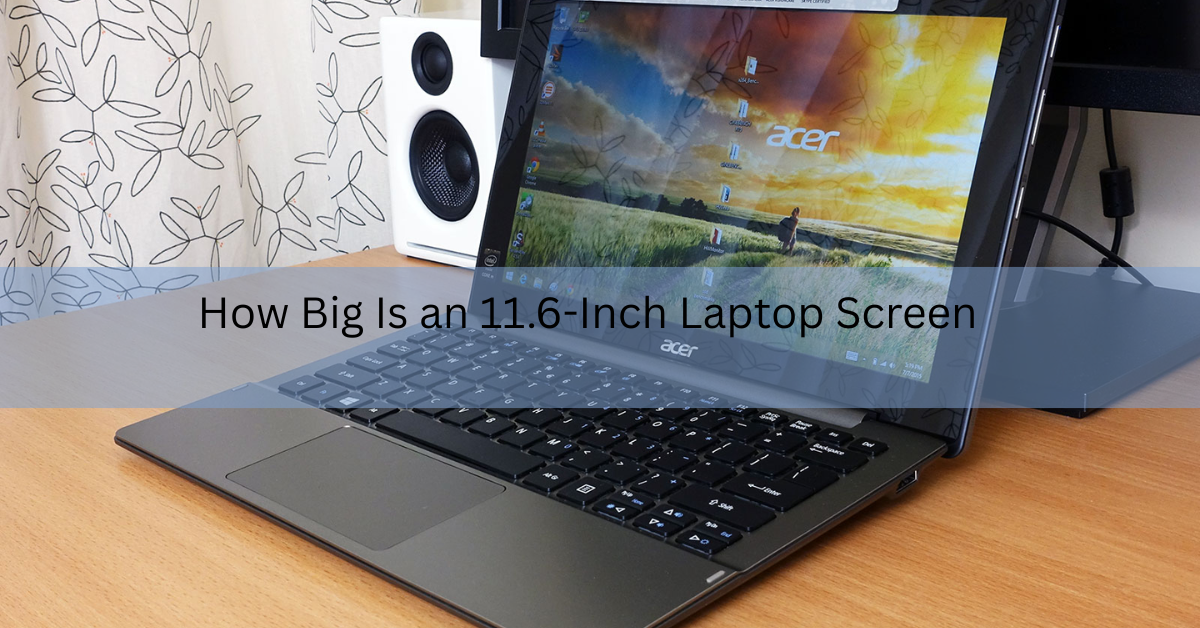
An 11.6-inch laptop screen measures about 10.1 inches wide and 5.7 inches tall (roughly 25.7 by 14.5 cm) on a standard 16:9 widescreen. The 11.6-inch figure is the diagonal, the distance from one corner to the opposite corner, not the width. So the screen is wider and shorter than the single number suggests.
That makes it one of the smallest laptop sizes you can buy today. It sits just above tablet territory and well below the 13-inch and 15-inch machines most people picture when they think “laptop.” Below is the full picture: the exact screen size, how big the whole laptop is, how sharp the display looks, and who this size actually suits.
How big is an 11.6-inch screen, exactly?
On a 16:9 screen, an 11.6-inch diagonal works out to a visible area of about 10.1 inches by 5.7 inches. In centimeters that is close to 25.7 cm across and 14.5 cm tall. The total viewing surface is around 57.5 square inches, or about 371 square cm.
To picture it without a ruler: the screen is a little narrower than a sheet of A4 paper laid on its side, and a bit shorter top to bottom. If you have a standard magazine nearby, the screen is close to that in width but flatter, because of the wide 16:9 shape.
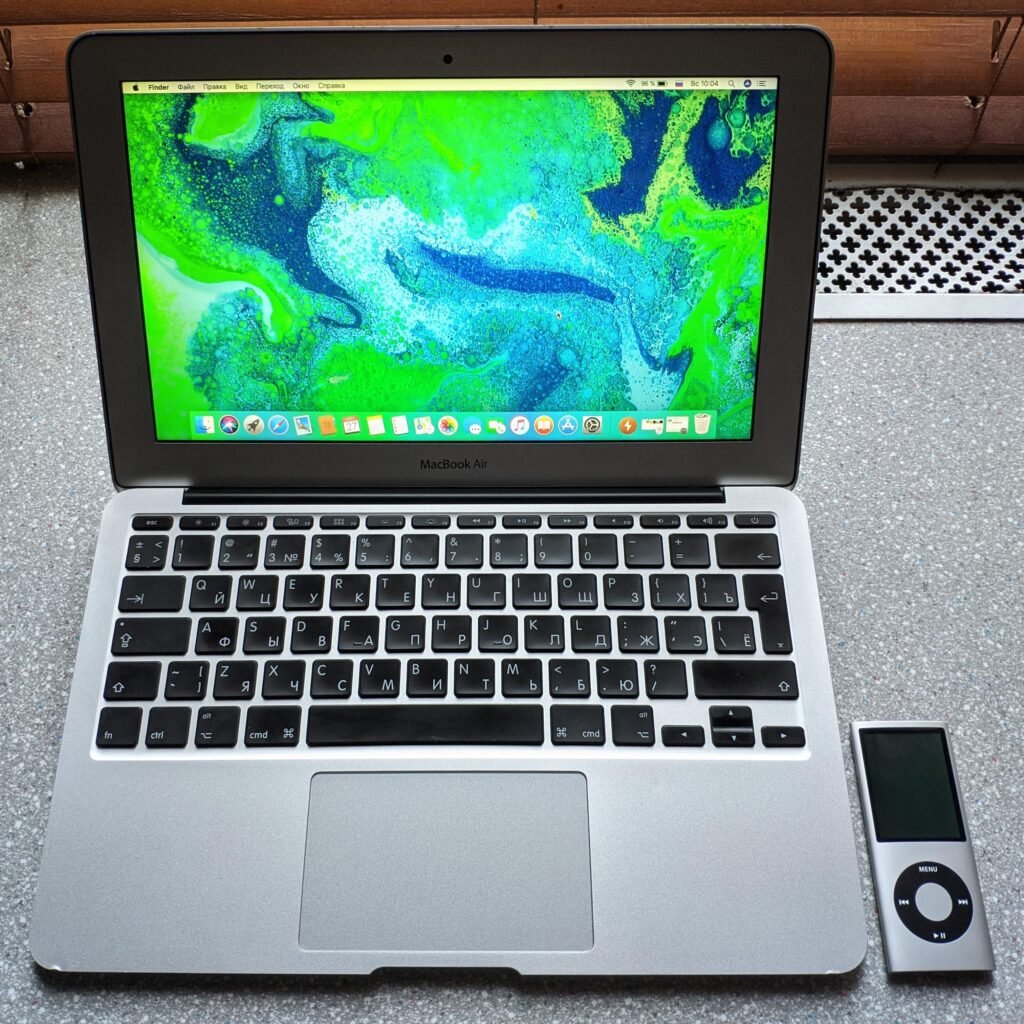
Another handy comparison is a hardback book. Open a normal hardback flat and the two pages together are close to the width of an 11.6-inch screen. That gives you a real sense of how much text or how large a video window you can actually see at once. It is enough for one document or one browser tab in full view, with room for a toolbar, but not much more.
Quick reference: an 11.6-inch 16:9 screen is about 10.1 in (25.7 cm) wide and 5.7 in (14.5 cm) tall.
Why 11.6 inches is the diagonal, not the width
Screen sizes have always been measured corner to corner. It is a single number that lets you compare any display quickly, from a phone to a TV, without listing two measurements every time.
The catch is that the diagonal alone does not tell you the width or height. Those depend on the aspect ratio, which is the shape of the screen. Almost every 11.6-inch laptop uses a 16:9 ratio, meaning the screen is 16 units wide for every 9 units tall. That wide shape is why the real width (10.1 inches) is far bigger than the height (5.7 inches).
If you want to run the math yourself for any size or resolution, a screen resolution calculator turns a diagonal and aspect ratio into exact width, height, and pixel density in seconds.
A quick note on rare exceptions: a few older or specialized 11.6-inch machines use a taller 4:3 shape. On those, the same diagonal gives you a more square screen, closer to 9.3 by 7 inches. For laptops sold now, though, 16:9 is what you will almost always get.
This is also why two laptops with the same diagonal can feel different in the hand. A 16:9 screen is long and short, good for movies and wide web pages. A 16:10 screen, which some newer laptops use, is a little taller for the same diagonal, giving you extra vertical space for documents and web pages. On an 11.6-inch machine that small height difference matters more than it would on a big screen, because you are already working with limited room top to bottom.
Screen dimensions at a glance
Here are the numbers in one place, rounded for easy reading:
| Measurement | Inches | Centimeters |
|---|---|---|
| Diagonal (the “11.6”) | 11.6 in | 29.5 cm |
| Screen width | 10.1 in | 25.7 cm |
| Screen height | 5.7 in | 14.5 cm |
| Viewing area | 57.5 sq in | 371 sq cm |
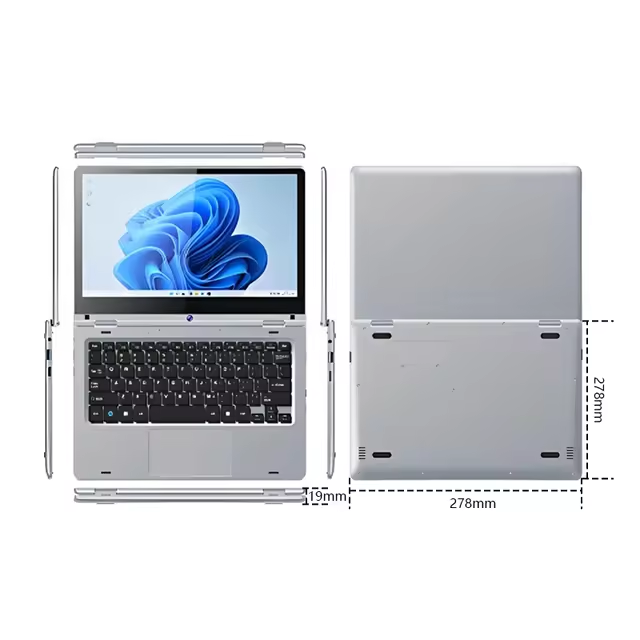
These are the visible glass measurements. The moment you add the frame and the rest of the laptop, the size grows, which is the next thing worth understanding before you buy.
The whole laptop is bigger than the screen
The screen is only the glowing part. Around it sits the bezel, the frame that holds the display, plus the hinge, keyboard deck, and body. Add all that and the physical laptop is noticeably larger than the 10.1 by 5.7 inch screen.
A typical 11.6-inch laptop has an outer footprint of about 11.7 inches wide by 8.2 inches deep (around 29.7 by 20.9 cm). That is just a touch bigger than an A4 sheet of paper, so it slides easily into most backpacks, tote bags, and messenger bags.
Thickness is usually under an inch, and weight tends to land under 1.5 kg (about 3.3 lb). That combination of small footprint and light weight is the whole point of this size. It is built to be carried all day without weighing you down.
The bezel size also affects how big the laptop feels. Older 11.6-inch models had thick frames around the screen, which made the body larger than it needed to be. Newer designs shrink the bezel, so the whole laptop is closer to the size of the screen itself. If you are comparing two 11.6-inch machines, the one with thinner bezels will usually be smaller and lighter overall, even though the screens are the same size.
Screen size matters for a few practical things beyond just fitting in a bag. It sets how big the keyboard can be, since the keys have to fit within the width of the body. On an 11.6-inch laptop the keyboard is slightly compressed, which most people adjust to quickly but which can feel tight if you have large hands. It also limits the ports, so you often get fewer USB and video connectors than on a bigger machine.
Rule of thumb: the laptop’s outer size is roughly 1.5 inches wider and 2.5 inches deeper than the screen itself, because of the bezel and body.
How sharp is an 11.6-inch screen?
Sharpness depends on resolution, which is how many pixels fill the screen. Most 11.6-inch laptops use one of two resolutions, and the difference in clarity between them is easy to see.
| Resolution | Common name | Pixel density (PPI) | How it looks |
|---|---|---|---|
| 1366 x 768 | HD | about 135 PPI | Fine for browsing and typing; text is a little soft |
| 1920 x 1080 | Full HD | about 190 PPI | Noticeably crisper text and images |
Because the screen is small, packing 1080p into it gives a higher pixel density than the same resolution on a 15.6-inch laptop. In plain terms, a Full HD 11.6-inch screen looks sharp, often sharper than a bigger budget laptop, since the pixels are squeezed into a smaller space.
If you read a lot of text or stare at the screen for hours, it is worth choosing the 1920 x 1080 option when you can. The cheaper 1366 x 768 panels are perfectly usable, but text edges look slightly fuzzier and you fit less on screen at once.
Resolution changes more than sharpness. A higher-resolution screen also fits more content in the same space. On a 1366 x 768 panel you see fewer lines of a document or web page before you have to scroll. Bump up to 1920 x 1080 and you get noticeably more usable room, which helps a lot on a screen this small. That extra space can make an 11.6-inch Full HD laptop feel bigger than its size suggests.
One more thing to check is the panel type. Cheaper 11.6-inch laptops sometimes use TN panels, which lose color and brightness when you look at them from an angle. IPS panels hold their color and stay readable from the side, which is better if more than one person watches the screen or if you tilt it around a lot. When two laptops have the same size and resolution, the IPS one usually looks clearly better.
How 11.6 inches compares to other laptop sizes
The best way to judge whether 11.6 inches is right for you is to line it up against the sizes most people buy. Here is how the common laptop screens stack up by their real dimensions.
| Screen size | Diagonal | Approx. width x height (16:9) |
|---|---|---|
| 11.6 inch | 29.5 cm | 25.7 x 14.5 cm |
| 13.3 inch | 33.8 cm | 29.4 x 16.5 cm |
| 14 inch | 35.6 cm | 31.0 x 17.4 cm |
| 15.6 inch | 39.6 cm | 34.5 x 19.4 cm |
The jump from 11.6 to 13.3 inches adds roughly 3.7 cm of width and 2 cm of height. That does not sound like much, but it gives you more room for two windows side by side and a more comfortable keyboard. Step up to 15.6 inches and the screen is close to a third larger across, at the cost of a much heavier, bulkier machine.
So 11.6 inches trades screen space for portability. You give up elbow room to gain a machine you barely notice in a bag.
Who an 11.6-inch laptop is right for
This size shines for a few specific people. It is a poor fit for others, and it helps to be honest about both.
It works well if you:
- Travel or commute often and want the lightest, smallest laptop possible.
- Are buying a first device for a child or a school Chromebook that gets tossed in a backpack daily.
- Mostly browse, write, email, watch video, and use web apps rather than heavy software.
- Want a cheap, simple second machine for the couch or the road.
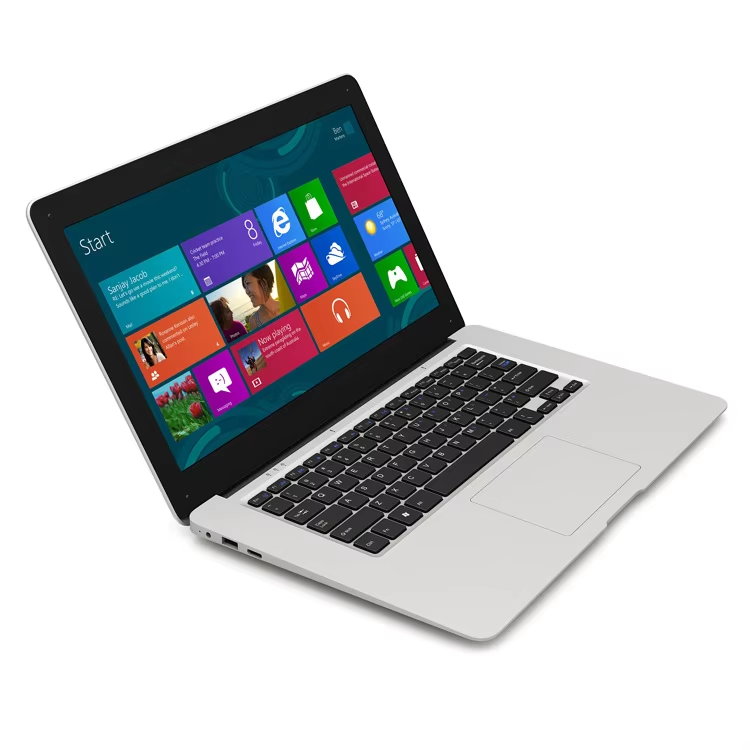
It is a poor fit if you:
- Work in spreadsheets, code, or design for hours and need to see a lot at once.
- Like having two windows open side by side.
- Have large hands and find cramped keyboards uncomfortable.
- Want it to be your only computer for demanding work.
The honest trade-off is screen room. On an 11.6-inch display, one window at a time is comfortable; two side by side gets tight. If your day is mostly single tasks and movement, the small size is a feature. If you multitask heavily, a 13.3 or 14-inch laptop will serve you better without adding much weight.
If you are unsure of the size of a laptop you already own, the model name usually tells you. A number like “14” or “15” in the product name is almost always the screen size in inches, and you can confirm the full dimensions on the maker’s own product page, for example an HP laptop spec sheet, which lists the exact width, depth, and weight.
Frequently asked questions
Is an 11.6-inch laptop too small for everyday use?
For browsing, writing, email, and video, it works well. It feels cramped for heavy multitasking or long spreadsheet and coding sessions, where a 13.3 or 14-inch screen is more comfortable.
How wide is an 11.6-inch lap-inch laptop have?
Most use either 1366 x 768 (HD) or 1920 x 1080 (Full HD). Full HD looks noticeably sharper on this small screen, so pick it when the option is available.
Is 11.6 inches the same as 12 inches?
No, but they are close. An 11.6-inch screen is about 29.5 cm on the diagonal, while a 12-inch screen is about 30.5 cm. The difference in real width is only around a centimeter.
Can I use an 11.6-inch laptop for work?
Yes, for light work like documents, email, and web apps it is fine. For demanding tasks or a lot of open windows at once, a larger screen will be easier on your eyes and workflow.
Conclusion
An 11.6-inch laptop screen is about 10.1 inches wide and 5.7 inches tall (25.7 by 14.5 cm), since the 11.6 inches is the diagonal. The whole laptop runs a bit larger, near 29.7 by 20.9 cm, and stays light and easy to carry. Choose this size if portability matters most and your work is light. For heavy multitasking, step up to 13.3 or 14 inches. A good result is a machine that fits your bag and your daily tasks.
Recommended Articles:
Acer Laptop Screen Not Working? Fix It Step by Step
White Spot on Laptop Screen: What It Is and How to Fix It
Why Does My Laptop Shut Off Randomly? Causes and Fixes
3.5 mm Jack Not Working on Laptop? Here’s How to Fix It
How to Restore a Toshiba Satellite Laptop to Factory Settings