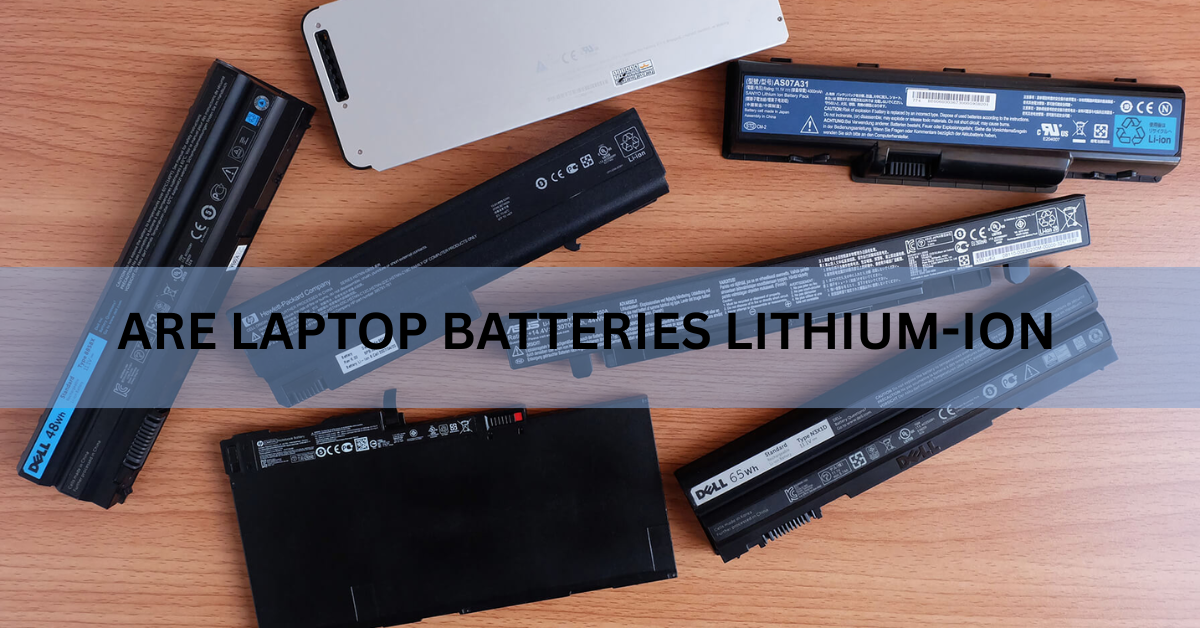
Yes. Nearly every laptop built in the last twenty years runs on a rechargeable lithium-ion battery. That covers every MacBook, ThinkPad, XPS, Chromebook and gaming laptop you can buy today. If the battery is sealed inside and you cannot pop it out with a latch, it is lithium-ion.
The more useful question is what kind of lithium-ion, because the answer changes how you should charge it, how you can fly with it, and what to do when it starts to bulge.
What kind of battery is inside a laptop?
A laptop battery is a pack, not a single cell. Inside the casing sit two to six lithium-ion cells wired together, plus a small circuit board that watches voltage, current and temperature. That board is the reason you cannot really overcharge a modern laptop. It stops pulling power once the cells are full.
Capacity is measured in watt-hours, written as Wh, which tells you how much energy the pack holds. Thin and light machines usually carry 40 to 60 Wh. Business laptops sit around 55 to 80 Wh. Gaming laptops and mobile workstations climb to about 99 Wh, and they stop there for a reason: 100 Wh is the ceiling airlines allow without special permission.
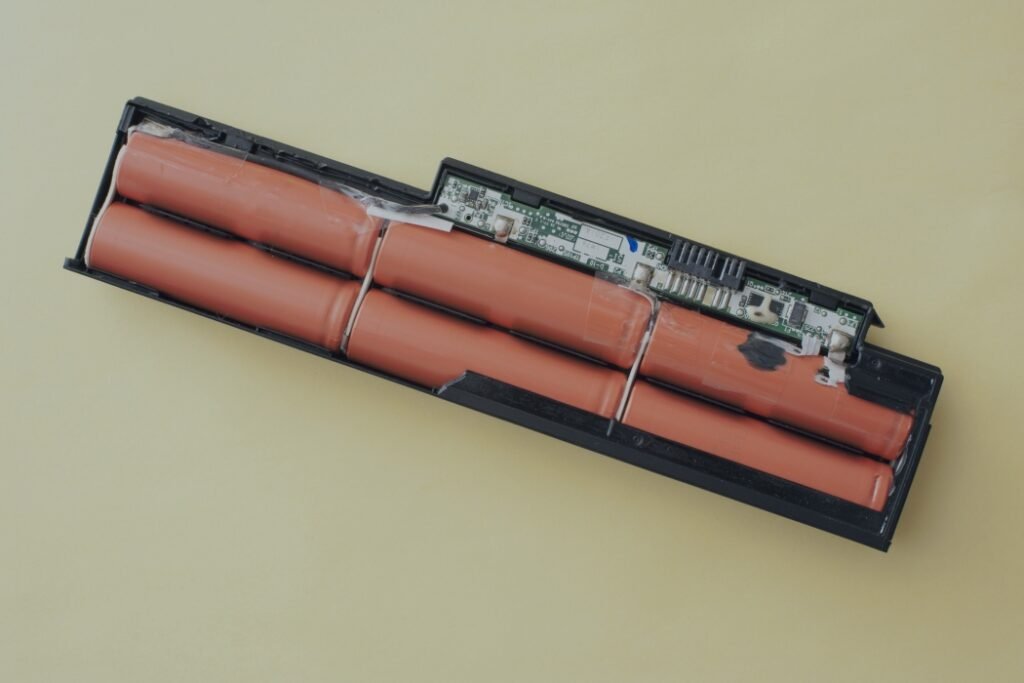
You will still see laptops advertised with a cell count, like 3-cell or 6-cell. That is simply how many lithium-ion cells are in the pack, and more cells usually means more capacity and more weight. Watt-hours is the better number to compare, because it accounts for the size of the cells as well as how many there are.
Lithium-ion or lithium-polymer: which one is in your laptop?
Both, in a sense. Lithium-polymer is a branch of the lithium-ion family rather than a rival to it. What separates them is the electrolyte, the liquid or gel that carries lithium ions from one end of the cell to the other, and the casing that holds it all in.
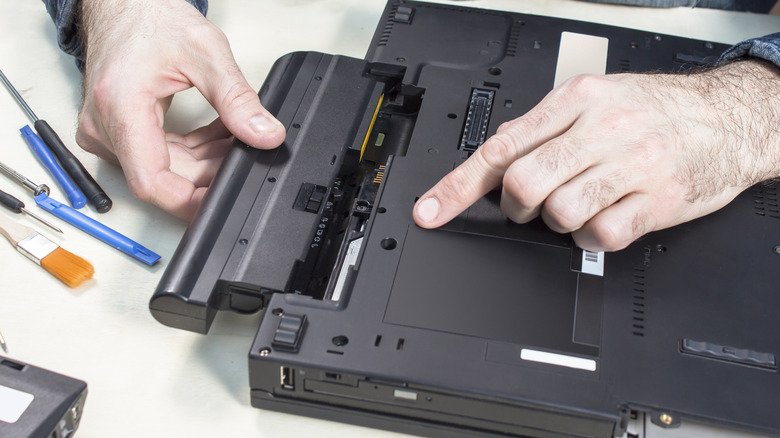
Older laptops used cylindrical cells that looked like fat AA batteries, sealed in metal cans and packed into a chunky plastic brick you could unclip. Today’s laptops use flat pouch cells with a gel electrolyte, sealed in soft foil and shaped to fill whatever space the designer left over. Those pouch cells are the ones labeled lithium-ion polymer, or Li-poly.
| Cylindrical lithium-ion | Pouch lithium-ion polymer | |
|---|---|---|
| Casing | Rigid metal can | Soft foil pouch |
| Electrolyte | Liquid | Gel |
| Common in | Older laptops with removable packs | Almost every laptop made today |
| Shape | Fixed, typically 18mm by 65mm | Molded to fit the chassis |
| Sign of wear | Shorter runtime | Shorter runtime, and the pouch can swell |
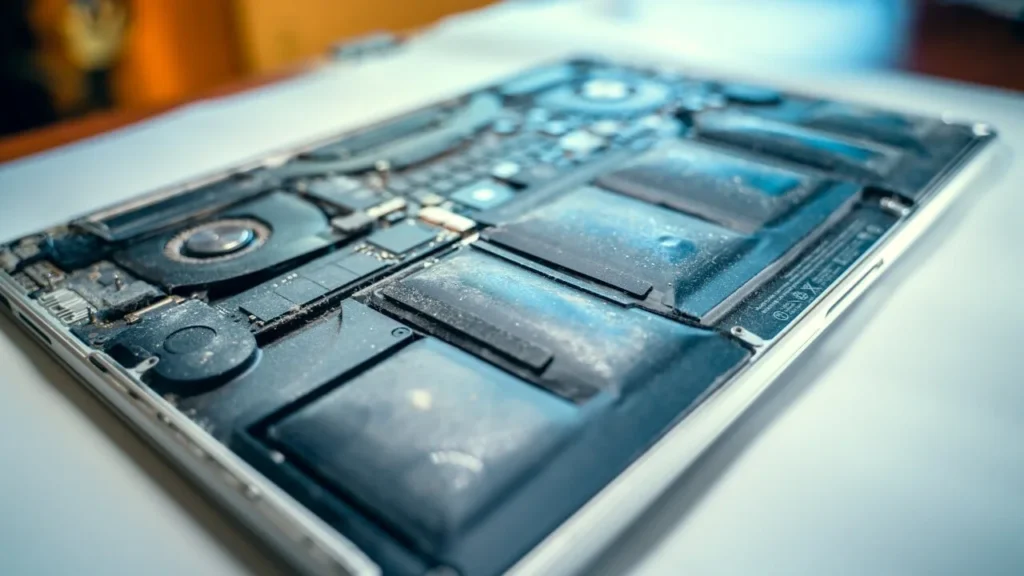
The soft casing also explains why a tired laptop battery swells instead of leaking. Gas from aging chemistry pushes the foil outward, and there is no metal can to hold the shape.
For labels, airline rules and recycling, both count as lithium-ion. Nobody treats them as separate things.
How can you check what battery your laptop has?
You can confirm the chemistry yourself in about a minute.
On Windows
- Right-click the Start button and open Terminal or Command Prompt as an administrator.
- Type powercfg /batteryreport and press Enter.
- Open the HTML file at the path shown on screen, usually inside your user folder.
- Find the Installed batteries table. Chemistry reads LION for lithium-ion, or LiP for lithium-ion polymer.
The same report gives you Design Capacity and Full Charge Capacity, which is the quickest way to see how far the pack has worn down.
On a Mac
Hold the Option key, click the Apple menu, choose System Information, then pick Power in the sidebar. The Battery Information panel lists cycle count and condition.
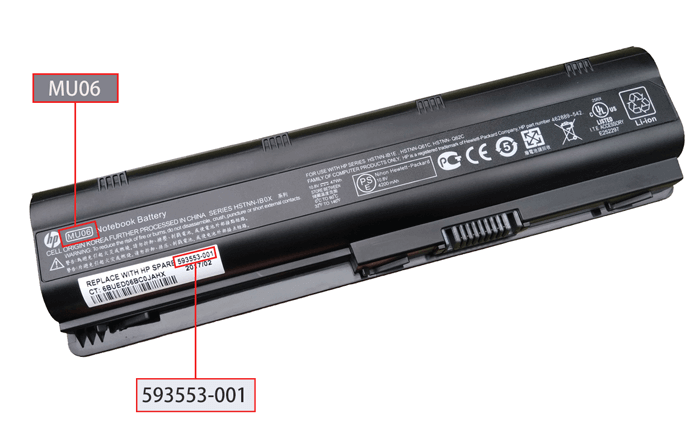
If your laptop still has a battery you can unclip, the chemistry is usually printed on the label beside the voltage and watt-hour rating.
What did laptops use before lithium-ion?
Early portables ran on nickel-cadmium, then nickel-metal hydride. Both were heavy for the energy they stored, and both suffered from memory effect, where a battery topped up from half empty again and again would seem to lose the part of its capacity it never used.
Lithium-ion changed the arithmetic. A single lithium-ion cell delivers around 3.6 to 3.7 volts against 1.2 volts from a nickel cell, so a pack needs roughly a third as many cells to reach the voltage a laptop wants. Add slow self-discharge and no memory effect, and the older chemistries had nothing left to offer.
How long does a lithium-ion laptop battery last?
Three to five years for most people, though the real measure is charge cycles rather than calendar time.
A charge cycle is one full battery’s worth of discharge, and it does not have to happen in one sitting. Use 70 percent of the charge on Monday and 30 percent on Tuesday and you have finished one cycle across two days.
Apple rates most MacBook, MacBook Air and MacBook Pro models from 2010 onward at 1,000 cycles, with the battery designed to hold up to 80 percent of its original capacity when it gets there. Models from 2008 and earlier were rated at 300 or 500. At a full cycle every single day, 1,000 cycles still takes close to three years, and few people burn a whole cycle daily.
Reaching the limit is not a failure point. The battery keeps working, you simply get less time between charges.
Windows laptop makers publish less, so the battery report is your gauge. Once Full Charge Capacity falls below about 40 percent of Design Capacity, the pack is worn out enough to swap.
What does lithium-ion mean for charging and care?
Charge it whenever you like. Lithium-ion has no memory effect, so plugging in at 60 percent and unplugging at 90 percent costs you nothing, and running it flat first gains you nothing either.
There is a reason the last stretch of charging drags. A lithium-ion pack charges quickly up to roughly 80 percent, then switches to a slow trickle for the final stretch, which is gentler on the cells.
Two things do age the cells: heat, and long spells sitting at a very high state of charge. Laptops work best in ambient temperatures of roughly 50 to 95 degrees Fahrenheit (10 to 35 Celsius), the range set out on Apple’s battery care page, and sustained heat above 95 degrees can permanently cut capacity. An afternoon in a hot car does more damage than a month of ordinary use.
If your laptop lives on a desk, cap the charge near 80 percent and leave it there. If you are putting a laptop away for a few months, charge it to about 50 percent and shut it down first.
Most makers build a charge cap into their software. Lenovo calls it Conservation Mode inside the Vantage app, ASUS calls it Battery Health Charging in MyASUS, Dell puts it in Dell Power Manager, HP keeps it in the BIOS or its power app, and Surface devices use Smart charging. macOS has Optimized Battery Charging, which learns your routine and waits at 80 percent until you need the rest. Windows has no universal switch of its own, so the setting lives in your manufacturer’s tool.
Can you fly with a lithium-ion laptop battery?
Yes, and the rules are set in watt-hours. Lithium-ion batteries are rechargeable, which puts them in a different category from the single-use lithium metal batteries found in coin cells and some camera gear.
Under the FAA’s PackSafe rules for lithium batteries, a battery rated up to 100 Wh travels with no approval needed. Between 101 and 160 Wh you need your airline’s permission and can carry two spares at most. Anything above 160 Wh is barred from passenger flights. Since laptop packs almost always sit under 100 Wh, the machine in your bag is fine.
Two rules catch people out. Spare batteries and power banks belong in carry-on baggage and can never be checked, with the terminals taped or bagged so they cannot short against metal. And if your carry-on gets checked at the gate, you have to take the spares out and keep them with you in the cabin.
Lithium cells can enter thermal runaway, a self-feeding overheating reaction that starts without warning. If a device turns hot, swells or smokes during a flight, tell the crew immediately.
What should you do when the battery swells or dies?
A swelling pouch cell is gas building up inside the foil. The signs are easy to spot: a trackpad sitting proud, a lid that no longer closes flush, keys pushed up out of line, or a laptop that rocks on a flat table.
Stop using it. Unplug the charger, shut the machine down, and do not press, bend or puncture the pack. Do not lever it out yourself either, because the foil tears easily and a torn cell can catch fire. Take the laptop to the manufacturer or an authorized repair shop.
An old battery never belongs in household trash or a curbside recycling bin. Crushed or punctured in a garbage truck or at a sorting facility, lithium cells start fires. Drop the battery, or the whole laptop, at a battery collection point or a certified electronics recycler, and tape the terminals or bag it first.
Frequently asked questions
Do all laptops use lithium-ion batteries?
Effectively, yes. Every laptop on sale today uses lithium-ion, including the lithium-ion polymer pouch cells in thin models. You would have to go back to nickel-metal hydride machines from the 1990s to find anything else.
Is my laptop battery lithium-ion or lithium-polymer?
Almost certainly lithium-ion polymer, which is a type of lithium-ion. Run powercfg /batteryreport on Windows and check the Chemistry field: LION means lithium-ion, LiP means lithium-ion polymer.
Can I take a lithium-ion laptop battery on a plane?
Yes. Batteries rated up to 100 watt-hours need no approval, and nearly every laptop sits below that. Keep the laptop in your carry-on, and never put a spare battery or power bank in checked luggage.
Is it bad to leave a laptop plugged in all the time?
It will not overcharge, but sitting at 100 percent while running warm ages the cells faster. Switch on your maker’s charge limit feature to hold it near 80 percent while the laptop lives on a desk.
How do I know when my laptop battery needs replacing?
Compare Full Charge Capacity with Design Capacity in the battery report. Below roughly 40 percent of the original figure, or any sign of swelling, means it is time.
Conclusion
Your laptop battery is lithium-ion, almost certainly flat pouch cells rated somewhere between 40 and 100 watt-hours. Treat it as a part that wears out. Keep it cool, cap the charge near 80 percent when the machine lives on a desk, and expect three to five years before the drop in capacity starts to annoy you. Check the battery report now and then, and take the old pack to a proper recycler instead of the bin.
Recommended Articles:
What Is eMMC in a Laptop? A Plain-English Guide to Budget Storage
How to Use a Laptop Cooling Pad the Right Way
How Many Watts Does a Laptop Use? Real Numbers by Type and Task
What Laptop Screen Pressure Damage Is and How to Deal With It