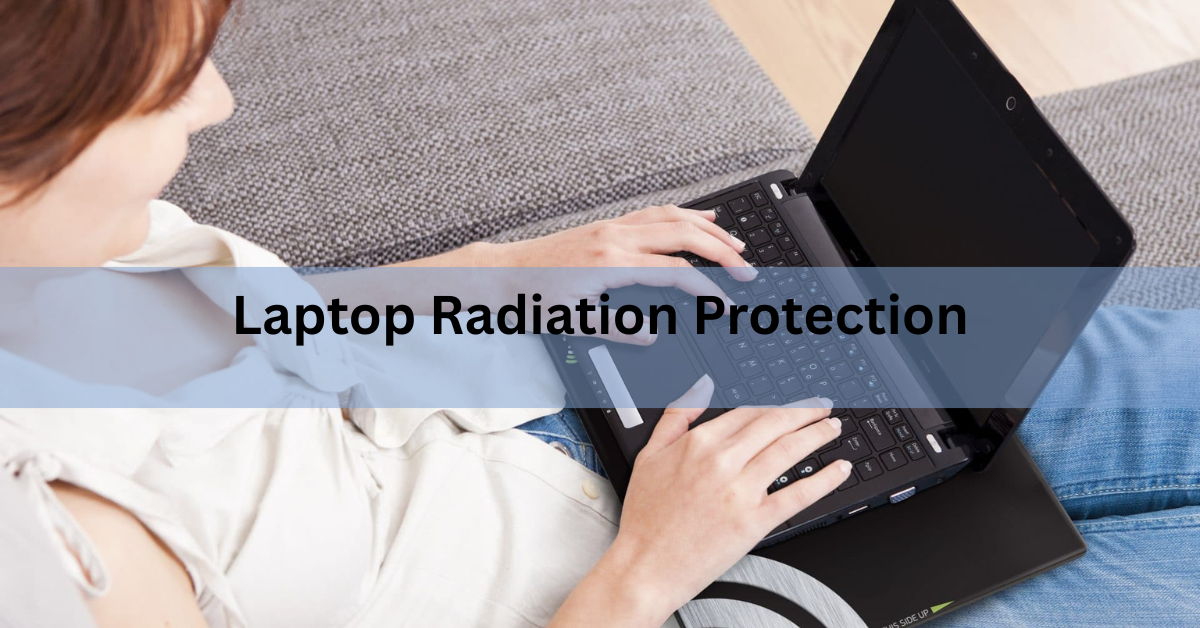
A laptop gives off two things you might want protection from: weak radio waves and heat. The radio waves are non-ionizing, meaning they carry far too little energy to damage DNA, and they measure well below international safety limits. The heat is the part with documented health effects, from a lacy skin rash to a temporary drop in sperm quality.
One habit deals with both at once: get the laptop off your body. Work at a desk, or put a hard tray between the machine and your lap, and you have removed most of the exposure that matters. The rest of this guide covers what a laptop actually emits, how those levels compare to safety limits, and the steps that cut your exposure without spending money.
What does a laptop actually give off?
Three kinds of emissions come out of a working laptop, and they behave very differently.
Radio waves (RF). Wi-Fi and Bluetooth send data using radio signals, usually at 2.4, 5, or 6 gigahertz. The antennas sit near the screen hinge in most models. This is the same general type of signal a phone uses, but a laptop transmits at lower power and sits much farther from your head.
Low-frequency magnetic fields (ELF). The charger, battery circuits, and internal wiring create weak magnetic fields, the same kind that surrounds any powered electrical device in your home. These fields fade fast: move a few inches away and they drop to background levels.

Heat (infrared). The processor, graphics chip, and battery all produce heat, and much of it exits through the underside. This is the emission your body actually feels, and the one tied to real medical findings.
None of these are ionizing radiation. Ionizing radiation, such as X-rays, carries enough energy to knock electrons off atoms and break chemical bonds in cells. Radio waves, magnetic fields, and infrared heat cannot do that at any power level a laptop produces. Modern flat-panel screens emit visible light and a little warmth, nothing more.
| Emission | Where it comes from | What it does at laptop levels |
| Radio waves (Wi-Fi, Bluetooth) | Antennas near the screen hinge | Slight tissue warming at most; far below safety limits |
| Magnetic fields (ELF) | Charger, battery, power circuits | Fades to background within inches; below safety limits |
| Heat (infrared) | Processor, graphics chip, underside | Skin discoloration and raised scrotal temperature with long lap use; documented |
How do laptop emissions compare to safety limits?
The numbers are small. A Wi-Fi transmitter in a laptop puts out around 100 milliwatts, which is a tenth of a watt. A dim night light uses more power than that, and only a fraction of the transmitted signal ever reaches your body.
The International Commission on Non-Ionizing Radiation Protection (ICNIRP) sets exposure limits with wide safety margins built in, and measurements of Wi-Fi devices in real rooms come in far below those limits. On that basis, the World Health Organization and most national health agencies find no established health effects from the radio emissions of Wi-Fi equipment, for adults or for children. The only proven effect of radio waves on the body is heating, and it takes field strengths found near industrial equipment, thousands of times stronger than a laptop signal, to warm tissue by even one degree.
In 2011, the International Agency for Research on Cancer placed radiofrequency fields as a whole in Group 2B, meaning the evidence for a cancer link is limited and unconfirmed. That review centered on heavy mobile phone use with the antenna pressed against the head. A laptop puts its antenna 30 centimeters or more from your body and transmits at lower power, so the exposure sits well below even that phone scenario.
Distance is the reason the gap is so large. Radio signal strength falls off with the square of the distance: double the gap and the intensity drops to roughly a quarter. At arm’s length, a laptop’s signal is a faint whisper compared with a phone held to the ear.
Heat is the risk with real evidence behind it
While the radio side of laptop radiation checks out as safe, the heat side has a medical paper trail. The underside of a hard-working laptop commonly reaches 43 to 50 degrees Celsius (109 to 122 Fahrenheit). That is not hot enough to burn you outright, which is exactly the problem: it is comfortable enough to sit through for hours.
Skin that gets warmed this way, day after day, can develop erythema ab igne, better known as toasted skin syndrome. It shows up as a red or brown net-like pattern on the thighs, sometimes itchy, and under a microscope the damage looks similar to long-term sun damage. Repeated exposure in the 43 to 47 degree range over weeks or months is enough to trigger it. Caught early, it usually fades once the heat source is gone. Left alone, the discoloration can become permanent, and in rare cases skin cancers have developed in long-standing patches.
If you notice a lacy, net-like discoloration on a thigh, stop resting the laptop there and show the patch to a doctor. Early cases usually clear on their own once the heat stops.
One documented case involved a young woman who worked about six hours a day with a laptop on her lap; the temperature under the machine measured 125 degrees Fahrenheit (about 52 Celsius). Six hours feels extreme until you add up a normal work-from-home day on the couch.
Laptop heat and male fertility
Sperm production runs best a few degrees below core body temperature, which is why the testicles sit outside the body at all. A laptop on the lap works against that design in two ways: the machine radiates heat downward, and the closed-leg posture needed to balance it traps warmth on its own.
Research on healthy men using laptops on their laps found scrotal temperature rising by roughly 2.5 degrees Celsius within about an hour, and heat in that range is known to slow sperm production. The effect is temporary. Sperm counts and quality recover once the regular heat exposure stops, and a single session on the couch will not change anything. The concern is the daily, hours-long habit, since sperm take about ten weeks to mature and repeated heating leaves little recovery time between exposures.
For anyone trying to conceive, the fix costs nothing: work at a table, or put a hard barrier with an air gap between the laptop and your lap.
7 ways to cut your exposure (most are free)
These steps are ordered by how much they matter. The first two do most of the work.

- Work at a desk or table. A gap of 30 centimeters (about 12 inches) between the laptop and your body drops both the radio signal and the heat to a small fraction of on-lap levels. This one change outperforms any product you can buy.
- Use a hard tray on soft furniture. On a couch or bed, put a lap desk, tray, or even a large hardcover book under the machine. It blocks the heat, keeps the vents clear, and adds a little distance. A pillow or blanket does the opposite: it seals the vents and makes the underside hotter.
- Add an external keyboard and mouse for long sessions. They let you push the laptop an arm’s length away, which moves you farther from the antennas, the warm chassis, and the hunched-neck posture all at once.
- Go wired or offline when you can. A USB or Ethernet adapter gives you internet with the radio transmitters doing less work, and airplane mode switches them off entirely for offline writing or video watching. Turning off Bluetooth when nothing is paired also saves battery.
- Keep the laptop cool. Clean the fan vents every few months and avoid running heavy software on your lap. A cooler laptop means less heat reaching your skin, and the hardware lasts longer too.
- Charge away from your body. The charger brick produces the strongest magnetic field of the whole setup, and it also runs hot. Keep it on the floor or the far side of the desk rather than on the couch beside you.
- Take breaks. Standing up every 45 to 60 minutes interrupts the continuous heating that skin and fertility research points to, and your back and eyes need the pause anyway.
What a shielding pad can and cannot do
Shielding pads for laptops are flat boards with a metal layer inside, made to sit between the machine and your lap. The physics of what they do is straightforward.
A metal layer reflects and absorbs radio signals that hit it, so a pad under a laptop does reduce the field passing straight down through the bottom of the case. It also blocks heat, which is a genuine benefit, the same one a plain wooden lap desk provides.
Here is the limit: the Wi-Fi and Bluetooth antennas sit near the screen hinge, above the pad. The signal they transmit has to keep flowing for your connection to work, and it spreads out from the antenna in every direction that is not shielded, including toward your chest, face, and hands on the keyboard. A pad under the machine leaves all of that untouched. It cannot reduce your overall exposure to the level that simple distance achieves, because a laptop on a pad on your lap is still a laptop next to your body.
So the honest summary is this: a rigid pad is a reasonable heat barrier for couch use, and the metal layer trims the downward radio field as a bonus. If the choice is between a 100 dollar shielded pad and a 20 dollar lap desk plus the habit of working at a table, the second option protects you more.
Frequently asked questions
Is laptop radiation harmful to humans?
The radio and magnetic emissions are non-ionizing, cannot damage DNA, and measure far below international safety limits, so no health effect from them is established. The heat from the underside is the documented risk, and it only becomes one with long, regular on-lap use.
Does using a laptop on my lap affect fertility?
It can, through heat rather than radio waves. About an hour of lap use raises scrotal temperature by roughly 2.5 degrees Celsius, enough to slow sperm production. The effect reverses once the habit stops. Using a table or a hard tray with an air gap prevents it.
How far away should I sit from my laptop?
About 30 centimeters, or 12 inches, is a good working distance. Radio signal strength falls with the square of distance, so a laptop at arm’s length exposes you to a small fraction of what an on-lap laptop does, and the heat never reaches you at all.
Do EMF laptop pads really block radiation?
Partly. The metal layer reduces the field passing down through the bottom of the case and blocks heat well. The antennas near the screen hinge still transmit above the pad, toward your upper body, so a pad cannot match the protection of simply working at a table.
Is it safe to use a laptop while pregnant?
The radio emissions are far below safety limits and no risk to a pregnancy from them is established. The sensible precaution is the same as for everyone: keep the warm underside off your body by using a table or a hard tray, and take regular breaks.
Conclusion
Laptop radiation protection comes down to one rule: distance beats barriers. The radio emissions are non-ionizing and sit far below international safety limits, so they need no special defense. The heat is the documented risk, and it only matters when the machine rests on your body for hours. Work at a table when you can, use a hard tray when you cannot, and keep the vents clear. Do that, and you have covered everything the evidence supports.
Recommened Articles:
How to Link Two Laptops Together: Every Method That Actually Works
Which Statement Is True About Laptops? The Answer, Explained
How to Remove a Stripped Screw From a Laptop (Without Wrecking It)
How to Work on the Couch with a Laptop Comfortably
How to Optimize Your Gaming Laptop for 4K (Without Buying a New One)