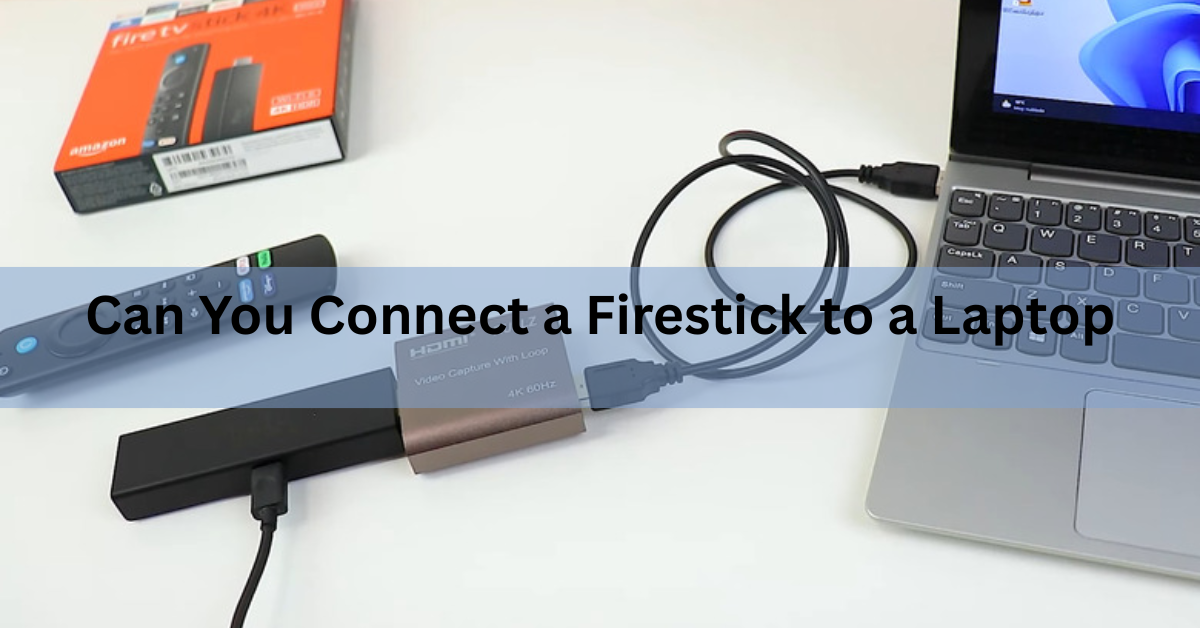
Not by plugging it in. Your laptop’s HDMI port sends video out to another screen and cannot take video in, so a Fire TV Stick pushed into it does nothing at all. You can still get the Firestick’s picture onto a laptop screen using a cheap USB capture card, but copy protection blocks most streaming apps once a show starts. If you only want to watch something, there is a far easier route.
Why your laptop’s HDMI port won’t take the Firestick
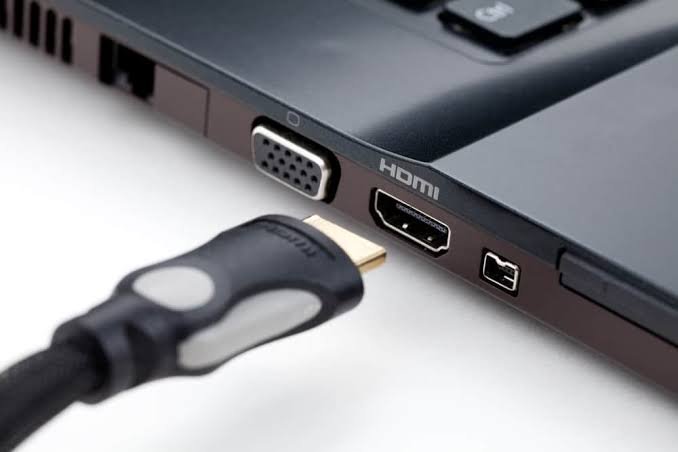
The plug on the Fire TV Stick is an output. It pushes picture and sound towards a display. The HDMI port on nearly every laptop is also an output. Connect the two and you have a pair of devices both talking, with nothing listening.
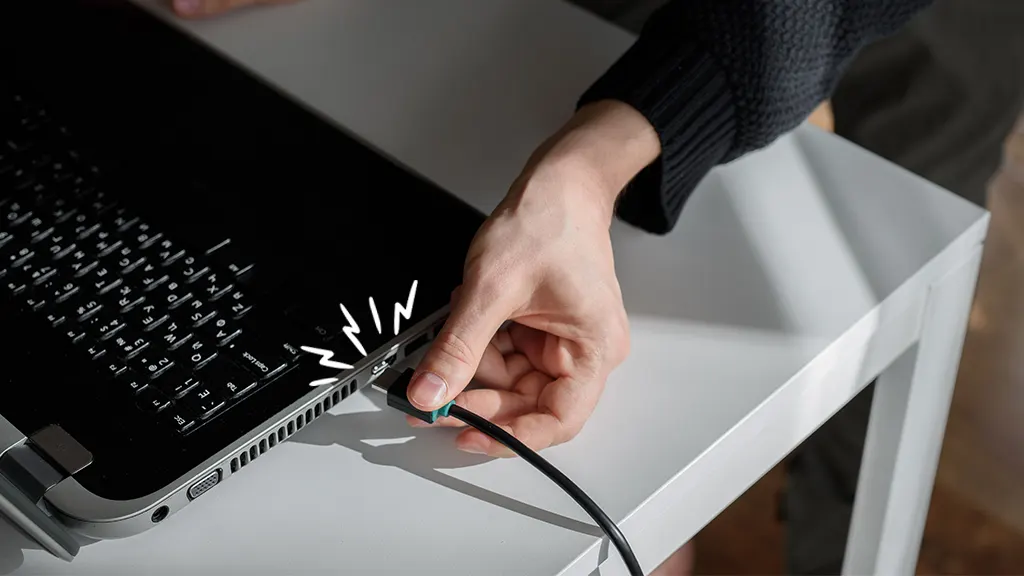
HDMI uses the same connector shape for sending and receiving, which is why this catches so many people out. Direction is set by the hardware behind the port. A TV has chips that pull an incoming signal apart and paint it onto the panel. A laptop is wired to push its graphics the other way, out to a second screen.
No driver, app, or buried Windows setting flips that around. It is a wiring limit, not a software one.
If your laptop could take a video signal, the port would be labelled HDMI IN on the case. Almost none are.
Your options at a glance
Four routes cover nearly every reason people ask this question.
| What you want | Method | Cost and catches |
|---|---|---|
| Watch Netflix, Prime Video and the rest on your laptop | Use the apps or websites directly | Free. No Fire TV menu. |
| See the Fire TV interface itself on your laptop screen | USB capture card plus OBS Studio | Around $20. Protected apps go black. |
| Put your laptop screen on the TV through the Firestick | Fire TV display mirroring | Free and built in. |
| Move files or install apps on the stick | ADB over your Wi-Fi | Free. Fire OS models only. |
Most people want the first or third row. The second is the only one that puts the Fire TV interface on a laptop, and it comes with a real limitation.
Do any laptops have an HDMI input?
A few do, and they are all older gaming machines. Dell’s Alienware 17 and 18 laptops from the early to mid 2010s shipped with a second HDMI port marked HDMI IN, and a handful of Clevo models sold through small system builders did the same. On several of the Alienware machines you switch the port over with a function key, usually Fn plus F9.
There is a catch worth knowing before you go hunting on eBay. Once the screen switches to that input, the laptop stops acting like a computer. The display becomes a plain monitor for whatever is plugged in, and Windows is out of reach until you switch back. You cannot record the incoming picture or drop it into a window.
Current laptops dropped the feature. The extra receiver chips cost money and space in a chassis, and hardly anyone used them.
How to see your Firestick on a laptop screen
Use a USB video capture card. It has an HDMI socket on one side and a USB plug on the other, and it makes your laptop treat the Firestick like a webcam. Basic ones sell for around $20.
- Power the Firestick from a wall socket using the adapter and cable that came in the box.
- Plug the stick into the HDMI IN socket on the capture card, using the short HDMI extender from the box if space is tight.
- Connect the capture card to a USB 3.0 port on your laptop. Those are usually the ones with a blue tongue inside.
- Install OBS Studio, which is free, or the small preview app supplied with the card.
- In OBS, add a source, choose Video Capture Device and pick the card. Add a second source, Audio Input Capture, and pick the card again so you get sound.
Expect a short delay between pressing a button on the remote and seeing the screen react, usually a fraction of a second. That is fine for watching and annoying for games.
One thing not to try: running the stick from your laptop’s USB port. A USB 2.0 port supplies 500 mA and a USB 3.0 port 900 mA, and the Fire TV Stick is built around its own 5 volt adapter. Underfeed it and you get restarts, or a stick that stalls halfway through a software update.
If the preview window stays empty, work through the obvious things before blaming the card:
- Check the stick went into the input socket, not the pass-through output that some cards also carry.
- Move the card to a different USB port, ideally one straight on the laptop rather than through a hub.
- Close Zoom, Teams, Skype and anything else that grabs a camera, since only one program can hold the capture device at a time.
- In OBS, open the source properties and set the resolution to 1920×1080 at 60 frames per second rather than leaving it on the default.
If the logo appears and then everything goes dark, the problem is not your setup.
Why the screen goes black when a show starts
Copy protection, and there is no way around it in software. HDMI carries an encryption layer called HDCP, and streaming apps switch it on before they play anything. Capture hardware is built not to accept an encrypted signal, so it shows an empty frame instead.
The pattern is easy to spot. The Fire TV logo and the home screen come through cleanly, then the picture drops to black the moment Netflix, Prime Video or Disney+ begins playing. Audio sometimes keeps going.
Cheap dongles behave differently from one another. Some show the menus and nothing else, some throw up coloured bands, a few pass certain apps. Buying a pricier card does not solve it, and nothing in the OBS settings will either. If the plan was to watch subscription shows this way, it will disappoint you.
The easier way to watch on your laptop
Leave the Firestick plugged into the TV. Every large service that runs on Fire TV also runs in a browser: Prime Video, Netflix, Disney+, YouTube, Max, Tubi and the rest. Sign in with the same account and your subscriptions, watchlist and viewing history follow you across.
What you give up is the Fire TV home screen, the remote, and the handful of apps that only exist on Fire TV. For watching a film in a hotel room, that is a fair trade against buying hardware and fighting with encryption.
No TV in the room? Use a monitor
If the whole reason you looked at your laptop was that there is no television, a monitor is the cleaner fix. Any computer monitor with an HDMI socket takes the Firestick exactly the way a TV does, with the full interface, working apps and no encryption trouble. Plenty of monitors have speakers, and the ones that do not usually have a headphone jack you can run a cheap speaker from.
Portable monitors are worth a look too. They are roughly the size of a laptop lid, run at 1080p, take power over USB-C and pack into the same bag. For travel, that beats any capture card setup.
How to send your laptop screen to the TV instead
This direction works, costs nothing and takes about a minute. Fire TV mirroring is a receiver, so it accepts a screen from your laptop rather than sending its own picture out.
On the Fire TV: open Settings, choose Display & Sounds, then Enable Display Mirroring. Leave that screen up while you connect. If the option is missing, your model does not support it.
On a Windows laptop: press the Windows key and K together, then pick your Fire TV from the list that appears. Microsoft’s guide to casting to a wireless display covers what to check if nothing shows up.
Keep both devices on the same Wi-Fi network and within about 10 metres, or 30 feet, of each other. If the Fire TV never turns up in the list, restart both devices and check that your laptop is on the 5 GHz band rather than a guest network, which usually blocks devices from seeing one another.
Macs do not speak Miracast, so there is no built-in equivalent, and you would need a receiver app installed on the stick.
Streaming services often black out mirrored video for the same copy protection reason described above. Play the film in the Fire TV app itself and use mirroring for slides, photos, browser tabs and the like.
Connecting for files, apps and troubleshooting
Sometimes “connect” means something else: getting a laptop talking to the stick to move files across, install an app manually, or dig into a problem. That runs over your network with Android Debug Bridge, a free command line tool.
Turn on ADB Debugging under Settings, My Fire TV, Developer Options. Find the stick’s address under About, then Network. Run adb connect followed by that address and port 5555 from a terminal on your laptop, and approve the prompt on the TV. Amazon’s Fire TV developer documentation walks through the full setup for Windows and Mac.
This only applies to sticks running Fire OS, which covers the Fire TV Stick 4K, 4K Max, 4K Plus and older HD models. The newer Vega OS devices, the Fire TV Stick 4K Select and the 2026 Fire TV Stick HD, run Amazon’s own Linux software, do not take Android apps and do not allow sideloading.
Frequently asked questions
Can I plug a Firestick straight into my laptop’s HDMI port?
No. That port is an output, built to send your laptop’s picture to a second screen, so it cannot receive the Firestick’s signal. Nothing appears, and no setting or driver changes that.
Will a capture card let me watch Netflix from a Firestick on my laptop?
Usually not. The Fire TV menus appear, but HDCP copy protection kicks in when a show starts and the capture card receives a black frame instead. Watch Netflix in your browser instead.
Can I power a Firestick from a laptop USB port?
It sometimes boots, but it is unreliable. USB 2.0 ports supply 500 mA and USB 3.0 ports 900 mA, which can cause restarts or a failed software update. Use the supplied wall adapter.
Do I need a Firestick to watch Prime Video on my laptop?
No. Prime Video, Netflix, Disney+, YouTube and most other services run in any modern browser. Sign in with the same account and your subscriptions and watchlist are already there.
Can I use my laptop as a monitor for the Firestick without buying anything?
No. Some Alienware 17 and 18 gaming laptops have an HDMI input that works, but on any normal laptop you need a USB capture card, and encrypted apps will still be blocked.
Conclusion
A Fire TV Stick will not run through your laptop’s HDMI port, because that port only sends video out. A USB capture card and OBS Studio will show you the Fire TV interface for around $20, though HDCP encryption blacks out the streaming apps most people want. To watch shows, open them in your browser. To use the big screen, mirror your laptop to the Firestick instead. Both take minutes and cost nothing.
Recommended Articles:
How Many Amps Does a Laptop Use?
How to Freeze a Screen on a Laptop: Every Method That Works
Where Is the Microphone on a Laptop? The Exact Spot and How to Find Yours
Can I Bring a Laptop on a Plane? The Rules, Made Simple
Why Does My Laptop Drain Battery So Fast? How to Find the Real Cause