
Most laptops weigh between 2 and 6 pounds, or about 0.9 to 2.7 kilograms. Where a specific machine lands in that range depends mostly on screen size, followed by the battery, the case material, and whether it has a dedicated graphics chip for gaming or video work.
A small 13-inch ultrabook built for travel can weigh under 2.5 pounds. A 15-inch gaming laptop with a discrete graphics card can weigh 6 pounds or more before you even add the charger. Everything else sits somewhere in between, and the sections below break that down by category, by named model, and by what actually drives the number up or down, so you can figure out roughly what your own laptop weighs, or should weigh, without guessing.
For most people shopping for a new machine, the honest starting point is this: weight only matters as much as how often you move the laptop. A laptop that lives on a desk can afford to weigh 5 pounds if that buys a bigger screen or a faster graphics chip. A laptop that rides in a backpack five days a week is a different calculation entirely, and a single pound of difference can be the thing you notice every single day for the next three or four years.
What do laptops weigh by category and screen size?
Screen size sets the rough floor for weight, since a bigger display needs a bigger chassis, hinge, and battery to match it. That said, screen size alone won’t tell you the final number. A well-built 14-inch ultrabook can weigh less than a poorly optimized 13-inch laptop from a different brand, because case material and internal components do the rest of the work. Here’s how the categories typically stack up.
| Category | Typical screen size | Typical weight |
| Ultra-light ultrabook | 13 to 14 in | 2.0 to 2.8 lb (0.9 to 1.3 kg) |
| Mainstream ultrabook | 13 to 14 in | 2.6 to 3.5 lb (1.2 to 1.6 kg) |
| Everyday laptop | 15 to 16 in | 3.5 to 4.5 lb (1.6 to 2.0 kg) |
| Chromebook | 11 to 15 in | 2.4 to 3.8 lb (1.1 to 1.7 kg) |
| Thin gaming laptop | 14 to 16 in | 3.5 to 5.0 lb (1.6 to 2.3 kg) |
| Full-power gaming laptop | 15.6 to 18 in | 5.0 to 9.0 lb (2.3 to 4.1 kg) |
| Mobile workstation | 15 to 17 in | 4.4 to 6.0 lb (2.0 to 2.7 kg) |
Two laptops with the same screen size can still land far apart on a scale. A 15.6-inch ultrabook built for portability can weigh under 4 pounds, while a 15.6-inch gaming laptop with a cooling system and a bigger battery can push past 5.5 pounds. The jump from a 13-inch to a 15-inch model in the same product line usually adds about a pound to a pound and a half. That doesn’t sound like much written down, but combined with a charger, a notebook, and whatever else lives in your bag, it’s often the difference between a bag that feels fine after eight hours and one that doesn’t.
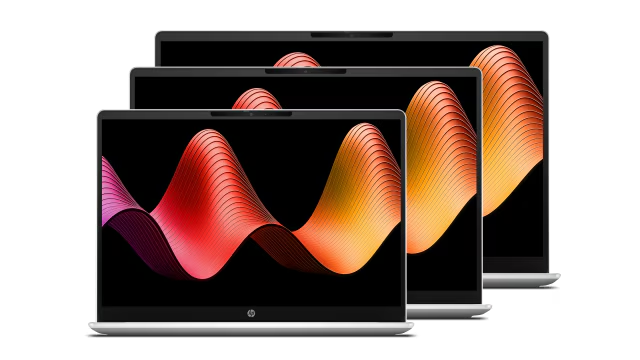
Chromebooks are worth calling out separately, since they tend to undercut Windows and macOS laptops of the same screen size. A 15-inch Chromebook typically weighs around 3.75 pounds, compared with 5 to 6 pounds for a similarly sized Windows laptop, mostly because Chromebooks run lighter software that needs less cooling hardware and often ships with a smaller battery. If you’ve picked a Chromebook mainly because it felt easier to carry, that instinct holds up in the numbers.
How much do popular laptop models actually weigh?
Category ranges are useful for a first pass, but real numbers from real, current machines make the comparison concrete. Here’s what well-known models weigh according to their own manufacturer spec sheets, which is always a more reliable number than a category average when you’re actually deciding between two specific laptops.
- Apple MacBook Air 13-inch: 2.7 lb (1.24 kg)
- Apple MacBook Air 15-inch: 3.3 lb (1.51 kg)
- Dell XPS 13: 2.6 lb (1.19 kg) and up, depending on the display
- Lenovo ThinkPad X1 Carbon Gen 12: 2.42 lb (1.09 kg)
- Microsoft Surface Laptop, 13.5-inch: 2.80 lb (1.27 kg)
- Microsoft Surface Laptop, 15-inch: 3.44 lb (1.55 kg)
- Dell XPS 17: about 5.1 lb (2.3 kg)
- Alienware m18 (18-inch gaming): 7 to 9 lb (3.2 to 4.1 kg) before the power brick
- Lenovo Legion 5 (15.6-inch gaming): about 5.5 lb (2.5 kg)
- Asus ROG Zephyrus G15 (15.6-inch gaming): about 4.2 lb (1.9 kg), notably light for its performance class
You’ll notice the 13-inch to 14-inch class is where manufacturers compete hardest on weight right now. Several current ultrabooks, including thin Windows machines shown at CES 2026, weigh close to 2.2 pounds, edging into territory that used to belong only to tablets. Apple lists its own current weights on the MacBook Air technical specifications page, which is worth checking directly if you’re comparing a specific configuration, since screen size changes the number even within one product line.
The Zephyrus G15 result above is worth pausing on. It packs a discrete graphics card into a chassis that weighs less than some plain productivity laptops, which shows that category labels like “gaming laptop” describe a use case, not a fixed weight. Engineering choices, not just the parts list, decide how heavy the finished machine actually is.
What makes one laptop heavier than another?
Four things account for almost all the difference between a light laptop and a heavy one, and they usually work together rather than alone.
Screen size. Every extra inch of display needs a bigger panel, a bigger hinge, and a bigger chassis to hold it together. Moving from a 13-inch to a 15-inch laptop in the same product line usually adds close to a pound, and moving to a 17-inch or 18-inch screen can add two to three pounds on top of that once you include the larger battery those screens tend to need.
Battery capacity. A larger battery cell means more hours away from an outlet, but battery cells are among the densest, heaviest components inside a laptop. Two laptops with identical screens and nearly identical specs can differ by several ounces purely from battery size. A laptop rated for 18 hours of use will typically outweigh an otherwise similar model rated for 10, because that extra runtime has to come from somewhere physical.
Case material. Aluminum and magnesium alloy bodies are lighter for their strength than plastic, but they cost more to manufacture and shape. Carbon fiber, used in the lid of some ThinkPad and business laptop lines, cuts weight further while keeping the frame stiff enough to protect the screen. Plastic chassis laptops tend to run heavier for the same rigidity, since manufacturers add thickness to plastic to match the strength that thinner metal already provides.
Internal hardware. A dedicated graphics chip needs its own cooling system: extra fans, heat pipes, and vents, plus a sturdier chassis to handle the added heat and vibration during long gaming or rendering sessions. That’s the main reason gaming laptops and mobile workstations outweigh everyday laptops with the same screen size, even when the outer dimensions look similar on paper.
None of these factors works in isolation. A 15-inch gaming laptop with a big battery, a discrete graphics card, and a metal chassis is stacking three or four weight-adding choices at once, which is exactly why that category tops out heavier than any other. A 13-inch ultrabook with a smaller battery, no dedicated graphics chip, and an aluminum shell is doing the opposite, and that’s why the lightest laptops on the market all share that same basic recipe.
How much does the lightest laptop weigh?
The lightest laptops on the market in 2026 weigh close to 2.15 to 2.2 pounds, or about 1 kilogram, a threshold that used to be rare and is now showing up across several brands at once. The Lenovo Yoga Slim 7i Ultra Aura Edition weighs 2.15 pounds and measures just 13.9 millimeters thick. The Acer Swift Air 16 weighs 2.2 pounds while still fitting a full 16-inch display, a combination that wasn’t really possible in this weight class even two or three years earlier.
A laptop under 2.5 pounds is light enough to hold comfortably in one hand for a phone call or a quick reference check, something that’s simply not practical with a 5-pound machine.
These ultra-light builds do involve trade-offs, even if they’re not always obvious from a spec sheet. Manufacturers hit these numbers with smaller battery cells, fewer physical ports, thinner keyboard mechanisms, or magnesium alloy shells instead of aluminum. None of that makes the laptop worse for typical use, like browsing, writing, or video calls, but it’s worth checking battery life and port selection specifically if you’re drawn to a sub-2.5-pound model, since that’s usually where the compromise shows up first.
If your priorities run the other way and you want the biggest screen at the lowest possible weight rather than the absolute lightest laptop overall, the calculation changes. The Acer Swift Air 16 is a useful example here: it’s not the lightest laptop made, but it’s currently the lightest 16-inch laptop, which matters if screen real estate is non-negotiable for you but weight still is.
How much weight does a laptop add to a bag with a charger?
The number on a spec sheet is the laptop alone, without the charger, cable, sleeve, or mouse you’ll actually carry. Add those, and your real carry weight is usually 0.5 to 1.5 pounds higher than the listed spec, sometimes more for a gaming laptop with a full-size power brick.
| Item | Typical added weight |
| USB-C GaN charger (65 to 100W) | 0.2 to 0.4 lb (90 to 180 g) |
| Barrel-plug gaming charger (180W+) | 1.0 to 1.5 lb (450 to 680 g) |
| Padded laptop sleeve | 0.3 to 0.6 lb (135 to 270 g) |
| Wireless mouse | 0.1 to 0.2 lb (45 to 90 g) |
This is where the gap between a light laptop and a heavy one grows fastest, and it’s also where a lot of buyers get caught out. A 2.7-pound MacBook Air with a compact GaN charger and a thin sleeve might add up to around 3.4 pounds total in the bag. A 6-pound gaming laptop with its full-size barrel-plug power brick can push past 7.5 pounds once it’s packed, since high-wattage chargers for discrete graphics cards are built heavier to handle the load.

If you carry your laptop most days, checking the charger’s own weight, not just the laptop’s, tells you more about how your bag will actually feel by the end of the day. Some laptops that ship with a 240-watt charger for gaming or workstation use can have a power brick alone that weighs close to a pound, on top of everything else in the bag.
How much should your laptop weigh?
The right weight depends on how often you carry the laptop and what you use it for, more than on any fixed number.
For daily commuting or travel: aim under 3 pounds. A 13-inch or 14-inch ultrabook in the 2.2 to 2.8 pound range is light enough to carry all day without adjusting how you pack your bag.
For a desk-first setup with occasional travel: 4 to 5 pounds is a reasonable trade. A 15-inch or 16-inch screen gives you more workspace, and the extra weight matters less if the laptop mostly stays on a desk or dock.
For gaming or video and 3D work: weight becomes secondary to the graphics card and cooling you need. A 5 to 7 pound laptop is normal here, and portability usually means picking the lightest model within that performance tier rather than chasing an ultrabook weight.
A simple gut check: put everything you’d normally carry, minus the laptop, on a bathroom scale first. Most people find a total bag weight above 15 to 18 pounds gets uncomfortable over a full day, so work backward from that number to figure out how much laptop weight you actually have room for before it starts affecting your shoulders or back on a long commute or travel day.
It also helps to think about how many days a week the laptop actually leaves the house. Someone who carries their laptop five days a week for a 30-minute train ride feels an extra pound very differently than someone who carries it once a month for a client meeting. If your usage sits closer to the second pattern, a heavier laptop with a bigger screen or more power is a completely reasonable trade, since the weight only becomes a cost on the days you’re actually moving it.
Frequently asked questions
Is a 5-pound laptop too heavy to carry daily?
Not necessarily. Five pounds is manageable for most people over short distances, but on top of a charger and other gear, it adds up on long commutes. If you carry it daily for miles of walking, a lighter model will feel noticeably easier.
Why do gaming laptops weigh so much more than regular laptops?
Gaming laptops carry a dedicated graphics chip along with extra fans, heat pipes, and a larger battery to power it all. That hardware, plus a sturdier chassis to support it, typically adds 2 to 4 pounds compared to a similarly sized everyday laptop.
Does a bigger battery always mean a heavier laptop?
Usually, yes, since battery cells are one of the densest components inside a laptop. A laptop with 18 hours of rated battery life will typically weigh more than an otherwise identical model rated for 10 hours.
How much does a 13-inch laptop weigh compared to a 15-inch one?
A 13-inch laptop typically weighs 2.2 to 3 pounds, while a 15-inch model in the same product line usually adds about 0.7 to 1.3 pounds, mostly from the larger screen, battery, and chassis.
Is laptop weight listed with or without the charger?
Manufacturer spec sheets list the laptop alone, without the charger, cable, or any accessories. Your real carry weight is typically 0.5 to 1.5 pounds higher once you add those.
Conclusion
Laptop weight runs from about 2 pounds for the lightest ultrabooks to 8 or 9 pounds for full-power gaming machines, with most everyday laptops sitting between 2.5 and 5 pounds. Screen size sets the baseline, and battery size, case material, and internal hardware move the number from there. Check the exact listed weight for the model you’re considering, add the charger and sleeve you’ll actually carry, and match that total to how often the laptop leaves your desk.
Recommended Articles:
How to Freeze a Screen on a Laptop: Every Method That Works
How to Use a Laptop Cooling Pad the Right Way
RTX 5050 Laptop vs RTX 4070 Laptop: Which One Should You Buy?
How Long Should a Gaming Laptop Last?