There’s no official limit on how many laptops you can bring on a plane. The TSA doesn’t cap the number of laptops in your carry-on bag, and most security agencies around the world take the same position. Two laptops, three, even more, all fine at the checkpoint.
The real limits come from somewhere else. Four things decide how many laptops you can actually travel with: the space in your allowed bags, the battery safety rules, your airline’s own policy, and customs when you cross a border. A traveler with a work laptop and a personal laptop will clear all four without a second thought. A traveler with five sealed boxes will sail through security and then hit a wall at customs.
This guide walks through each of those limits, what changes on international flights, and how to pack so that security takes minutes instead of half an hour.
What the TSA rules say
The TSA sets no quantity limit on laptops. You can pack as many as fit in your carry-on bag and personal item. The agency’s own guidance on laptops is about screening, not counting: laptops need to come out of your bag and go through the X-ray in a bin.
Here’s how that plays out at the checkpoint:
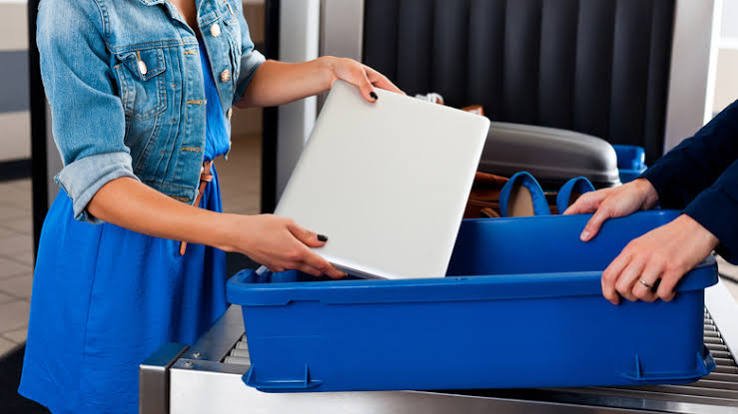
- In a standard lane, each laptop comes out of the bag and goes in its own bin. Stacking two laptops in one bin can get the whole bin pulled aside for a manual check, which costs you more time than the extra bin would have.
- With TSA PreCheck, laptops stay in your bag. This is the single biggest time saver for anyone who regularly flies with more than one device.
- At airports with newer CT scanners, officers sometimes tell everyone to leave electronics in their bags. Follow whatever the officer at that checkpoint says, because the equipment varies from airport to airport and even lane to lane.
One habit worth building: board with every laptop holding at least some charge. Officers can ask you to power on a device to show it’s a working computer, and this check is more common on international routes. A dead laptop invites a longer inspection.
Security agencies outside the US work the same way on the count. The UK, the EU, and most Asian and Middle Eastern hubs screen laptops without setting a per-passenger number. The screening procedure differs, some airports still want tablets out of the bag while others don’t, but nowhere in normal international travel will a second or third laptop be refused at the checkpoint itself.
Battery rules are the only hard legal limit
The one place where the law sets firm numbers is the battery. Laptops run on lithium-ion batteries, and aviation rules measure those by capacity in watt-hours (Wh), a number printed on most modern batteries. The FAA’s PackSafe rules for lithium batteries break down into three tiers:
| Battery size | Rule |
| Up to 100 Wh | Allowed, no quantity limit for personal use |
| 101 to 160 Wh | Allowed only with airline approval, and no more than two spares of this size per person |
| Over 160 Wh | Not allowed on passenger flights |
Almost every normal laptop falls in the first tier. A typical thin-and-light machine carries a 50 to 75 Wh battery, and even big gaming laptops usually sit just under 100 Wh, because manufacturers design them to stay flight-legal. For the laptops themselves, the battery rule almost never stops you.
Where it does bite:
- Spare batteries and power banks must ride in your carry-on. They’re banned from checked bags with no exceptions. Protect the terminals from short circuits by keeping each spare in its original packaging, a separate plastic bag, or with tape over the contacts.
- Extended aftermarket batteries can cross 100 Wh. Check the label before you fly. If yours isn’t marked, multiply the voltage by the amp-hours to get watt-hours.
- Recalled or damaged batteries are banned outright. The best-known case is the 15-inch MacBook Pro sold between 2015 and 2017, recalled over batteries that could overheat. A recalled device can’t fly in carry-on or checked baggage until the battery has been replaced.
One more line in the battery rules matters if you’re carrying several devices: batteries must be for the passenger’s own use. Batteries carried for resale or distribution don’t get the personal-use allowance at all. That’s a safety rule rather than a customs rule, but it points at the same idea. Past a certain point, a stack of new laptops stops counting as luggage.
Do airlines set their own laptop limits?
Most airlines don’t publish a laptop count. Their limits show up indirectly, through the baggage allowance:
- The standard allowance is one carry-on bag plus one personal item, and a laptop bag usually counts as the personal item. That’s your working space for however many machines you bring.
- Cabin weight limits do more to cap your laptop count than any written policy. Plenty of airlines outside the US hold carry-ons to 7 or 8 kg. Three laptops with their chargers can eat most of that before you pack a single shirt.
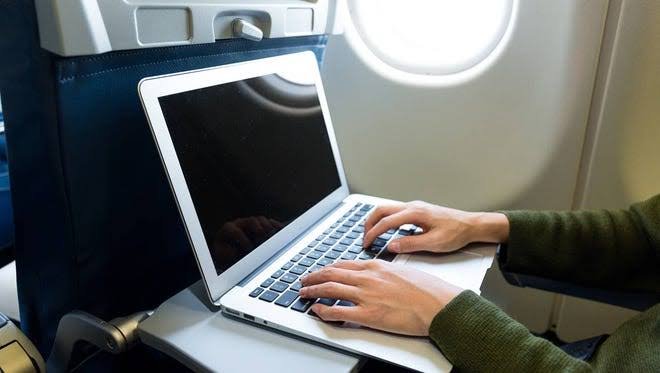
As for what physically fits: a standard carry-on runs about 22 x 14 x 9 inches, and a personal item has to slide under the seat in front of you, roughly 18 x 14 x 8 inches on most US carriers. Between the two, three or four thin laptops in sleeves fit without much trouble. Weight gives out before space does. A 14-inch laptop weighs around 1.5 kg, so on an airline with a 7 kg cabin limit, four laptops plus chargers leaves you almost nothing for everything else.
A small number of carriers do put a figure on it, usually framed as electronic devices for personal use. If you plan to fly with three or more laptops, read your airline’s restricted items page about a week before the trip, and contact the airline directly if the page doesn’t answer the question. A written answer in advance beats a debate with a gate agent.
Can you put laptops in checked baggage?
Yes, you can, but you probably shouldn’t. The rules allow a laptop in a checked bag on two conditions: it must be completely powered off, not asleep, and it must be packed so it can’t switch on by accident and is protected from damage.
The case against doing it is much stronger than the case for it:
- Checked bags get dropped, crushed, delayed, and occasionally opened. A laptop in the hold is a laptop you can’t watch.
- Theft from checked luggage targets exactly this kind of item, small and easy to resell.
- The battery is the serious issue. If a lithium battery overheats in the cabin, the crew is trained to handle it. In the hold, nobody is there. That risk is the whole reason spare batteries are banned from checked bags, and it’s why safety agencies tell you to keep battery-powered devices in the cabin.
If you truly have no choice, shut the laptop down fully, wrap it in clothing, and place it in the middle of the suitcase away from the edges.
Gate-check warning: if the airline takes your carry-on at the gate because the bins are full, pull out your laptops, power banks, and spare batteries before handing the bag over. Spare batteries must stay with you in the cabin, and your laptops should too.
International flights: customs is the real gatekeeper
Security screening treats ten laptops the same as one. Customs doesn’t. Once you cross a border, the question changes from “is this safe to fly” to “are you importing goods.”
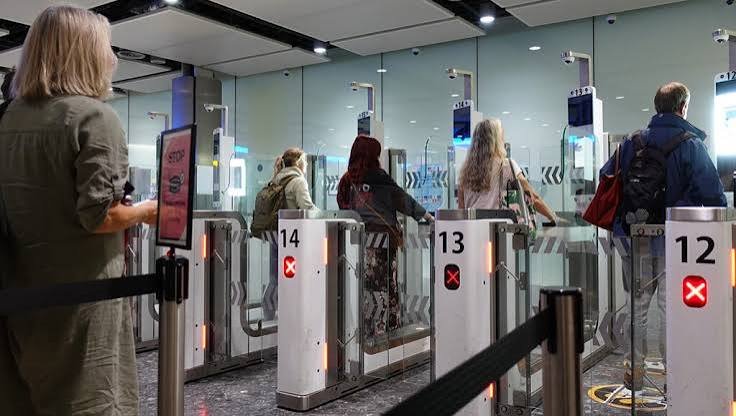
The line customs officers care about is personal use versus import. A used laptop full of your files, with stickers on the lid, is a personal effect. It travels with you, leaves with you, and normally owes nothing. A new laptop in a sealed retail box is a product entering the country, and products entering a country can owe duty.
Two concrete examples of how countries draw the line:
- United States. Returning residents get a personal exemption of $800 for goods bought abroad. Buy one new laptop overseas for $700 and you’re inside the exemption. Buy two and you owe duty on the value above $800.
- India. Passengers 18 and over can bring one new laptop duty-free, separate from the general duty-free allowance of Rs 75,000 under the baggage rules that took effect in February 2026. A second new laptop counts against that general allowance, and value above it owes duty. A used personal laptop coming home with you owes nothing.
Most countries follow the same shape: a personal allowance in local currency, with used personal devices ignored and new purchases counted against it. Three habits keep customs painless when you travel with more than one laptop:
- Carry proof you owned them before the trip. Purchase receipts work. For expensive gear, US travelers can register items with Customs and Border Protection on Form 4457 before departure, which proves the laptop left the country with you and isn’t a new import when you return.
- Unbox anything new before you fly home. A laptop that’s set up, logged in, and holding your files reads as personal property. A sealed box reads as merchandise.
- Declare when you’re over the allowance. Duty on one extra laptop is a known, modest cost. Getting caught skipping the declaration can mean penalties and confiscation.
Work laptops sit in a helpful middle ground. A machine issued by your employer, running company software and locked to your account, is treated as a tool of your trade, not an import. If you regularly cross borders with two or three company devices, a short letter from the employer listing the machines and their serial numbers settles most questions before they start.
One more border reality worth knowing: customs officers in the US and many other countries can search electronic devices without a warrant. Back your data up to the cloud before you fly, and don’t carry anything on a device that you couldn’t stand to have inspected.
How to move multiple laptops through security fast
A little preparation turns a multi-laptop screening from a bottleneck into a non-event:
- Pack laptops at the top of your bag, each in its own sleeve, so every machine slides out in one motion.
- Charge every device before you leave home. A laptop that can’t power on when an officer asks turns a thirty-second check into a long one.
- Use one bin per laptop in standard lanes. It feels wasteful, and it’s faster.
- Get TSA PreCheck or your local equivalent if you fly with several devices often. Keeping laptops in the bag saves minutes on every single trip.
- Leave chargers and cables in the bag. Only devices bigger than a phone need to come out.
- Build in buffer time on international routes, where power-on checks and extra swabbing happen more often.
Using your laptops during the flight
Once you’re on board, the number of laptops stops mattering and the timing rules take over. Laptops must be stowed during taxi, takeoff, and landing, in the seat pocket if it fits, under the seat, or in the overhead bin. Once the aircraft reaches cruising altitude and the crew gives the all-clear, you can pull one out and work.
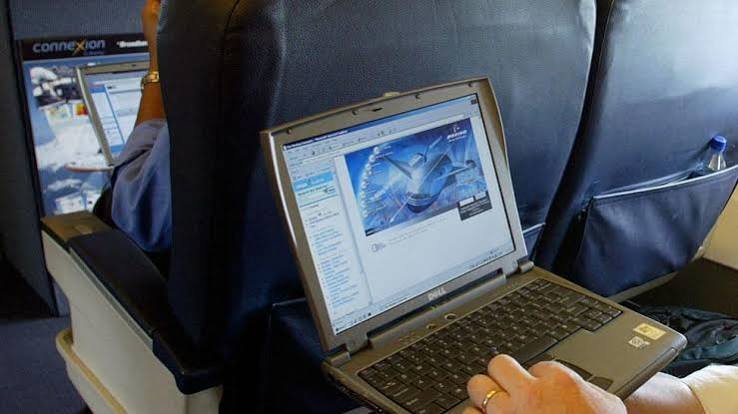
Keep wireless radios in airplane mode, then switch Wi-Fi back on if the aircraft offers onboard internet. Seat power is the bigger planning question. Many long-haul aircraft have AC outlets or USB-C ports at every seat, plenty of short-haul planes have none, and some outlets can’t sustain the draw of a large laptop charger. If a working battery matters at the other end, top up in the terminal and carry a power bank under 100 Wh rather than counting on the seat.
If a device starts running hot, swelling, or smoking mid-flight, tell the crew immediately. They’re trained for exactly this, and speed matters far more than embarrassment.
Packing two or more laptops safely
Getting the laptops onto the plane is half the job. Getting them there in working order is the other half.
- Give each machine its own padded space. Use a bag with a dedicated laptop compartment and put the second machine in a separate sleeve. Two bare laptops stacked against each other grind corners into screens every time the bag moves.
- Mind the weight. Two laptops, two chargers, and a power bank can pass 5 kg on their own. A backpack with real shoulder padding beats a briefcase once you’re past one machine, and it keeps you under the cabin weight limit more comfortably.
- Consolidate chargers. If both laptops charge over USB-C, one high-wattage charger and a spare cable replaces two power bricks and saves real weight.
- Keep the bag with you at the gate, on layovers, and under the seat in front of you rather than in an overhead bin several rows back. Most laptop theft in airports is opportunistic, and eyes on the bag defeats it.
- Note the serial numbers before you leave. Photograph each laptop’s serial number and keep the photos in cloud storage. If a machine is lost or stolen, the serial is what a police report, an insurance claim, and a customs re-entry all ask for, and finding it after the fact is hard.
When several laptops start to look like a problem
There’s no magic number where laptops become illegal, but there is a point where they stop looking personal. Officers read the signals: several sealed retail boxes, identical models, machines with no accounts or files on them. Each of those says commercial shipment, and commercial shipments follow import rules, not baggage rules.

If you genuinely need to move many machines, say IT equipment for a company office abroad, carry an equipment list and a letter from the employer describing the devices and their purpose, plus invoices showing ownership. For professional gear that will leave the country again, a temporary import document called an ATA Carnet lets it cross borders without duty. And for a truly large batch, shipping the machines as cargo through a customs broker is usually cheaper and calmer than arguing at an arrivals hall.
Frequently asked questions
Can I bring two laptops through TSA?
Yes. The TSA has no limit on laptops in carry-on bags. In a standard lane, take both out and place each in its own bin. With TSA PreCheck, both can stay in your bag.
Can I take three or four laptops on an international flight?
Security will allow it, but customs at your destination may charge duty if the laptops are new or push you past the country’s personal allowance. Carry receipts, unbox new machines, and declare anything over the limit.
Do I have to take my laptops out of the bag at security?
In standard lanes, yes, each one goes in a separate bin. TSA PreCheck travelers keep laptops in their bags, and some airports with CT scanners let everyone do the same. Follow the officer’s instructions.
Is it better to put a second laptop in checked luggage?
No. Checked bags face drops, theft, and delays, and a battery problem in the hold can’t be handled by the crew. If you must check one, power it off completely and pad it in the middle of the case.
Will I pay customs duty on my laptops?
Not on used personal laptops you already owned. New laptops bought abroad count against your country’s duty-free allowance, which is $800 for returning US residents, and you pay duty only on value above that.
Conclusion
You can bring as many laptops on a plane as your carry-on space allows, because the TSA and most other security agencies set no quantity limit. Keep every laptop in the cabin, keep spare batteries out of checked bags, and make sure each battery is under 100 Wh, which almost all are. On international trips, carry receipts and unbox anything new, since customs, not security, is where extra laptops cost money. Do that, and two or three laptops will never slow you down.
Related Post
How to Reset a Gateway Laptop to Factory Settings
How to Prolong the Life of a Laptop Battery
How to Measure Laptop Dimensions: A Simple Guide
Heat Damage to a Laptop Screen: What It Looks Like and What to Do