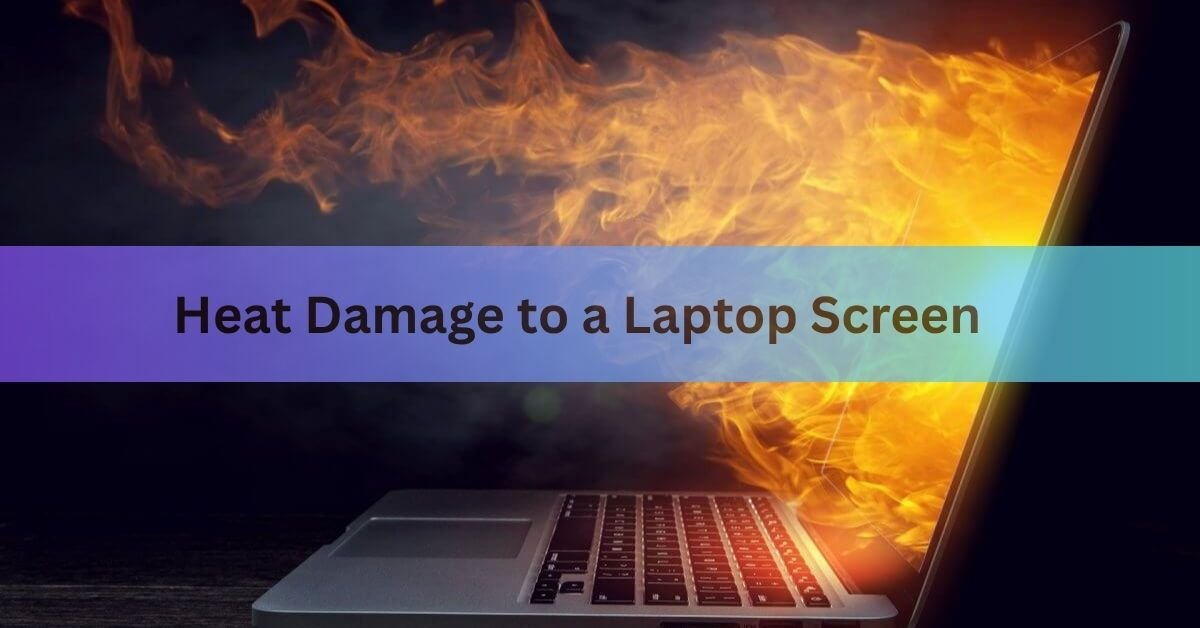
Yes, heat can damage a laptop screen. When a laptop gets too hot, from sitting in a hot car, baking in direct sun, or running heavy tasks with blocked vents, the display can show dim patches, blotchy color, flickering, or dark spots that do not go away. Some heat effects are temporary and clear once the laptop cools. Others are permanent and need a repair.
This guide helps you tell the difference. You will learn what heat damage looks like, what is actually getting hurt inside the panel, how hot is too hot, and exactly what to do the moment you spot a problem. The goal is simple: stop the harm now, and know whether your screen can recover.
Can heat actually damage a laptop screen?
Heat can damage a laptop screen, but it usually takes real, sustained high temperatures to do permanent harm. A laptop running warm during a video call or a game is normal. The danger comes from heat that climbs well past the panel’s limits and stays there, which is what happens in a parked car in summer, under strong direct sun, or when a laptop runs hard with no airflow.
A laptop screen is a stack of thin layers: a backlight, a layer of liquid crystal, color filters, and glass. Each layer has a temperature it can take before it starts to break down. Push past that and the layers can warp, separate, or stop working evenly. That is when you see the marks that do not wash off.

The liquid crystal layer is the part most sensitive to heat. Liquid crystal sits between a true liquid and a solid, and it relies on staying in a narrow temperature band to twist light correctly and show color. Too much heat pushes it out of that band, so it can no longer line up the way it should. The backlight is the next weak point, since the small LEDs and the films that spread their light can warp or fail in spots, which is what creates those uneven dark patches.
Worth knowing: the screen is often not the first thing to suffer. The processor and graphics chip inside the body heat up faster, and a healthy laptop will dim the screen, slow down, or shut off to protect itself before the panel itself cooks. So a screen change after a heat event is a signal worth taking seriously, not ignoring.
What heat damage to a laptop screen looks like
Heat damage shows up as a change in how the screen lights up or shows color, and it often appears right after the laptop got hot. The most common signs are below. You may see one or several at once.
- Dim or dark patches: Part of the screen looks darker than the rest, like a shadow or a cloudy zone. This often points to a backlight problem, the layer that lights the display from behind.
- Blotchy discoloration: Areas turn yellow, brown, pink, or take on an uneven tint. Heat can make the liquid crystal layer break down so it no longer shows color correctly.
- Flickering: The image shakes, blinks, or the brightness jumps on its own, especially when the laptop heats up again under load.
- Dead or stuck spots: Small dots that stay black or stuck on one color, where pixels have failed.
- A leaking or bubbled look: In severe cases, the liquid crystal can look like it has pooled, smeared, or formed dark blobs, often near an edge or a hot spot.
Pay attention to timing. If the change appeared after sun, a hot car, blocked vents, or a long heavy workload, heat is a likely cause. If a mark stays in the exact same physical spot no matter what is on screen, and it remains after the laptop fully cools, treat it as real damage rather than a passing glitch.
Quick test: let the laptop cool to room temperature, then look again. If the problem is gone, it was likely temporary protection kicking in. If the mark stays put, the panel is probably damaged.
Heat damage versus a temporary glitch
Not every screen oddity during heat means your panel is ruined. Laptops are built to protect themselves, and some of what you see is that protection at work, not damage.
When a laptop gets hot, it may dim the screen on purpose to cut down heat and save power. It may even go to a black screen for a moment. These behaviors clear once the laptop cools, and the screen returns to normal. That is the laptop doing its job, not the panel failing.
Real damage behaves differently. It does not clear when the laptop cools. It stays in the same place, and it often gets worse the next time the laptop heats up. A useful rule: temporary heat behavior is full-screen and goes away, while damage is usually fixed in one spot and stays. If you are not sure, the cool-down test above is the fastest way to tell them apart.
How hot is too hot for a laptop screen?
Most laptops are built to be used in a room that sits between 10°C and 35°C (50°F to 95°F). Run a laptop in air much hotter than that and its cooling system, which pulls in the surrounding air, can no longer keep up, so the inside temperature climbs.
Storage limits, meaning when the laptop is off and packed away, are wider, but they still have a ceiling. The table below shows the published ranges from two major makers. These are ambient air limits, not the temperature of the chips inside, which run much hotter.
| Maker | In use (ambient) | Stored / off (ambient) |
| Apple (Mac laptops) | 10°C to 35°C (50°F to 95°F) | -25°C to 45°C (-13°F to 113°F) |
| Dell (Latitude laptops) | 0°C to 35°C (32°F to 95°F) | -40°C to 65°C (-40°F to 149°F) |
The panel itself has its own limit. Many laptop LCD panels are rated to work up to around 50°C (122°F) at the glass, and pushing past that for long stretches is where the liquid crystal starts to degrade. You can see the full in-use and storage figures on Apple’s operating temperature page and in Dell’s published specifications.
Why does a parked car matter so much? On a warm day, the air inside a closed car can climb far above 50°C, well past every limit in the table. A laptop left on the seat or in the trunk can soak in that heat for hours, which is one of the most common ways screens get cooked.
What causes a laptop screen to overheat
Screen heat damage comes from two directions: outside heat hitting the laptop, and inside heat that the laptop cannot get rid of. Often it is a mix of both.
Outside heat
- Hot cars: The single biggest offender. A closed car in the sun turns into an oven.
- Direct sunlight: Working in the sun, or leaving the laptop on a sunny windowsill or by a pool, heats the screen directly.
- Heat sources nearby: Radiators, heaters, or a hot dashboard add load the cooling system has to fight.
Inside heat that has nowhere to go
- Blocked vents: Using a laptop on a bed, couch, blanket, or pillow blocks the airflow it needs. The soft surface traps heat against the body.
- Dust buildup: Over months, dust clogs the fans and vents, so the laptop cannot push hot air out.
- Heavy workloads: Gaming, video editing, or many browser tabs run the chips hard and generate a lot of heat. Some laptops vent that hot air right toward the bottom of the screen.
- Running closed in a bag: A laptop that did not fully sleep can keep working inside a closed bag, with no airflow and nowhere for the heat to escape.
On many laptops, especially thin gaming models, the warm air exhausts out the back near the hinge, which sits just below the screen. That is why the bottom edge of a screen sometimes shows damage first.
What to do right now if you see heat damage
If your screen just changed and the laptop is hot, act in this order. The aim is to stop the heat first, then figure out how bad it is.
- Get it off the heat. Move the laptop out of the sun, out of the car, or off the soft surface. Take it somewhere cool and shaded.
- Shut it down. Save anything you can, then power the laptop off so the chips stop making more heat.
- Unplug the charger. Charging adds heat. If it is safe to reach, disconnect it.
- Let it cool on its own. Set it on a hard, flat surface in a cool room and wait. Do not put it in a fridge or freezer, and do not use ice. Sudden cold causes condensation, which means moisture inside, and that can create a brand new problem on top of the heat.
- Take a photo of the problem. While the mark is visible, photograph it. This helps for a repair, warranty, or insurance conversation later.
- Turn it back on and check. Once fully cool, power up and look. If the screen is back to normal, it was temporary. If the mark is still there, move on to the repair question below.
Do not try to reproduce the problem by running the same hot task again just to see it happen. You would only be heating the panel a second time and risking more damage.
Can a heat-damaged laptop screen be fixed?
If the damage is permanent, the usual fix is a new screen, not a repair of the old panel. Once the liquid crystal or backlight inside has broken down, there is no reliable home remedy that brings it back. The good news is that a screen swap is a common, well-understood repair.
Before you pay for anything, run one quick check to be sure the problem is the screen and not the graphics chip. Plug the laptop into an external monitor or a TV with an HDMI cable. If the second display looks perfect, the fault is in your laptop’s panel, and a screen replacement should solve it. If the same marks show on the external screen too, the problem is deeper inside the laptop, and a new panel will not help.
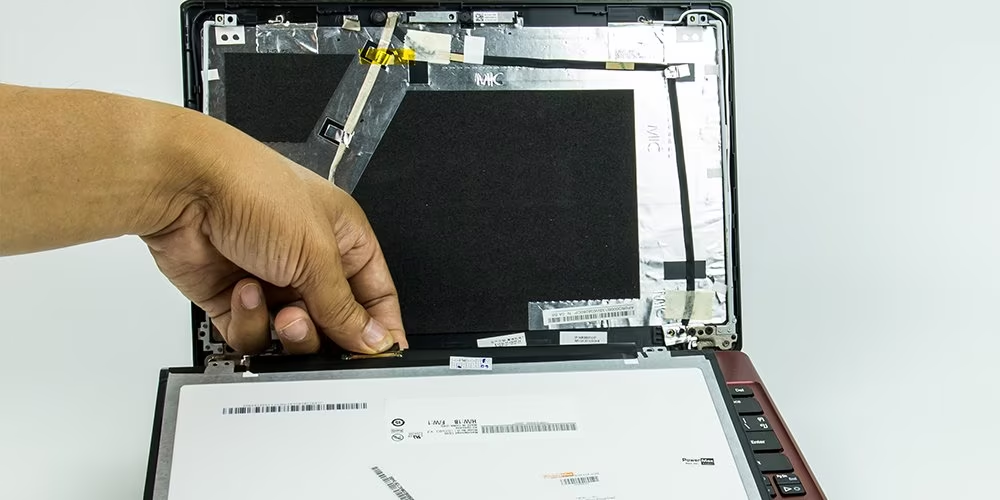
From there, weigh the repair against the laptop. Get a quote first, then compare it with the laptop’s age, value, and overall health. On a newer or pricey machine, a screen replacement is usually worth it. On an old laptop that already has other issues, the cost may push you toward replacing the whole thing. If the laptop is under warranty, contact the maker before anyone opens it up, since a third-party repair can void coverage.
In the meantime, a laptop with a dead built-in screen can still work fine plugged into an external monitor, which buys you time to decide and to rescue your files. If you do go ahead with a replacement, a small but important detail is matching the new panel to your exact model, since the same laptop can ship with different screens. A repair shop handles this, but it is worth confirming the resolution and finish match what you had before you approve the work.
How to stop heat damage from happening again
Most screen heat damage is preventable with a few simple habits. The theme is the same throughout: keep the laptop cool and let it breathe.
- Never leave it in a hot car. This one habit prevents the most common and most severe cases.
- Keep it out of direct sun. Work in the shade, and do not park the laptop on a sunny sill or dashboard.
- Use it on a hard, flat surface. A desk or table lets air flow underneath. Beds, couches, and laps block the vents.
- Keep the vents clear. Every few months, blow dust out of the vents and fans with a can of compressed air.
- Add a cooling pad for heavy use. If you game or edit video, a cooling pad with fans helps move heat away from the body.
- Make sure it sleeps before it goes in the bag. Confirm the screen is off and the laptop is asleep, so it does not keep running in an enclosed space.
- Watch the temperature during hard tasks. A free monitoring app can warn you when things are running hot, so you can ease off before it becomes a problem.
Small as these sound, they cover nearly every cause of screen heat damage. Keep the laptop in normal room conditions and give it airflow, and the panel will almost always stay fine.
Frequently asked questions
Will a hot car ruin my laptop screen?
It can. The air inside a closed car in the sun easily climbs past every safe limit for a laptop, and hours of that heat can warp the screen layers. Never leave a laptop in a parked car in warm weather.
Is my dim, blotchy screen permanent or will it recover?
Let the laptop cool fully, then check. If the dim or blotchy area clears, it was temporary heat protection. If it stays in the same spot after cooling, it is likely permanent and needs a screen replacement.
Can I cool my laptop in the fridge or freezer to fix it?
No. Sudden cold causes condensation, which puts moisture inside the laptop and can cause new damage or a short. Always let it cool on its own in a cool, shaded room instead.
How can I tell if it is the screen or the graphics chip?
Plug the laptop into an external monitor. If the second screen looks fine, the fault is in your laptop’s panel. If the same marks appear on the external display, the problem is inside the laptop, not the screen.
Does normal gaming heat damage the screen?
Normal gaming heat rarely harms the screen on its own, since laptops dim or throttle to protect themselves first. The risk rises when vents are blocked or dusty, so keep airflow clear and consider a cooling pad for long sessions.
Conclusion
Heat can damage a laptop screen, leaving dim patches, blotchy color, flicker, or dark spots, so the first move is always to cool the laptop and get it off the heat. Let it cool fully, then look again: if the marks clear, it was temporary; if they stay, the panel is likely damaged and a screen replacement is the fix. Keep the laptop out of hot cars and direct sun, use it on a hard surface with clear vents, and your screen should stay healthy.
Related Post
Can I Charge My Laptop With a Phone Charger?
How to Remove a Hard Drive From a Laptop (Without Wrecking the Drive or Your Data)
What does laptop screen size actually mean?