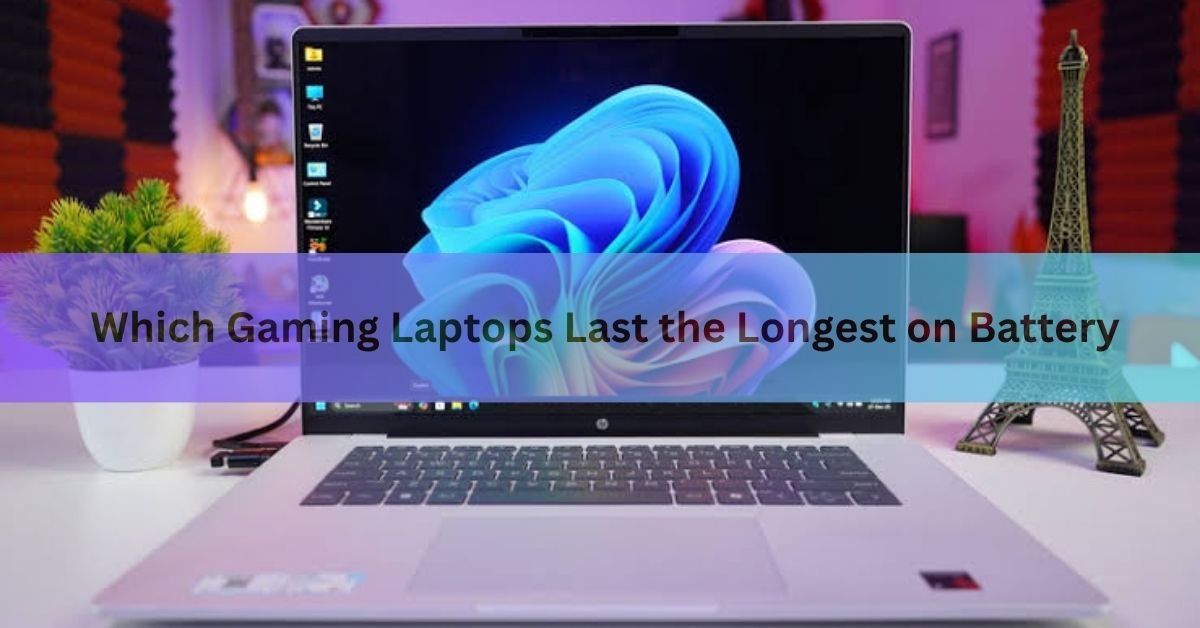
The ASUS TUF Gaming A14 is the gaming laptop that lasts the longest on battery right now, running for 10 to 13 hours in day-to-day use depending on which review you trust. Nothing else in the gaming laptop category comes close to that figure while also playing demanding games.
That said, battery life on gaming laptops works very differently from what you get on a regular ultrabook. The number printed in a spec sheet almost never matches real life, and the difference between a laptop that dies at 2 hours and one that survives 10 comes down to one key piece of hardware that most buyers never think to check.
Here is what the testing data shows, which machines to consider, and what to look for if you haven’t bought yet.
How long do gaming laptops actually last on battery?
The honest answer is: it depends entirely on what you’re doing. Actively gaming pulls far more power than writing, browsing, or streaming. Most gaming laptops fall into one of three real-world categories:

- Under 2 hours while running demanding games at high settings this is the typical figure for most mainstream gaming laptops when gaming hard with the dedicated GPU active.
- 5 to 8 hours for light work (documents, web browsing, video calls) on a mid-range to high-end machine with well-designed power management.
- 10 to 13 hours for light work on the top battery-life performers, specifically laptops like the ASUS TUF A14 that can completely shut off the dedicated GPU when you aren’t gaming.
That third category is the one most buyers are hunting for a laptop that can do a full school day or work-from-a-cafe day off one charge, then game when you get home and plug in. It exists, but only a handful of current models actually deliver it.
Why gaming laptops have shorter battery life than regular laptops
The gap comes down to one component: the dedicated GPU (graphics card). A high-end gaming GPU like the RTX 5080 can draw 175 watts or more while rendering a game. A regular laptop with only integrated graphics, the kind built into the processor itself, might draw 10 to 15 watts doing the same light web tasks.
For years, gaming laptops ran both the dedicated GPU and the processor simultaneously even during simple tasks, which wrecked battery life. Modern laptops solve this with a technology called NVIDIA Advanced Optimus (or AMD’s equivalent). It acts like a smart switch, running your laptop on the power-sipping integrated graphics when you’re doing everyday work, and automatically switching to the dedicated GPU the moment you launch a game.
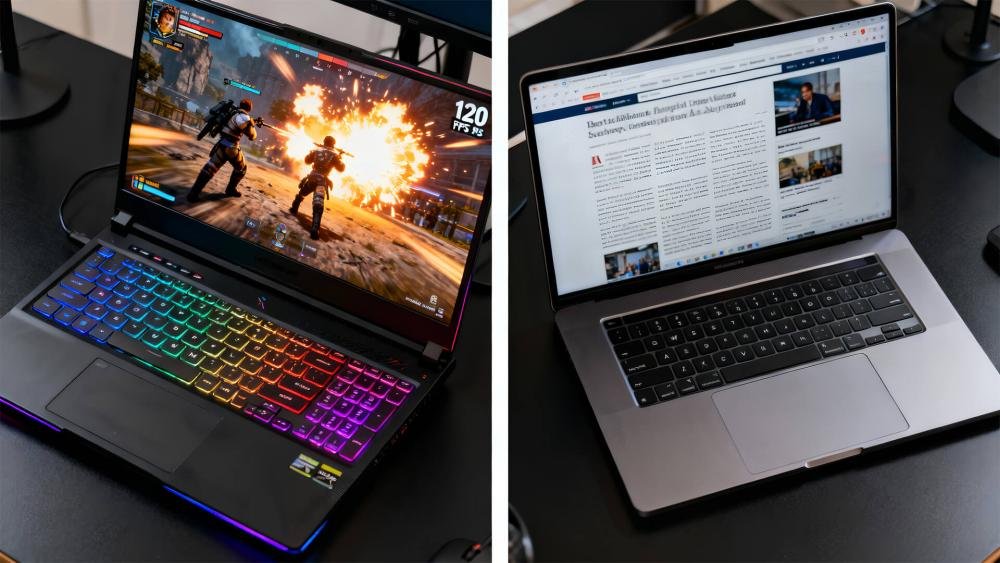
Quick tip: Look for ‘Advanced Optimus’ or ‘MUX switch’ in any gaming laptop’s spec sheet. These are the features that let the dedicated GPU power down during everyday use, which is the single biggest factor in real-world battery life.
Not every gaming laptop has this well implemented, though. Some have a MUX switch that requires a full restart to change modes. Others, like the ASUS TUF A14, handle it seamlessly in the background. The ones that do it best are the ones that score 10-plus hours in independent tests.
Battery capacity also matters, measured in watt-hours (Wh). A 73 Wh battery is typical for a 14-inch gaming laptop; larger 16-inch and 18-inch machines often carry 90 Wh or more. But capacity alone doesn’t tell the story a laptop with a larger battery but a power-hungry GPU that stays on all the time will still die faster than a smaller laptop that intelligently manages its components. You can read more about how NVIDIA’s GPU switching technology works on NVIDIA’s Advanced Optimus page.
The gaming laptops that last the longest right now
The numbers below come from independent reviewers testing the laptops in productivity mode (web browsing, video streaming, light document work) at controlled brightness settings, not from manufacturer claims. Gaming battery life on all of these drops to roughly 1.5 to 2.5 hours.
| Laptop | Battery (productivity) | GPU while gaming | Weight | Starting price (USD) |
| ASUS TUF A14 (2024) | ~10–13 hrs | RTX 4060, 100W | 3.22 lbs | $1,199+ |
| ASUS TUF A14 (2025) | ~10–13 hrs | RTX 5060, 100W | 3.22 lbs | $1,699+ |
| HP Omen Transcend 14 (2025) | ~10–11 hrs | RTX 5070, 75W | 3.6 lbs | $1,499+ |
| Razer Blade 16 (2026, Intel) | ~12 hrs | RTX 5080/5090 | 5.35 lbs | $2,399+ |
| ASUS ROG Zephyrus G16 (2025) | ~9.75 hrs | RTX 5080, 175W | 4.3 lbs | $2,099+ |
Notes: Battery life ranges reflect results across multiple independent reviewers. Gaming runtime is roughly 1.5–2.5 hours across all models.
ASUS TUF Gaming A14 (2024 and 2025)
This is the clear winner. The 2024 model, powered by AMD Ryzen 9 and an RTX 4060, hit over 10 hours in Tom’s Hardware testing and up to 13 hours in other battery rundowns. The 2025 refresh with the RTX 5060 continues that strong performance with slightly different results across reviewers, some recording closer to 10 hours and others stretching it to 13, depending on brightness and workload.
The secret is a combination of AMD’s efficient Ryzen processor and a well-tuned Advanced Optimus implementation that fully shuts off the RTX GPU when you’re not gaming. At 3.22 pounds it’s also lighter than most ultraportables with discrete graphics. The 2024 model can now be found for around $1,199, making it exceptional value. The 2025 version starts at $1,699 and adds modest gaming performance gains but also a price bump that some reviewers find hard to justify.
HP Omen Transcend 14 (2025)
HP’s redesigned Omen Transcend 14 earns roughly 10 to 11 hours in light use after a firmware update (BIOS F.03 or later is essential — earlier versions show much worse results). It’s a premium machine with an aluminum build, a bright OLED display, and a quieter thermal profile than most gaming laptops. The GPU is slightly power-limited at 75 watts, which reduces gaming performance compared to higher-wattage alternatives but contributes to the strong off-plug endurance. Good pick if you want something that doesn’t look like a gaming laptop at the office.
Razer Blade 16 (2026, Intel version)
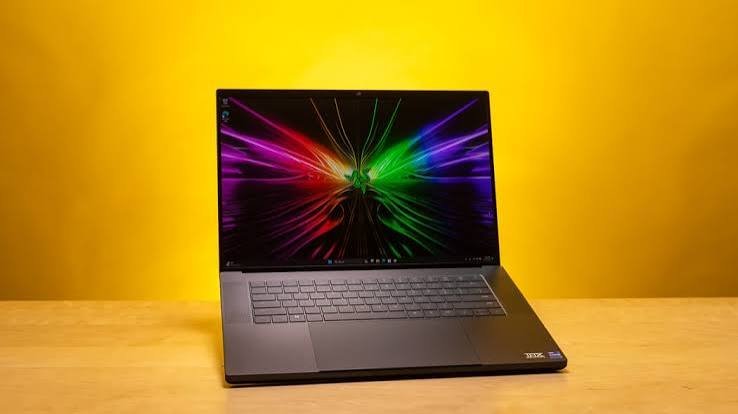
Razer’s updated Blade 16 with Intel’s Panther Lake processor is a notable step forward in battery life for a high-powered machine. The Intel CPU draws as little as 4 watts at idle, versus around 11 watts for its AMD predecessor, which pushes real-world productivity battery life close to 12 hours. The AMD 2025 model managed 7 to 8 hours on a good day. The tradeoff is that the 2026 Blade 16 is among the most expensive gaming laptops available. If portability and battery matter as much as gaming firepower, and you have the budget, it’s worth a look.
ASUS ROG Zephyrus G16 (2025)
The Zephyrus G16 landed just under 10 hours in testing and is a stronger pure gaming laptop than the TUF A14, with higher-wattage GPU options up to the RTX 5080. Battery life is good for its class, though not quite at the TUF’s level. It’s a reasonable compromise if you want something more powerful and are willing to accept slightly shorter unplugged time.
What to look for when buying for battery life
If battery longevity is a priority, these are the specifications that actually predict how a gaming laptop performs unplugged:
- Advanced Optimus or similar automatic GPU switching. This is the single most important spec. It lets the laptop run on efficient integrated graphics during everyday tasks and switch to the dedicated GPU only for games. Without it, the dedicated card stays partly active and drains the battery even during a Google Docs session.
- AMD Ryzen or Intel Core Ultra processors. The latest generation chips from both AMD and Intel have made significant efficiency improvements. AMD’s Ryzen AI 300 series and Intel’s Core Ultra 200H and Panther Lake lines draw much less power during light workloads than older H-series chips.
- Smaller screen size. A 14-inch display needs less power than a 16-inch or 18-inch panel. If you genuinely need to carry the laptop all day, the 14-inch form factor gives you a meaningful battery advantage on top of the lighter weight.
- Battery capacity of at least 73 Wh. Most well-designed 14-inch gaming laptops use a 73 Wh battery. Larger 16-inch machines often carry 80 to 90 Wh. Capacity alone doesn’t guarantee good battery life, but it sets the ceiling.
- IPS over OLED when battery is the priority. OLED panels tend to use more power than IPS at typical screen brightness. The ASUS TUF A14’s IPS display is one reason it outlasts the Zephyrus G14, which uses an OLED panel with the same 73 Wh battery.
What you don’t need to chase: the highest battery capacity number on paper. A 99 Wh battery in a laptop that runs the GPU constantly will still die faster than a 73 Wh battery in one that shuts it off properly.
How to get more battery life from the gaming laptop you already own
If you already have a gaming laptop and want to squeeze more time out of each charge, these changes make a real, measurable difference:
Switch to integrated graphics mode
This is the biggest lever. Open your manufacturer’s companion app (ASUS Armoury Crate, Razer Synapse, Lenovo Vantage, etc.) and set the GPU mode to Eco or integrated-only when you’re not gaming. On many newer laptops, Advanced Optimus handles this automatically, but on older machines you may need to do it manually, sometimes with a reboot.
Drop the refresh rate to 60 Hz
Gaming laptop displays often run at 144 Hz, 165 Hz, or higher. That high refresh rate draws more power from both the display and GPU, even when you’re just browsing. Go to Settings > System > Display > Advanced display settings and switch to 60 Hz for everyday use. Switching back takes seconds before you start a game. Most reviewers estimate this alone adds 30 to 60 minutes of battery life.
Use the right power plan
Open Windows Settings, then System, then Power and battery. Set the On battery power mode to Best power efficiency or Balanced. The performance-focused settings many gaming laptops default to will keep the CPU running hot even during simple tasks. Your laptop’s own app usually has an equivalent battery or eco mode — enable it.
Lower screen brightness
The display is one of the heaviest power draws on any laptop. Cutting brightness from 100% to around 50% can extend runtime by as much as 30%. On most gaming laptops, outdoor brightness levels are far higher than you need for indoor work.
Kill background processes
RGB lighting software, game launchers like Steam and Epic Games, GeForce Experience, and Discord all run in the background and keep the system from idling down. Open Task Manager (Ctrl + Shift + Esc) and check which apps are active. Better still, go to Settings > Apps > Startup and disable anything gaming-related that doesn’t need to run when you’re not gaming.
One often-overlooked trick: if you use Chrome or Edge for video playback, some GPU-heavy browser tasks can keep the dedicated GPU from sleeping. If your battery drains faster than expected during a video call or YouTube session, try switching to the native app or using a browser with integrated graphics acceleration enabled.
Update your drivers
NVIDIA and AMD regularly release GPU driver updates that improve battery efficiency, sometimes significantly. Keep GPU drivers current via GeForce Experience or AMD Software. BIOS updates from your laptop manufacturer can also fix power management bugs — the HP Omen Transcend 14 is a good example of a laptop that improved its battery life substantially after a firmware update.
Frequently asked questions
How many hours of battery life should I expect from a gaming laptop?
For everyday tasks like web browsing, documents, and video calls, a good gaming laptop with proper GPU management lasts 6 to 13 hours. Under active gaming, expect 1.5 to 2.5 hours across almost all models, regardless of how long they last during lighter use.
Does a bigger battery always mean longer battery life?
Not necessarily. A larger watt-hour (Wh) number sets the ceiling, but what determines real battery life is how efficiently the laptop uses that power. A laptop with a 99 Wh battery and a constantly active dedicated GPU can die faster than one with a 73 Wh battery that shuts the GPU off during everyday work.
Can I improve the battery life on my current gaming laptop?
Yes, meaningfully. Switching to integrated graphics mode, dropping the display refresh rate from 144 Hz to 60 Hz, lowering screen brightness, and killing background gaming software can together add 2 to 4 hours to your daily runtime without any hardware changes.
Why does my gaming laptop die so fast even when I’m not gaming?
The most common culprit is the dedicated GPU staying active when it doesn’t need to be. RGB lighting software, game launchers, and certain browsers can keep the GPU from idling down. Check your manufacturer’s app for an integrated graphics or eco mode, and make sure Advanced Optimus is enabled if your laptop supports it.
Is the ASUS TUF A14 good for gaming, or just battery life?
Both. It runs an RTX 4060 (2024 model) or RTX 5060 (2025 model) at a full 100 watts, which is enough for solid 1080p and 1440p gaming in most titles. The battery advantage comes from how well it shuts the GPU off during normal work, not from cutting corners on gaming hardware.
Conclusion
The ASUS TUF Gaming A14 is the gaming laptop that lasts longest on battery, with 10 to 13 hours in real-world use, thanks to a well-tuned GPU switching system and an efficient AMD processor. For most buyers who need to go through a full day unplugged and game at night, it’s the clearest recommendation. If budget allows for a premium 16-inch machine with top-tier gaming performance, the 2026 Intel Razer Blade 16 is worth considering for its improved efficiency. Whatever you buy, the real-world battery life you get will depend almost entirely on whether the GPU shuts off properly during non-gaming use — that is the spec to verify before you click buy.
Related Post
Acer Laptop Screen Not Working? Fix It Step by Step
How to Connect a Canon Printer to a Laptop
Can You Bring a Laptop on a Plane? Yes — Here’s What to Know
Acer Laptop Won’t Turn On? Here’s How to Fix It (Step by Step)