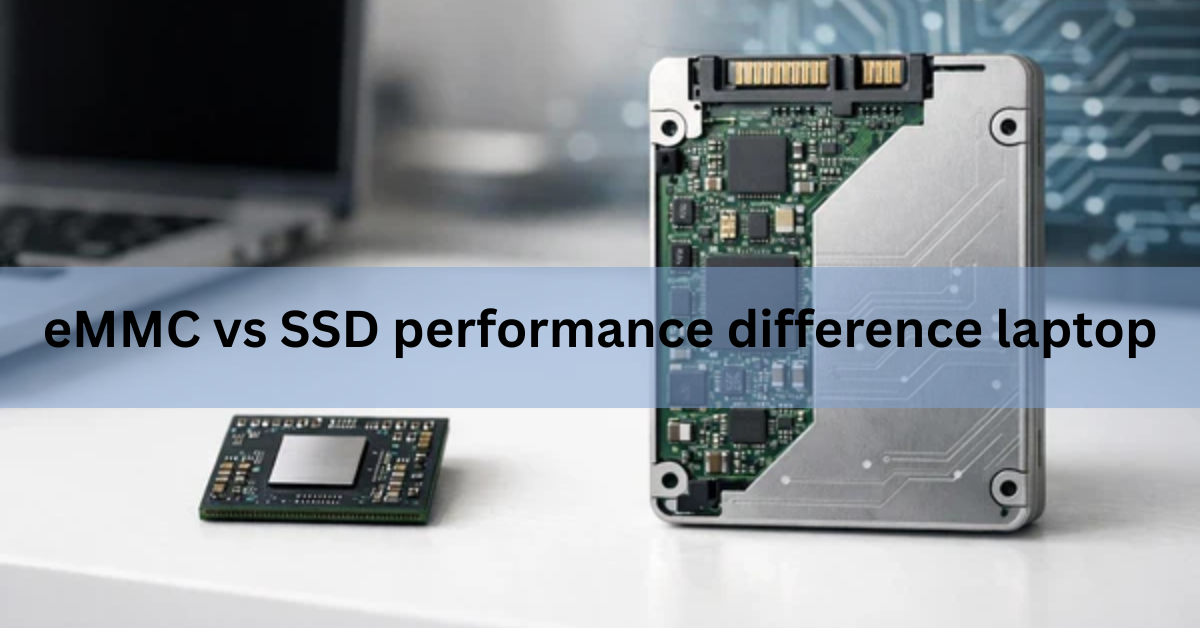
An SSD is much faster than eMMC storage in a laptop. Over the older SATA connection an SSD is roughly 1.5 times quicker, and over the newer NVMe connection it can be 10 to 15 times quicker. That gap is not a benchmark curiosity. You feel it every time the laptop starts up, opens an app, or copies a big file.
Both types store your data on flash memory chips, so neither one has spinning parts and neither one makes noise. The difference is in how the data gets in and out. eMMC uses a small, simple design built for phones and cheap devices. An SSD uses a bigger, smarter design built for speed. Below is how much that matters, what it feels like in real use, and how to pick the right one when you buy.
How much faster is an SSD than eMMC?
An SSD wins on every speed measure that matters. Here is the short version before the detail:
- Sequential read speed. eMMC tops out near 400 MB/s. A SATA SSD reaches about 550 MB/s. A modern NVMe SSD hits 7,000 MB/s or more.
- Small-file speed. This is what makes a laptop feel quick, and an SSD pulls even further ahead here than the headline numbers suggest.
- Doing several things at once. An SSD keeps up when you open apps, download a file, and scan for updates all at the same time. eMMC starts to stutter.
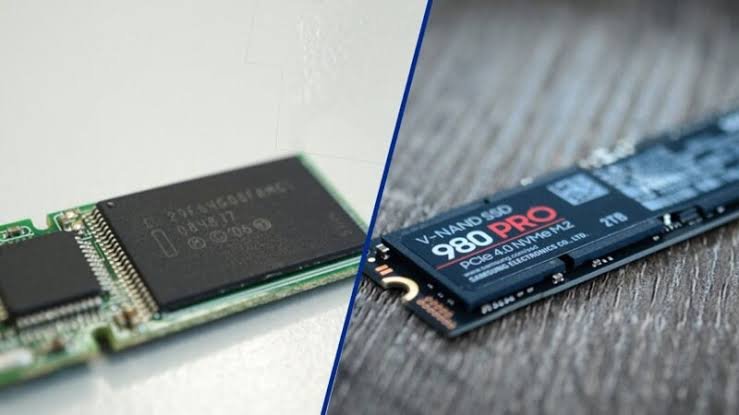
So the answer to the core question is simple. Yes, eMMC is slower than an SSD, and the difference is large enough to change how the whole laptop feels. The rest depends on what you do with the machine, which the buying guide near the end covers.
eMMC and SSD, explained simply
Before the numbers, it helps to know what each name means. Both are flash storage, but they are built for different jobs.
What eMMC is
eMMC stands for embedded MultiMediaCard. It is a single small chip that holds both the memory and the little controller that manages it, soldered straight onto the laptop’s board. Think of it as a grown-up version of the memory in an SD card or a USB stick. It is cheap to make, tiny, and uses very little power, which is why you find it in low-cost laptops, tablets, and many phones.
The catch is the design. eMMC moves data over a narrow path. The latest common version, eMMC 5.1, can use up to 8 parallel lines to reach a peak bus rate of about 400 MB/s, and that ceiling is set by the standard itself. In many budget laptops it runs slower than that peak.
What an SSD is
SSD stands for solid-state drive. It is a full drive with many memory chips and a powerful controller that talks to all of them at once. Because it can read and write across many chips in parallel, and error-correct and shuffle data smartly, it moves information far faster than a single eMMC chip can.
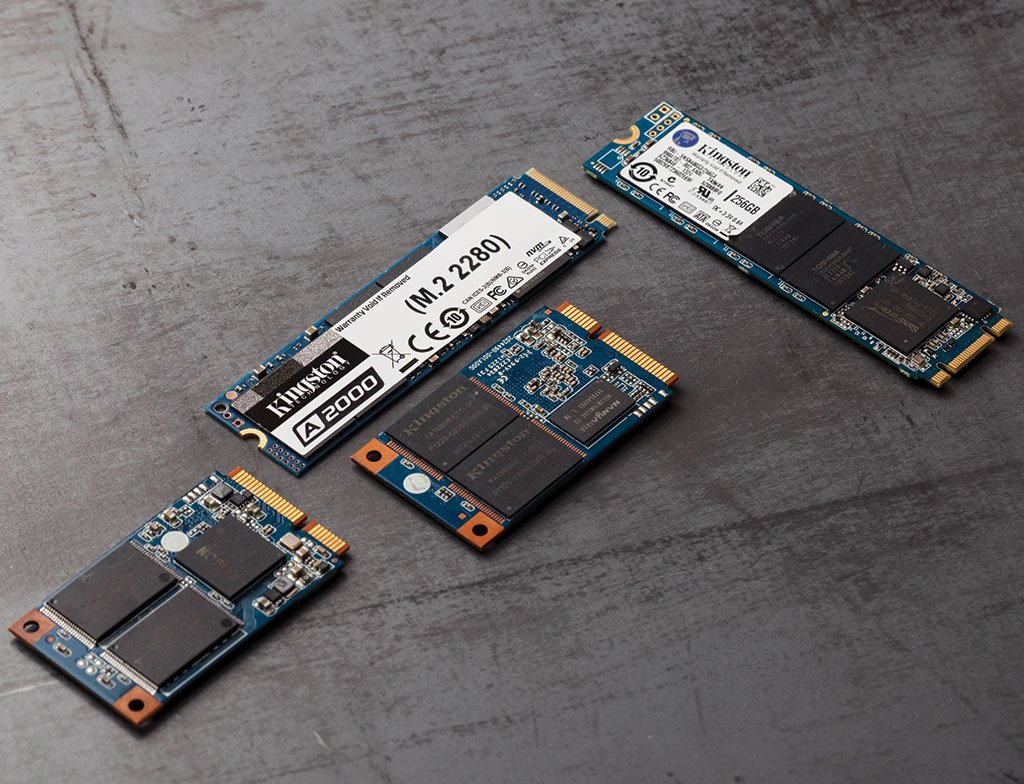
SSDs come in two main flavors, and the connection matters more than the chips inside:
- SATA SSD. Uses the same connection old hard drives used. The connection caps real-world speed at roughly 550 MB/s no matter how good the drive is.
- NVMe SSD. Plugs into an M.2 slot and talks to the processor over PCIe lanes, the same fast highway a graphics card uses. This is where the huge speed jump comes from.
Quick tip: the word SSD alone does not tell you the speed. A SATA SSD and an NVMe SSD can differ by more than ten times, so check which one a laptop uses.
Why the connection matters more than the chips
It is tempting to think the memory chips decide the speed, but the connection usually matters more. SATA was designed years ago for spinning hard drives, so it holds a modern drive back to about 550 MB/s no matter how good the flash inside is. NVMe was built from scratch for flash, and it rides the PCIe lanes straight to the processor instead of taking the slower, roundabout path SATA uses. That is why two SSDs with similar chips can perform worlds apart: one is stuck behind an old connection and the other is not. eMMC sits below both, because its single small controller was never meant to move data at drive speeds in the first place.
Speed side by side
Here is how the three storage types compare on the specs that shape everyday use. The speed figures are the peak numbers each type reaches in normal laptops.
| Feature | eMMC 5.1 | SATA SSD | NVMe SSD (PCIe 4.0) |
|---|---|---|---|
| Peak sequential read | ~400 MB/s | ~550 MB/s | ~7,000 MB/s |
| Data lanes | 1, 4, or 8-bit | 1 (serial) | Up to 4 PCIe lanes |
| Removable / upgradeable | No, soldered | Yes | Yes (M.2 slot) |
| Typical capacity | 32-128 GB | 256 GB-4 TB | 256 GB-8 TB |
| Common in | Budget laptops | Older / mid laptops | Modern laptops |
| Price to build | Cheapest | Low | Moderate |
The pattern is clear. eMMC and SATA are in a similar range for big sequential transfers, with SATA a step ahead. NVMe is in a different league. A PCIe 4.0 drive reading at 7,000 MB/s moves a 50 GB video file in about 7 seconds, while eMMC would need well over two minutes for the same job. If you want the exact bus rate eMMC is built to, it is written into the JEDEC eMMC standard, which sets that 400 MB/s ceiling.
What the speed gap feels like day to day
Numbers on a page are easy to ignore. What you actually notice is the wait. Here is where the difference shows up on a normal day.

Starting the laptop
On an NVMe SSD, a modern laptop goes from off to a usable desktop in a handful of seconds. On a SATA SSD it is a little slower but still quick. On eMMC you often wait noticeably longer, and if the drive is also nearly full, that wait grows. A cold boot is the first thing you feel every morning, and it sets the tone for the whole machine.
Opening apps and switching between them
Launching a browser with several tabs, a photo editor, or an office app all pull lots of small pieces of data at once. An SSD serves those instantly. eMMC hands them over more slowly, so apps take longer to appear and the laptop can feel like it is thinking before it responds. Budget laptops with eMMC often feel sluggish even when they have a decent processor, because the storage is the thing holding them back.
Copying files and installing software
Move a folder of holiday photos or install a large game, and the storage speed decides how long you sit and wait. On eMMC a big copy can crawl, especially when writing, because eMMC write speeds are usually lower than its read speeds. On an NVMe drive the same task is often done before you have finished reading the progress bar.
Windows updates and background tasks
Your laptop is rarely doing just one thing. It updates, syncs cloud files, and scans in the background while you work. An SSD has the headroom to handle that and still stay responsive. eMMC can get overwhelmed when several jobs compete for its single narrow path, which is when you see the spinning cursor and everything pauses at once.
Loading games and large projects
If you game or work with big files, the storage decides how long you stare at a loading screen. Game levels, video timelines, and large datasets stream in as the software needs them, so faster storage means shorter waits and fewer stutters when new areas load. The Steam Deck is a good real example: it shipped with both an eMMC model and faster SSD models, and the eMMC version loads the same games noticeably slower. The chip is fine for a cheaper handheld, but the difference in load times is exactly the kind of gap this whole comparison is about.
Random speed: the number that decides snappiness
Here is the part most comparisons skip, and it is the most important. The headline MB/s figures measure large sequential transfers, like copying one giant file. But most of what a laptop does is the opposite: many tiny reads scattered around the drive, one at a time. This is called random read at low queue depth, and it lines up more closely with how snappy a machine feels than any other number.
Opening an app, loading a web page, booting the operating system, these are thousands of small requests, not one big stream. An SSD answers each of those tiny requests much faster than eMMC, and the gap here is wider than the sequential numbers imply. That is the real reason a laptop with a fast SSD feels instant while an eMMC laptop feels like it is always a half-step behind, even when both have the same processor and memory.
If you only remember one thing: judge storage by how quickly it handles lots of small requests, not by the big sequential MB/s on the box. That small-request speed is why an SSD feels alive and eMMC feels tired.
Capacity, lifespan, and repair
Speed is the headline, but three other differences affect how long the laptop stays useful.
How much they hold
eMMC laptops usually ship with 32, 64, or 128 GB. That fills up fast once Windows, updates, and a few apps are installed, and a nearly full drive also runs slower. SSDs commonly start at 256 GB and run into the terabytes, so you have room to keep photos, games, and files on the machine instead of constantly clearing space.
The free-space point is worth stressing because it hits eMMC twice. A small drive fills quickly, and once any flash drive gets close to full it slows down, since it has less spare room to shuffle data around. A good habit on any drive is to leave 10 to 20 percent free. On a 64 GB eMMC laptop that leaves very little to work with, which is one reason these machines often feel worse a year in than they did on day one.
How long they last
Flash memory wears a little each time you write to it. SSDs handle this well, using smarter controllers that spread writes evenly across many chips, so a 512 GB SSD can take years of heavy use before wear becomes a concern. eMMC uses simpler management and often lower-grade chips, so it can wear faster under heavy writing, though for light use it still lasts for years.
Whether you can fix or upgrade it
This one is easy to overlook. eMMC is soldered to the board, so you cannot remove it, upgrade it, or replace it, and if it fails the whole laptop usually has to go with it. Most NVMe SSDs sit in an M.2 slot, so they can be swapped for a bigger or faster drive later, and a dead drive can be replaced without binning the machine. If you plan to keep a laptop for years, that upgrade path is worth real money.
Which one should you buy?
For almost everyone, a laptop with an SSD is the better choice, and the price gap has shrunk enough that it is usually worth it. Match the storage to how you actually use the machine:
- Very light use, tight budget: eMMC can be fine. If the laptop is only for web browsing, video streaming, email, and light documents, and you want to spend as little as possible, eMMC will do the job. Just accept slower boots and limited space, and lean on cloud storage.
- Everyday use, best value: a SATA SSD. For general work, lots of tabs, and a mix of apps, a SATA SSD is a big step up from eMMC for a small amount more, and it is the point where a laptop stops feeling slow.
- Demanding use: an NVMe SSD. For gaming, video editing, coding, or juggling heavy apps, an NVMe drive is the one to get. The large capacity and the fast small-file speed both pay off here.

When you compare two laptops, look past the number of gigabytes and find out whether the storage is eMMC, SATA, or NVMe, since that single detail predicts how the machine will feel. If you want to see what a current NVMe drive is rated to do, a spec sheet like Samsung’s for its 990 PRO NVMe SSD shows the kind of speeds eMMC simply cannot reach.
Frequently asked questions
Is eMMC storage really that much slower than an SSD?
Yes. eMMC peaks near 400 MB/s, a SATA SSD reaches about 550 MB/s, and an NVMe SSD hits 7,000 MB/s or more. The gap is even larger for the small-file reads that decide everyday responsiveness, so the difference is easy to feel.
Can I upgrade eMMC to an SSD in my laptop?
Usually not. eMMC is soldered to the board and cannot be removed. If the laptop also has a spare M.2 or SATA slot you may be able to add an SSD, but many eMMC laptops have no open slot, so check the model first.
Is 64GB of eMMC enough for a laptop?
It is tight. Windows and updates eat much of it, leaving little room for apps and files, and a nearly full drive runs slower. For light use with cloud storage it can work, but 128 GB or an SSD is far more comfortable.
What is the difference between eMMC and NVMe?
eMMC is a small, cheap chip soldered to the board that peaks around 400 MB/s. NVMe is a full SSD in an M.2 slot that talks to the processor over fast PCIe lanes and reaches 7,000 MB/s or more, making it many times quicker.
Does eMMC make a laptop feel slow even with a good processor?
Often yes. Storage is a common bottleneck, so a budget laptop with a decent processor can still feel sluggish on eMMC because apps and files load slowly. Pairing the same processor with an SSD usually feels far quicker.
Conclusion
An SSD clearly beats eMMC in a laptop: about 1.5 times faster over SATA and up to 15 times faster over NVMe, with an even bigger lead on the small-file speed that makes a machine feel snappy. For light, budget-only use, eMMC is acceptable. For everything else, buy a laptop with an SSD, ideally NVMe. When you shop, check which type the storage is, not just the capacity, and you will end up with a laptop that stays quick for years.
Recommended Articles:
How Is a Laptop Screen Size Measured? (And Why It Matters)
Heat Damage to a Laptop Screen: What It Looks Like and What to D
How to Prolong the Life of a Laptop Battery
How to Remove a Hard Drive From a Laptop (Without Wrecking the Drive or Your Data)