
Most laptops weigh somewhere between 2 and 7 pounds (about 0.9 to 3.2 kg). The lightest ultrabooks barely reach 2 lbs, a standard 15-inch workhorse lands around 4 lbs, and a large gaming machine can push past 9 lbs before you add the power brick. That’s a huge range, and the number on the spec sheet is really a product of three things: screen size, the hardware inside, and the materials the chassis is built from.
Below you’ll find a category-by-category weight table, an explanation of what drives those numbers, and some practical guidance on picking the right weight for how you actually use a laptop.
Laptop weight by category
Screen size is the fastest predictor of weight. Bigger screens mean a bigger frame, a bigger battery to power them, and more structural material holding it all together. Here’s where each major category sits:
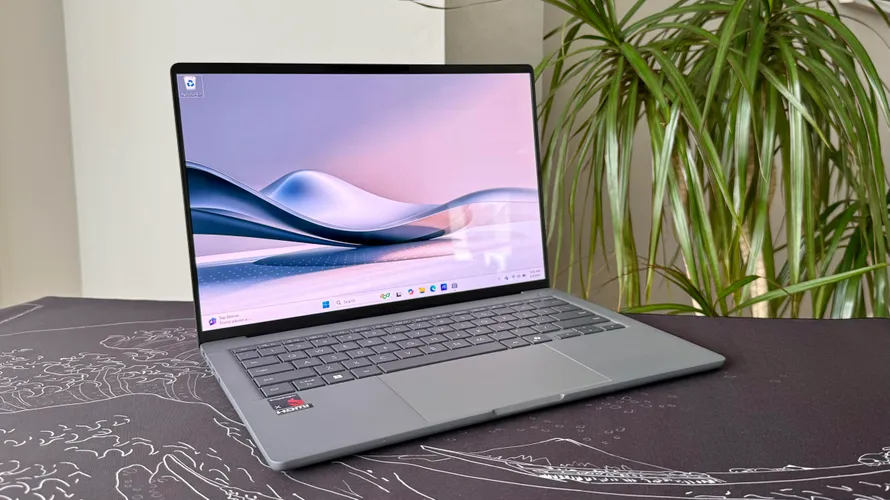
| Laptop Type | Screen Size | Typical Weight | Example |
| Ultrabook / Thin-and-light | 13–14 inch | 2.2–3.0 lbs (1.0–1.4 kg) | MacBook Air 13 (M4): 2.7 lbs |
| Mainstream laptop | 14–15.6 inch | 3.5–5.0 lbs (1.6–2.3 kg) | Dell XPS 15: ~4.2 lbs |
| Business laptop | 14–16 inch | 3.0–4.5 lbs (1.4–2.0 kg) | ThinkPad X1 Carbon: ~2.5 lbs |
| Gaming laptop (mid) | 15–16 inch | 4.5–6.0 lbs (2.0–2.7 kg) | ASUS ROG Zephyrus G16: ~4.4 lbs |
| Gaming laptop (desktop-replacement) | 17–18 inch | 7.0–9.5 lbs (3.2–4.3 kg) | Alienware m18 R2: 9.3 lbs |
| Chromebook | 11–14 inch | 2.4–3.5 lbs (1.1–1.6 kg) | Varies by model |
Note: the weights above are for the laptop body only. See the charger section below for total travel weight.
What actually makes a laptop heavier or lighter?
Four factors do most of the work.
Screen size
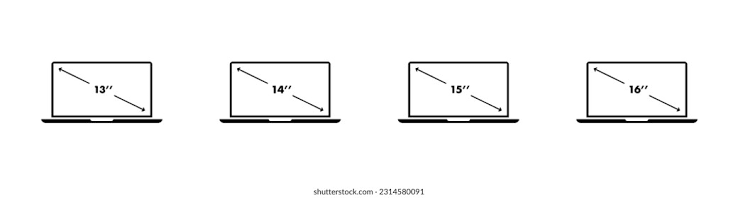
This is the single biggest driver. Going from a 13-inch to a 15.6-inch display usually adds 1 to 1.5 lbs just from the larger chassis, battery, and panel. That’s why a gaming-oriented 15-inch can be nearly twice the weight of an ultrabook with a 13-inch screen even when both run modern processors.
Chassis material
Carbon fiber and magnesium alloy are the lightest structural materials in use. LG’s Gram line is the best-known example: their 16-inch model uses a magnesium alloy body to come in around 2.65 lbs, which is remarkable for that screen size. Aluminum is heavier but far more common because it’s cheaper to manufacture. Plastic (polycarbonate) is heavier than you’d expect for its durability and shows up mostly on budget models.
Internal hardware
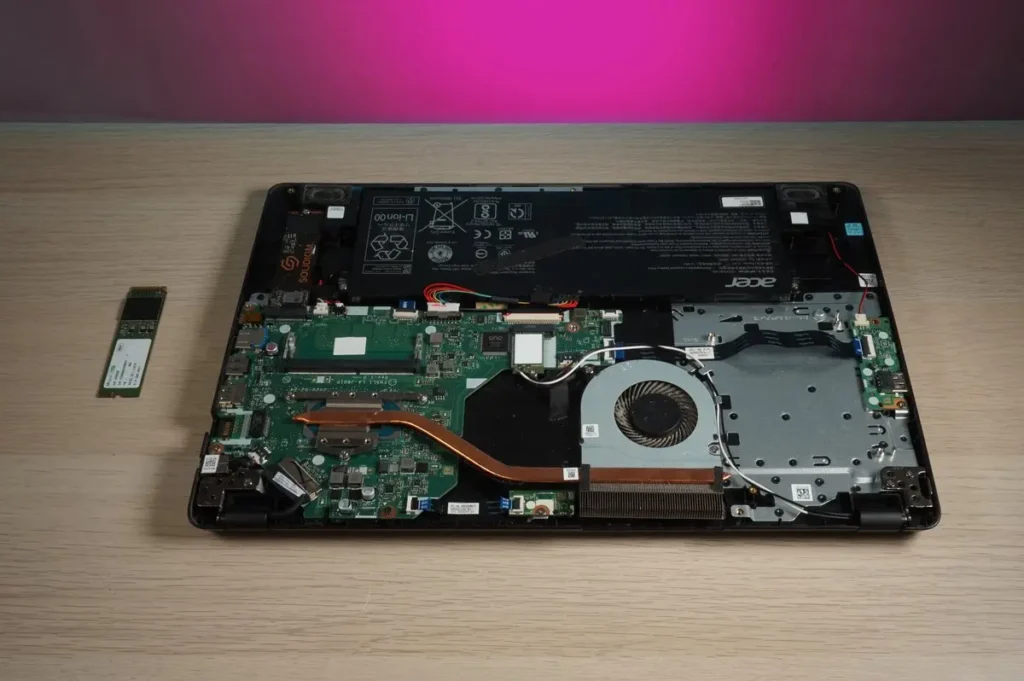
A dedicated GPU (graphics processing unit, a separate chip for rendering visuals) is one of the heaviest components you can add. Gaming laptops carry one by definition, which is a big reason they weigh more than business machines with the same screen size. The cooling system that keeps the GPU from overheating adds more weight still: gaming laptops typically need multiple fans, large heatsinks, and sometimes vapor chambers. Larger batteries, extra SSD storage, and high-capacity RAM all add grams, though individually they’re small contributors compared to the GPU and cooling setup.
Panel type
OLED screens are marginally heavier than IPS LCD panels of the same size, but the difference is rarely more than a few ounces. It’s a factor, but screen size swamps it.
Does the charger count? Travel weight vs. listed weight
Manufacturers list the weight of the laptop body only. The charger you carry everywhere adds more, and the gap is wider than most people expect.
A slim USB-C ultrabook charger typically weighs 0.2 to 0.4 lbs (90–180 g). A standard laptop charger runs 0.4 to 0.7 lbs (180–320 g). A gaming laptop power brick can weigh 1.0 to 2.2 lbs (450 g to 1 kg) or more on high-wattage machines.
That means a 2.7-lb MacBook Air with its 30W USB-C charger weighs roughly 3 lbs in your bag, while a 9.3-lb gaming laptop paired with a 230W power brick tips the scales past 11 lbs before you’ve added a single accessory. If you commute daily, the charger weight matters almost as much as the laptop weight.
Apple’s laptop spec pages list the exact weight of each model, which is a reliable way to check a specific machine before buying.
Which weight is right for you?
The best weight is whichever you’ll actually carry without it becoming a nuisance. Here’s a practical way to think about it:
Under 3 lbs (1.4 kg). Ideal for anyone who commutes, travels often, or moves between classes and meetings all day. You’ll barely notice the bag is heavier. The trade-off is usually a smaller screen, fewer ports, and no dedicated GPU.
3 to 5 lbs (1.4–2.3 kg). The sweet spot for most people. Enough screen real estate for comfortable work, enough power for everyday tasks, and still light enough to carry without strain. Most mainstream Windows laptops and the 15-inch MacBook Air live here.

5 to 7 lbs (2.3–3.2 kg). Makes sense if you need a dedicated GPU for photo or video editing, light gaming, or 3D work, and you don’t move the machine every single day. These feel heavy in a bag after a long walk but aren’t unreasonable on a desk or in a car.
Over 7 lbs (3.2 kg+). These are desktop-replacement machines. They offer serious GPU performance and large, high-refresh displays, but they’re genuinely cumbersome to carry. Plan for them to live on a desk most of the time, with occasional transport rather than daily carries.
One more thing worth checking: the charger. If you’re comparing a 2.7-lb ultrabook with a 0.3-lb charger against a 3.2-lb laptop with a 0.7-lb brick, the real difference in your bag is less than you might think. Always factor in both numbers.
Frequently asked questions
What is the average weight of a laptop?
The average sits around 3 to 4 lbs (1.4 to 1.8 kg) for a typical 14- to 15-inch model. Ultrabooks pull that average down toward 2.5 lbs; gaming machines push it past 5 lbs. The number varies widely depending on category and screen size.
Is 5 pounds heavy for a laptop?
It depends on how often you carry it. For a machine that rarely leaves a desk, 5 lbs is fine. For a daily commute or frequent travel, most people find 5 lbs noticeably tiring over a full day, especially once you add the charger.
How much does a gaming laptop weigh?
Mid-range gaming laptops with 15- or 16-inch screens typically weigh 4.5 to 6 lbs. Larger 17- to 18-inch desktop-replacement models, like the Alienware m18 R2, start around 8.6 lbs and can reach 9.3 lbs without the power brick.
Does the laptop charger add a lot of weight?
More than most people expect. A USB-C ultrabook charger adds 0.2 to 0.4 lbs. A gaming laptop power brick can add 1 to 2 lbs. Always check the charger weight when comparing lightweight machines, since a slightly heavier laptop with a lighter charger can be easier to carry overall.
How do I find the exact weight of a specific laptop?
Check the manufacturer’s official spec page for that model. The listed weight is the laptop body only, so add the charger separately if you want total travel weight. Retailer listings sometimes round the figure, so the manufacturer’s page is more reliable.
Conclusion
Laptop weight runs from around 2 lbs for the lightest ultrabooks to over 9 lbs for desktop-replacement gaming machines. The number depends mostly on screen size, chassis material, and whether the machine carries a dedicated GPU. For most buyers, a 13- to 15-inch laptop in the 3 to 5 lb range hits the right balance of portability and usability. If you travel daily, aim for under 3 lbs and don’t forget to add the charger weight when comparing options.
Acer Laptop Screen Not Working? Fix It Step by Step
How to Connect a Canon Printer to a Laptop
Can You Bring a Laptop on a Plane? Yes — Here’s What to Know
Acer Laptop Won’t Turn On? Here’s How to Fix It (Step by Step)