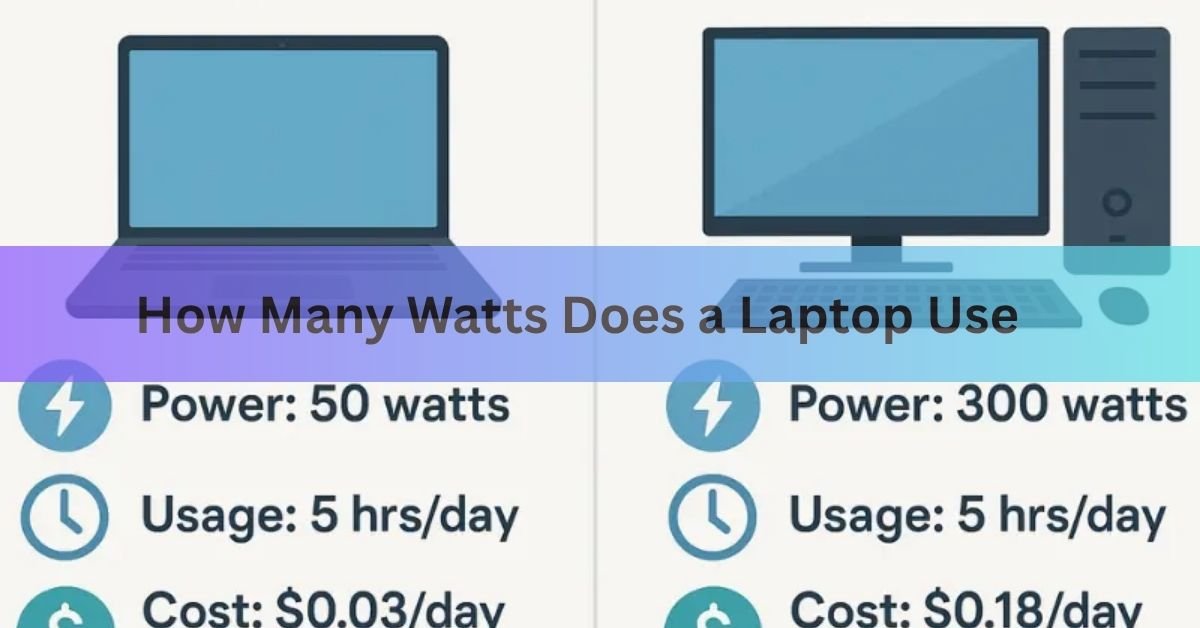
Most laptops use 20 to 65 watts during normal use. That drops below 15 watts when the screen is on but the machine is idle, and it climbs past 100 watts, sometimes to 200, on a gaming laptop running a demanding game. A thin ultrabook like a MacBook Air or Dell XPS 13 sits at the low end. A big gaming rig with a dedicated graphics card sits at the high end.
The exact number depends on what laptop you have and what you’re doing with it. Browsing and writing barely sip power. Video calls, photo editing, and gaming push it up. Here’s the full picture, with real figures, so you can pin down your own machine.
To make it concrete, picture a single mid-range laptop across one day. Reading and typing might hold it around 15 watts. Open a dozen browser tabs and join a video call, and it edges up toward 30. Start editing photos and it pushes past 45. Each task adds load to the processor and screen, and the wattage rises with it. The same machine can swing from 12 watts to 70 watts in the space of an afternoon, which is why a single number never tells the whole story.
Watts by laptop type
Laptops fall into a few rough groups. The table below shows typical draw during active use, plus the charger size each type usually ships with. Charger wattage is always higher than real draw, since the adapter has to cover peak loads and charge the battery at the same time.
| Laptop type | Active use | Idle | Usual charger |
| Ultrabook (MacBook Air, XPS 13) | 8 to 30 W | 5 to 12 W | 30 to 45 W |
| Mainstream laptop (14 to 16 inch) | 20 to 65 W | 10 to 20 W | 45 to 90 W |
| Business / creator laptop | 30 to 90 W | 12 to 25 W | 90 to 140 W |
| Gaming laptop | 100 to 200+ W | 20 to 45 W | 180 to 280 W |
A useful gut check: an ultrabook in light use pulls about the same power as a bright LED light bulb. A gaming laptop under load pulls more like a desk fan running flat out, sometimes more.
Power states: off, sleep, idle, active
A laptop doesn’t draw one steady number. It moves through power states, and each one uses a very different amount.
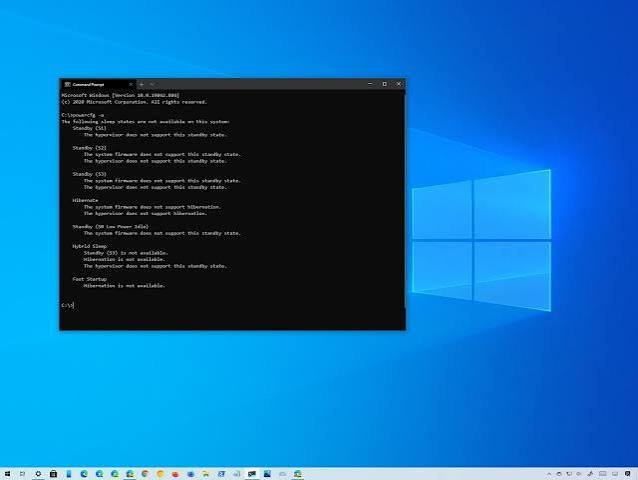
- Off, but plugged in: about 0.3 to 1 watt. The charging circuit stays awake even when the lid is shut and the machine is off.
- Sleep: roughly 0.5 to 3 watts. Memory stays powered so you can wake up fast, but the screen and processor are parked.
- Idle, screen on: about 5 to 20 watts. The laptop is on and ready, with nothing heavy running.
- Active use: 20 to 65 watts for most machines, and well over 100 watts for gaming or heavy creative work.
Quick tip: sleep mode is fine for short breaks, but it still trickles a few watts. For an overnight gap, shutting down saves more.
What changes the number
Two identical laptops can pull very different wattage depending on how they’re set up and used. These are the things that move the needle most.
The processor and graphics card
This is the biggest factor. A basic chip doing email work draws a few watts. The same chip rendering video or compiling code ramps up hard. A dedicated graphics card, the kind in gaming and creator laptops, can pull more power on its own than an entire ultrabook uses. When a game loads the graphics card, that’s where most of the wattage goes.
The screen
Your display is one of the hungriest parts of the machine. Size matters: a 17-inch screen can use noticeably more than a 13-inch one. Brightness matters even more. Running at full brightness can roughly double the screen’s power use compared with a dimmer setting. A high refresh rate, like 120Hz or 144Hz, adds more on top.
Charging the battery
When the battery isn’t full, the laptop pulls extra power to refill it, on top of whatever it needs to run. That adds maybe 5 to 15 watts while charging. Once the battery hits 100 percent, that extra daw stops and the laptop runs on wall power alone.

Everything else
Background apps, antivirus scans, and cloud sync all nudge idle power up. So do plugged-in accessories: an external drive, a webcam, or a second monitor running off the laptop’s ports. Heat plays a part too. When a laptop runs hot, its fans spin faster and draw more power. An aging battery and older components tend to creep upward over time as well.
Why the charger wattage isn’t the real answer
People often look at the number printed on the power adapter and assume that’s how much the laptop uses. It isn’t. The charger rating is a ceiling, not the actual draw. A laptop with a 65W charger rarely pulls a full 65 watts. It takes only what it needs at any moment and ignores the rest.
That’s also why a higher-wattage charger is safe to use. If your laptop came with a 65W adapter, a 90W or 100W one works fine. The laptop sets the pace and draws what it wants; the charger doesn’t force extra power into it. A lower-wattage charger is the one to avoid, because it may charge slowly or not keep up while you work.
To put real measurements to this: a 13-inch MacBook Air typically draws between 5 and 7 watts in light use and up to about 40 watts under load, even though it ships with a 30W or 35W adapter. The adapter is sized to charge the battery quickly while still powering the machine, not because the laptop constantly needs that much. Apple lists the exact adapter for each model on its power adapter support page, which is a handy reference if you’ve lost yours.
What it costs to run a laptop
Powering a laptop is cheap. To work out the cost, you need three things: the wattage, the hours you use it, and your electricity rate. The formula is simple:
Daily cost = (watts ÷ 1,000) × hours used × price per kWh
The average US home pays about 17 to 18 cents per kilowatt-hour as of early 2026, based on EIA Electric Power Monthly data, though it ranges from around 12 cents in the cheapest states to over 40 cents in Hawaii. Using 17 cents as a round figure, here’s what different laptops cost over a year at 8 hours of use a day.
| Average draw | Energy per year | Cost per year (~17¢/kWh) |
| 15 W (ultrabook) | 44 kWh | About $7 |
| 30 W (light laptop) | 88 kWh | About $15 |
| 65 W (mainstream) | 190 kWh | About $32 |
| 120 W (gaming, 3 hrs/day) | 131 kWh | About $22 |
Even a power-hungry gaming laptop costs less to run than many people expect, because it’s rarely under full load for the whole day. The bigger drivers of a high bill are heating, cooling, and major appliances, not the laptop on your desk.
The contrast with a desktop is worth knowing if you’re choosing between them or sizing a backup system. A desktop computer often draws 200 to 500 watts, and that’s before you add a separate monitor that can pull another 30 to 100 watts. A laptop bundles the screen in and is built to stretch a battery, so it typically uses a fraction of the power for the same kind of work. Run the numbers and a laptop can cost several times less per year than a desktop doing similar tasks. For anyone watching their bill or planning to run off a portable power station, that gap is the main reason laptops are easier to support.
How to measure your own laptop
If you want a real number instead of an estimate, you have two easy options.
Use a plug-in power meter. A cheap wattmeter sits between your charger and the wall outlet and shows live watts. Plug in, then watch the number as you browse, then as you play a video or run something heavy. That gives you your true range.
Check the software readout. On a Mac, open System Information and look under Power. On Windows, tools built into the system or your laptop maker’s app can show battery and power draw. These are less precise than a plug meter but need no extra hardware.
Measuring beats guessing, especially for gaming laptops, where the gap between idle and full load is huge.
How to use less power
A few small changes cut your laptop’s draw without much effort. None of these will transform your electricity bill on their own, but they help battery life too, which is the bigger everyday win.
- Turn down screen brightness. The display is a top power user, so dropping from full to medium brightness makes a real difference.
- Switch on battery saver or power-saving mode. It eases off the processor and dims the screen when you don’t need full speed.
- Close background apps. Browser tabs, sync tools, and antivirus scans all add idle draw. Shut what you’re not using.
- Let it sleep sooner. Set a shorter idle timer so the laptop sleeps during breaks instead of sitting awake.
- Keep software updated. Updates often include efficiency fixes that quietly lower power use.
- Unplug accessories you’re not using. External drives and a second monitor pull power through the laptop.
Frequently asked questions
How many watts does a laptop use per hour?
Watts measure power at a moment, not per hour. A laptop drawing 50 watts steadily for one hour uses 50 watt-hours, or 0.05 kWh. Most laptops sit between 20 and 65 watts in normal use.
How many watts does a gaming laptop use?
A gaming laptop usually pulls 100 to 200 watts while gaming, and can briefly spike higher before the fans catch up. That’s why they ship with large 180W to 280W chargers to cover the peaks.
Is it cheaper to use a laptop than a desktop?
Yes, by a wide margin. Laptops are built for efficiency and typically use 20 to 65 watts. A desktop often draws 200 to 500 watts, plus a separate monitor, so it can cost several times more to run.
Can I use a charger with higher wattage than my laptop needs?
Yes, it’s safe. Your laptop only draws the power it needs and ignores the rest, so a 90W or 100W charger works fine on a laptop rated for 65W. Avoid going lower than the original rating.
How much does it cost to charge a laptop?
Very little. A full charge of a typical laptop battery uses well under 0.1 kWh, which costs around one to two cents at average US rates. Over a full year of daily use, most laptops cost roughly $7 to $32.
Conclusion
Most laptops use 20 to 65 watts in everyday use, under 15 watts when idle, and 100 to 200 watts or more if it’s a gaming machine pushed hard. The charger rating sits above all of that and isn’t the real draw. To nail your own number, plug in a power meter and watch it across light and heavy tasks. The running cost is small, usually a few dollars to about $30 a year, so use the figure mainly for battery planning or off-grid backup sizing.
Related Articles:
Does a Laptop Have a Lithium Battery? What’s Inside and Why It Matters
White Spot on Laptop Screen: What It Is and How to Fix It
How to Optimize Your Gaming Laptop for 4K (Without Buying a New One)
Can You Pack a Laptop in Checked Luggage? What the Rules Actually Say
How to Work on the Couch with a Laptop Comfortably
Acer Laptop Won’t Turn On? Here’s How to Fix It (Step by Step)