Yes, you can charge many laptops with a phone charger, but only if two things line up. Your laptop has to charge through a USB-C port, and the phone charger has to push enough power. Get both right and it works. Miss one and your laptop might charge very slowly, just hold its battery steady, or not charge at all.
In a pinch, that’s often good enough to keep you going. Below is how to tell what your own laptop and charger will do, and when it’s a bad idea to try.
Why it comes down to the port and the power
Two things decide whether a phone charger can power your laptop: the shape of the plug and the amount of power it delivers.
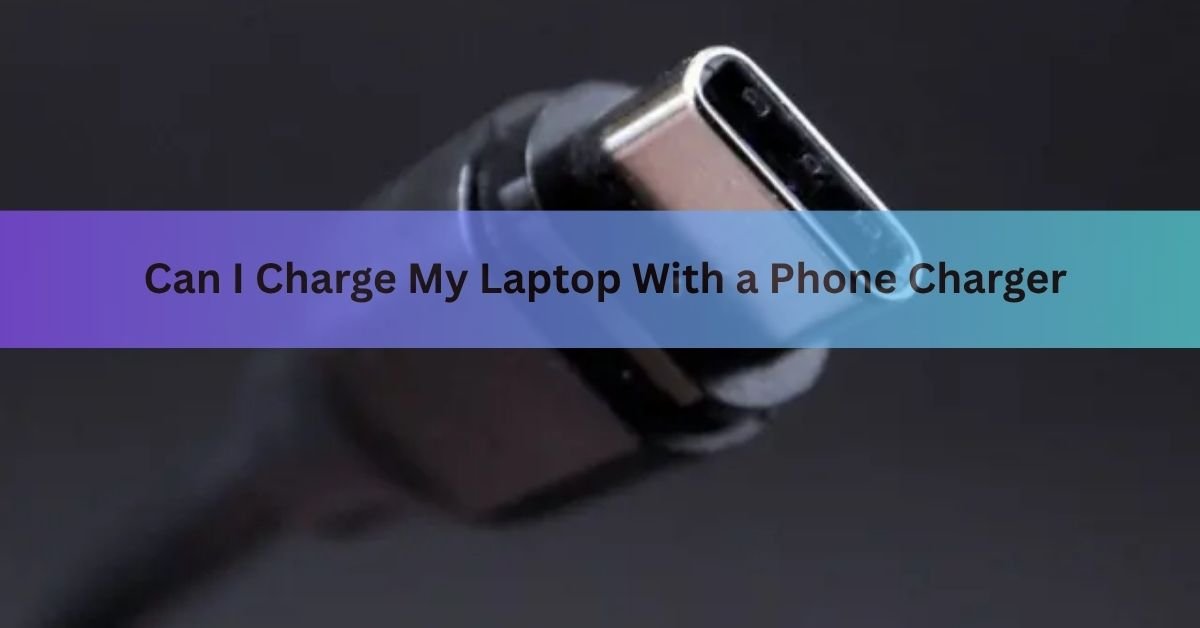
The plug matters because most laptops that can take a phone charger use USB-C, the small oval port that’s reversible so it goes in either way up. Phone chargers with a USB-C tip can fit straight into that port. If the plug doesn’t fit, nothing else matters, so the port is the first thing to check.
Power matters because laptops are hungrier than phones. Power is measured in watts, and you get watts by multiplying voltage (V) by current, measured in amps (A). A phone might be happy sipping 18 to 27 watts. A laptop usually wants 45, 65, or even 100 watts to charge at its normal speed. A small charger simply can’t pour power in fast enough.
The short version: USB-C port + enough watts = it charges. Right port but too few watts = slow or no charge. Wrong port = it won’t connect at all.
Does your laptop charge over USB-C?
Not every laptop can charge this way, and not every USB-C port is built to take in power. Some USB-C ports only move data or video. Here’s how to check yours in under a minute.
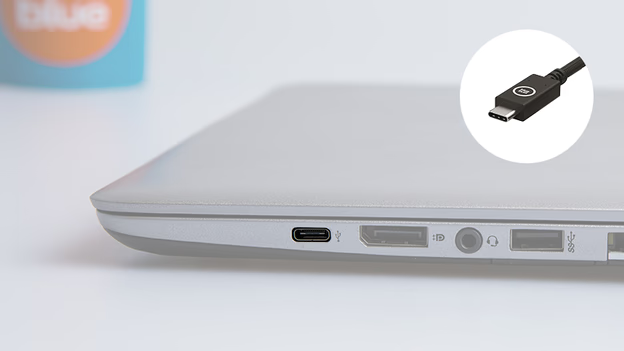
- Look for a USB-C port. It’s the small, rounded, symmetrical slot. If your laptop only has the wide, rectangular USB-A ports, it can’t charge over USB-C.
- Find the charging port. Many laptops mark the power-capable USB-C port with a tiny battery icon, a lightning bolt, or the letters “PD.” That’s the one to use.
- Check the original charger. If the charger that came with your laptop has a USB-C tip and plugs into that same port, your laptop charges over USB-C. If it uses a round pin (a barrel plug) or a special-shaped connector, it most likely doesn’t.
When you’re not sure, your laptop’s model name plus the words “USB-C charging” in a quick search, or a glance at the maker’s spec page, will confirm it. Thin-and-light laptops like the MacBook Air, Dell XPS, Lenovo ThinkPad, HP Spectre, and ASUS Zenbook lines widely support it. Many gaming laptops and heavy workstations don’t, because they pull more power than USB-C usually carries.
How much power does your laptop need?
Once you know the plug fits, power decides whether you actually gain charge. Look at the small print on your laptop’s own charger. You’ll see something like “20V, 3.25A, 65W.” That last number, the watts, is your target.
A phone charger lists its own output too, often on the body of the plug. Compare the two. The closer the phone charger’s wattage is to what your laptop wants, the better it works. This table shows the rough picture.
| Charger wattage | What it’s built for | What it does with a laptop |
| 5W to 20W | Older phones, earbuds, basic phones | Often holds the battery steady or drains it slower than normal; rarely adds real charge while you work |
| 20W to 30W | Most modern phones | Trickles a small laptop up slowly, usually only when it’s asleep or idle |
| 30W to 45W | Fast-charge phones, small tablets | Charges a light laptop at a usable but slow pace |
| 60W to 100W | Laptops, large tablets | Charges most laptops at or near full speed |
So a typical 20W phone charger may keep a light laptop from dying while it sleeps, but won’t give you much if you’re working with the screen on. A 65W or higher USB-C charger, the kind that comes with some big phones or tablets, can often run a laptop at close to full speed.
How USB-C decides what’s safe
You might worry that a charger could shove too much power into your laptop and fry it. With USB-C, that’s handled by a system called Power Delivery, or PD. When you plug in, the charger and the laptop have a quick digital conversation before any serious power flows. They agree on a voltage the laptop can safely take, and only then does the charger switch to it.
It always starts gently. The connection opens at a safe 5 volts, and the voltage only steps up, to 9V, 15V, or 20V, if both sides agree the laptop wants it. The laptop asks for what it needs, and the charger never forces more. If they can’t agree, it drops back to the safe 5 volts rather than overloading anything. You can read the plain-language basics on the USB-IF Power Delivery page, the group that sets the standard.
This is why a weak charger leads to slow charging rather than damage. The laptop simply can’t draw more than the small charger offers, so it takes what it can get.
Can it damage your laptop or the charger?
For USB-C charging between gear that meets the standard, the risk is low. The negotiation built into Power Delivery is there to stop a mismatch from doing harm. The usual outcome of using an underpowered charger is a slow charge or a battery that holds steady, not a broken laptop.
A few real cautions are still worth knowing:
- Cheap, uncertified chargers and cables skip the safety steps that proper ones include. Stick with known brands or the certified logo.
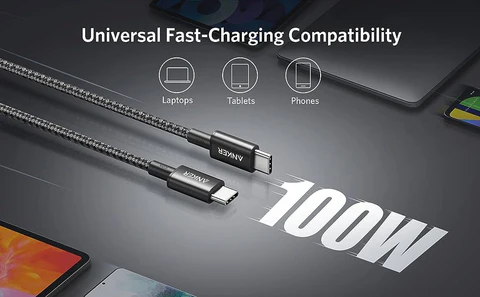
- The cable counts too. A basic USB-C cable carries up to 3 amps. To pass 60 watts or more, you need a cable rated for 5 amps (sometimes called an e-marked cable). A thin charging cable can quietly cap your speed.
- If you run a demanding task while charging from a small charger, the laptop can use power faster than it comes in, so the battery still slowly drops. That’s normal, not a fault.
- Never force a plug that doesn’t fit, and don’t use a damaged cable or a charger that gets very hot. Heat is the one sign worth stopping for.
What if your laptop doesn’t have a USB-C charging port?
Some laptops charge only through a round barrel plug or a brand-specific connector. Gaming laptops, workstations, and many older models fall into this group because they need more or steadier power than USB-C commonly supplies.
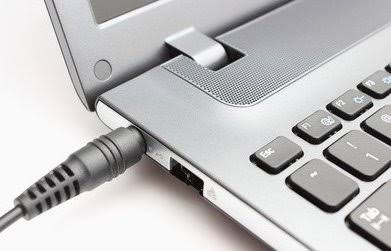
In that case, a phone charger can’t help, full stop. The plug won’t fit, and a USB-C-to-barrel adapter is risky because a barrel charger has no smart negotiation. It sends a fixed voltage, and if the voltage, the polarity, or the tip size is even slightly off, you can damage the laptop. For these machines, use the proper adapter or a backup made for that exact model.
Better backups when you’re caught without a charger
If leaning on a phone charger leaves you short, a few options work better when you’re away from your own brick:
- A USB-C power bank rated for laptops. Look for one around 20,000mAh or more with USB-C Power Delivery and a 60W or higher output. This is the most reliable portable fix.
- A higher-wattage USB-C charger. A single 65W or 100W GaN charger is small, and it can power a laptop, phone, and tablet, so it’s a smart thing to carry.
- A car charger or inverter. For road trips, a USB-C PD car charger or a small inverter in the 12V socket can keep a laptop topped up.
- Someone else’s laptop charger. A USB-C charger from another laptop will usually work, as long as its wattage is in your laptop’s range.
Frequently asked questions
Will a phone charger charge my laptop overnight?
Maybe. A 30W or higher USB-C charger can slowly fill a light laptop overnight while it sleeps. A 5W to 20W charger may only hold the battery steady, so you could wake up with little or no extra charge.
Is it bad for my laptop battery to use a phone charger?
No, not for USB-C charging with certified gear. Power Delivery negotiates a safe voltage, so an underpowered charger leads to slow charging, not battery harm. Just avoid cheap, uncertified chargers and damaged cables.
Why is my laptop charging so slowly with a phone charger?
Because the charger or cable can’t supply enough power. Phone chargers often output 20W to 30W, while laptops want 45W to 100W. A cable not rated for higher amps can also cap the speed below the charger’s limit.
Can I charge a MacBook with an iPhone charger?
You can, but a small iPhone charger (20W to 35W) charges a MacBook slowly, mostly when it’s idle or asleep. For full-speed charging, use a 67W or higher USB-C charger, closer to what the MacBook ships with.
How do I know how many watts my laptop needs?
Read the label on your laptop’s original charger. It lists the output, ending in a watt figure like 45W, 65W, or 100W. That number is what a replacement charger should match to charge at normal speed.
Conclusion
So, can you charge a laptop with a phone charger? Often yes, if your laptop charges over USB-C and the charger gives enough watts. Check the port first, then match the wattage as closely as you can to your laptop’s normal charger. A small charger is fine as an emergency top-up, just expect it to be slow, and a good result is simply a battery that climbs or holds while you finish what you’re doing. For anything more than a stopgap, a laptop-rated USB-C power bank or a 65W-plus charger is the safer bet.
Related Post
Which Gaming Laptops Last the Longest on Battery?
How to Optimize Your Gaming Laptop for Cloud Gaming
Acer Laptop Screen Not Working? Fix It Step by Step