
Most laptop chargers put out somewhere between 15 and 20 volts of direct current (DC), with 19V and 19.5V being the two most common numbers on traditional barrel-plug chargers. USB-C chargers work differently. They can shift between 5V and 20V (and sometimes up to 28V, 36V, or 48V on newer high-power models) depending on what the laptop asks for during charging. There is no single voltage that applies to every laptop, because the number is set by the battery and circuitry inside each specific model.
Why laptop chargers don’t share one standard voltage
A laptop charger’s job is to take the electricity from a wall outlet and convert it into a steady, lower voltage that matches what the laptop’s battery and motherboard need. Every laptop maker designs its own power circuit, and that design decides the exact voltage the charger has to deliver.
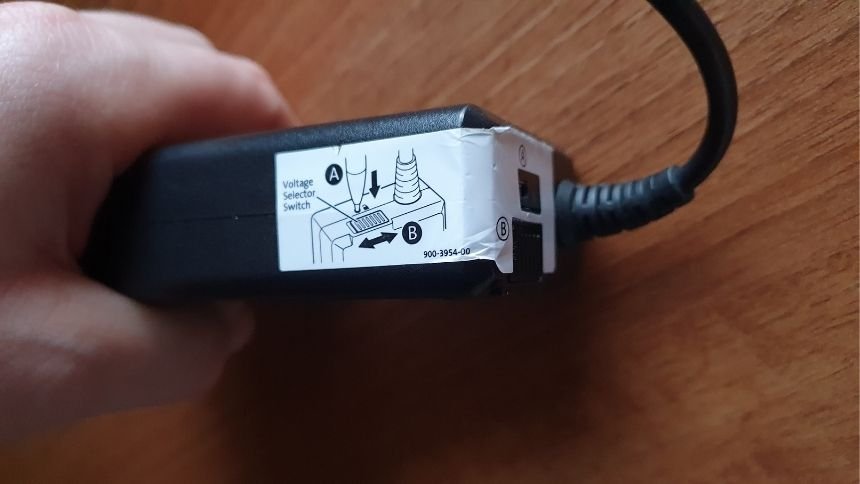
That’s why a Dell charger and an Acer charger can look almost identical but carry different numbers on the label. Swap them and, at best, the laptop won’t charge. At worst, you risk damaging the battery or the charging circuit.
Manufacturers didn’t converge on one number because laptop battery packs aren’t built the same way. A pack made from three lithium-ion cells wired in series lands around 11.1V to 12.6V at the battery itself, and the charger has to supply a bit more than that so the internal regulator can step it down cleanly. A pack with four cells needs a higher input. That’s the root reason 19V, 19.5V, and 20V all show up across different brands: they’re all close to what a three or four-cell pack needs, just tuned slightly differently by each manufacturer’s circuit design.
What voltage do specific laptop brands use?
If your charger has a traditional barrel-style plug (a round pin, not USB-C), it almost certainly falls into one of these common ranges. Check the small print on the charger’s label or the underside of the brick to confirm your exact model.
| Brand | Typical output voltage | Common wattage range |
| Dell | 19.5V | 45W to 130W |
| HP | 18.5V or 19.5V | 45W to 90W |
| Lenovo | 20V | 45W to 135W |
| Asus | 19V | 33W to 180W |
| Acer | 19V | 45W to 135W |
| Toshiba | 15V or 19V | 45W to 75W |
| Sony (Vaio) | 19.5V | 40W to 90W |
The amperage and wattage differ far more than the voltage does, because those numbers scale with how much power a particular model actually draws. A basic ultrabook might need 45W, while a gaming laptop with a discrete graphics card can pull 180W or more. The voltage stays in a tight band; the current is what changes to match the laptop’s appetite.
A quick way to sanity check any charger: multiply the voltage by the amperage printed on the label. Volts times amps equals watts, and that number should match (or exceed) what your laptop’s own power brick lists.
How does a USB-C laptop charger’s voltage work?
USB-C chargers don’t lock in at one number the way barrel chargers do. Instead, they use a system called USB Power Delivery (USB PD), which lets the charger and the laptop “negotiate” a voltage the instant you plug in.
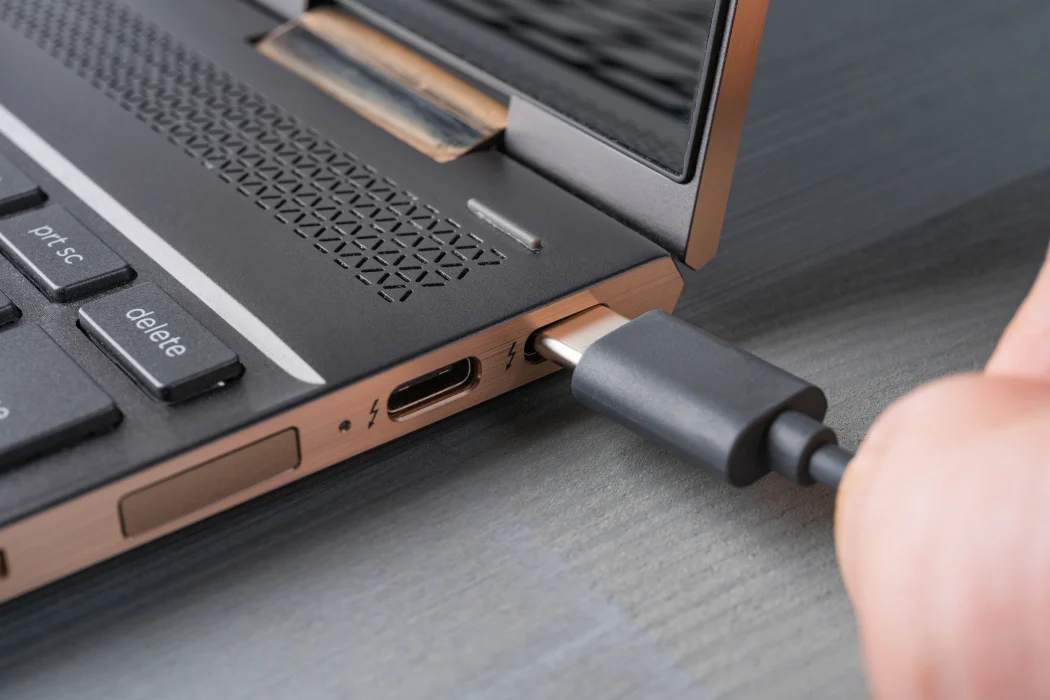
Every PD charger starts at a safe 5V, then steps up once it confirms what the connected device is asking for. The standard fixed voltage levels are 5V, 9V, 15V, and 20V. A phone might settle on 9V for a quick top-up, while a laptop typically pulls 15V or 20V to charge at full speed. You can read the full technical rundown on the USB Power Delivery specification page maintained by the USB Implementers Forum, the organization that writes the standard.
Newer high-power laptops, especially 16-inch gaming and workstation models, use an extended range added in 2021 that goes up to 28V, 36V, or even 48V, allowing a single USB-C cable to deliver as much as 240 watts. Reaching those levels requires both the charger and the cable to support Extended Power Range (EPR); a basic USB-C cable without the right internal chip will cap out around 60W regardless of what the charger can technically supply.
This negotiation is also why a phone charger won’t hurt a laptop and a laptop charger won’t hurt a phone. The device requests only the voltage and current it needs, and the charger never pushes more than that request, even if it’s capable of higher output.
What voltage does a MacBook charger use?
Apple’s USB-C power adapters follow the same PD negotiation described above, stepping between 5V, 9V, 15V, and 20V depending on the model and how much power it’s rated for. A 30W adapter tops out around 20V at 1.5A, while the larger 96W and 140W adapters used with 16-inch MacBook Pro models reach roughly 20V at higher amperage, or step into the extended voltage range for the fastest charging speeds. You can check exactly which adapter pairs with your MacBook on Apple’s official power adapter guide.
Older MagSafe chargers (the magnetic connector used before 2016, and again from 2021 onward on higher-end models) run at a fixed voltage rather than negotiating one, typically 14.85V or 20.3V depending on the wattage rating.
Input voltage versus output voltage: don’t mix them up
Every laptop charger label lists two very different sets of numbers, and confusing them is a common mistake.
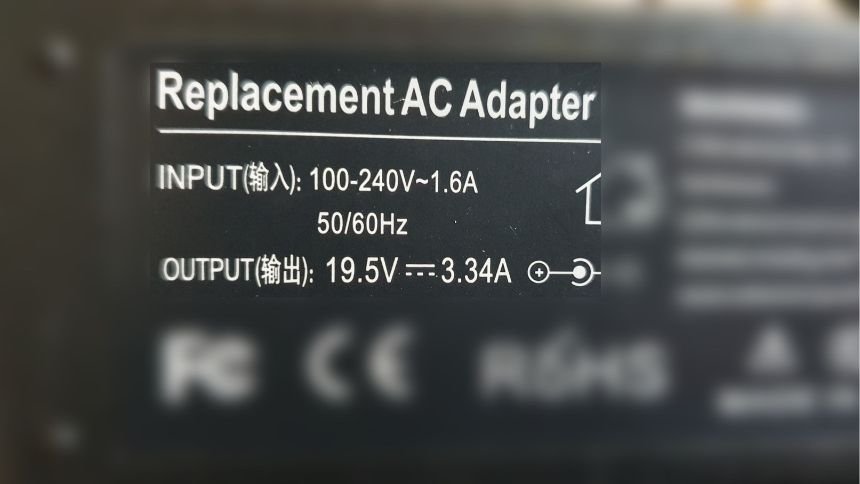
The input voltage is what the charger accepts from the wall. Nearly all modern laptop chargers are rated for 100V to 240V AC, which covers every country’s mains supply worldwide. That’s why the same charger works in the United States (about 120V) and in Europe or Asia (about 220 to 240V) without needing a voltage converter, just a plug adapter for the socket shape.
The output voltage is the number this article has been discussing: the lower DC voltage, usually 15V to 20V, that actually reaches the laptop after the charger’s internal circuitry converts and steps down the incoming AC power. If you only remember one rule, remember this: the input range is universal, but the output voltage must match your specific laptop.
How to find your laptop’s exact charger voltage
You don’t need to guess. The information is printed directly on the hardware in two places.
- Check the charger’s label. Flip the power brick over and look for a line that says “Output,” followed by a voltage and amperage, something like “Output: 19.5V, 3.34A.”
- Check the laptop itself. Most laptops have a sticker on the underside listing the required input voltage, which should match the charger’s output exactly.
- Check the manufacturer’s support site. If both labels have worn off, searching your laptop’s exact model number on the maker’s site will show the original charger specifications.
- Use a multimeter as a last resort. If you have an unlabeled charger, a multimeter set to DC volts can measure the output directly at the tip, though this only confirms voltage, not amperage capacity.
Can you use a charger with a different voltage?
Voltage needs to match closely; amperage and wattage have more flexibility.
For barrel-style chargers, most laptops tolerate a voltage difference of no more than about 0.5V to 1V from their rated input. A 19V charger on a laptop built for 19.5V will often work, but a 20V charger on a laptop expecting 12V absolutely will not, and could damage the motherboard.
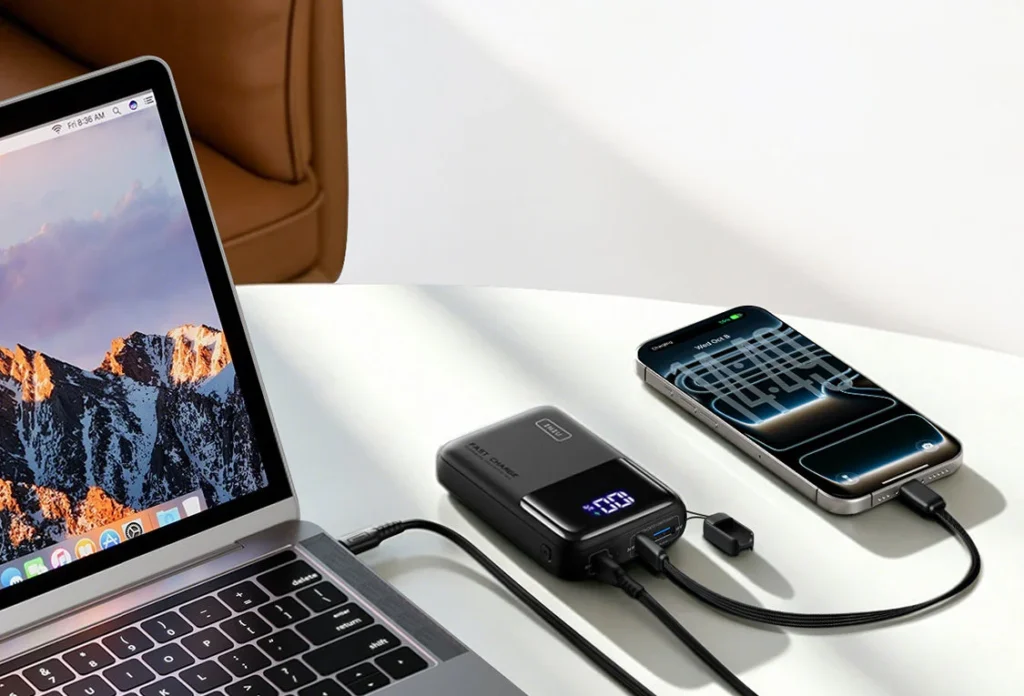
Amperage and wattage work the other way around. You can safely use a replacement charger with equal or higher amperage than the original, because the laptop only draws the current it actually needs. A 90W charger will happily power a laptop that shipped with a 65W charger; it just won’t force more power into the device than the laptop is designed to accept. Going lower is the problem: a 45W charger plugged into a laptop that needs 65W to run and charge at the same time may charge very slowly, refuse to charge under heavy use, or fail to power the laptop on at all.
USB-C chargers are more forgiving because of the negotiation process described earlier. As long as the charger and cable support USB PD and can reach the voltage your laptop requests, wattage differences mostly just affect charging speed rather than safety, provided the charger is a genuine PD-compliant unit rather than a cheap 5V-only USB adapter.
What happens if you use the wrong voltage?
Too high a voltage sent into a laptop’s charging circuit can overwhelm the voltage regulator, and in the worst cases it damages the motherboard or the battery’s protection circuit. Too low a voltage usually just means the laptop won’t power on or won’t charge, since the internal regulator can’t step up a shortfall the way it can step down an excess. Neither situation is common with barrel chargers bought from the original manufacturer, but it becomes a real risk with mismatched third-party or universal adapters that aren’t set to the correct voltage before use.
Frequently asked questions
Is a laptop charger 12V or 19V?
It depends on the laptop. Most full-size laptops use 19V, 19.5V, or 20V chargers, while some smaller netbooks and older two-cell battery models use closer to 12V. Check your charger’s label to confirm the exact figure.
Can I use a 20V charger on a laptop rated for 19V?
In most cases, yes, since 20V is within the roughly 0.5V to 1V tolerance most laptops accept. It’s still best to match the original voltage exactly when a same-voltage replacement is available.
Do all USB-C chargers output the same voltage?
No. USB-C chargers negotiate a voltage with the connected device, typically stepping between 5V, 9V, 15V, and 20V, so the same charger can output a different voltage depending on what it’s plugged into.
Why do laptop chargers accept 100V to 240V input?
That wide input range lets one charger work on any country’s electrical mains without a voltage converter. It only affects the input side; the DC output voltage the laptop actually receives stays fixed regardless of which country you’re in.
Will a higher wattage charger damage my laptop?
No, as long as the voltage matches. Laptops only draw the current and wattage they need, so a higher-wattage charger at the correct voltage is safe and will not overcharge or overpower the device.
Conclusion
Laptop charger voltage almost always falls between 15V and 20V DC, with 19V, 19.5V, and 20V covering most barrel-plug chargers and 5V to 20V (or higher on newer models) covering USB-C chargers through PD negotiation. The exact number depends on your laptop’s make and model, so the safest move is always to match your replacement charger’s output voltage to the one printed on your original charger or on the laptop itself.
Related Post
How to Reset a Gateway Laptop to Factory Settings
How to Prolong the Life of a Laptop Battery
How to Measure Laptop Dimensions: A Simple Guide
Heat Damage to a Laptop Screen: What It Looks Like and What to Do